A SIM or eSIM connects your iPhone to a mobile number and carrier service. A dual SIM iPhone can manage two active mobile lines at once, making it useful for anyone with separate phone numbers or service plans.
For instance, you may use one line for frequent calls and texts while assigning the other to a plan with more mobile data. The two lines can come from the same carrier or different carriers if the iPhone is unlocked and both providers support the setup.
In this post, we’ll look at how an iPhone dual SIM works, which models support it, and what you need to know to get the most out of both lines.
1. What Does Dual SIM iPhone Mean?
Dual SIM is a feature that enables an iPhone to manage two active mobile lines on one device. Depending on the model and region, those lines may use two nano-SIM cards, one nano-SIM and one eSIM, or two eSIMs.
Each line generally has its own phone number and mobile plan. Both lines may come from the same carrier, or you can use two different carriers when the iPhone is unlocked and both providers support Dual SIM.
You may use one line for personal calls and messages and another for work. If you’re traveling, you can also keep your home line active while adding a local SIM or travel eSIM.
Both lines can make and receive calls and messages while available. However, iPhone normally uses only one cellular data network at a time. During a call on one line, the other line may become unavailable unless the required Wi-Fi Calling and cellular data settings are supported.
There are three main types of dual SIM iPhones:
- Two nano-SIM cards
- One nano-SIM and one eSIM
- Two active eSIMs
2. Which iPhone Has Dual SIM?
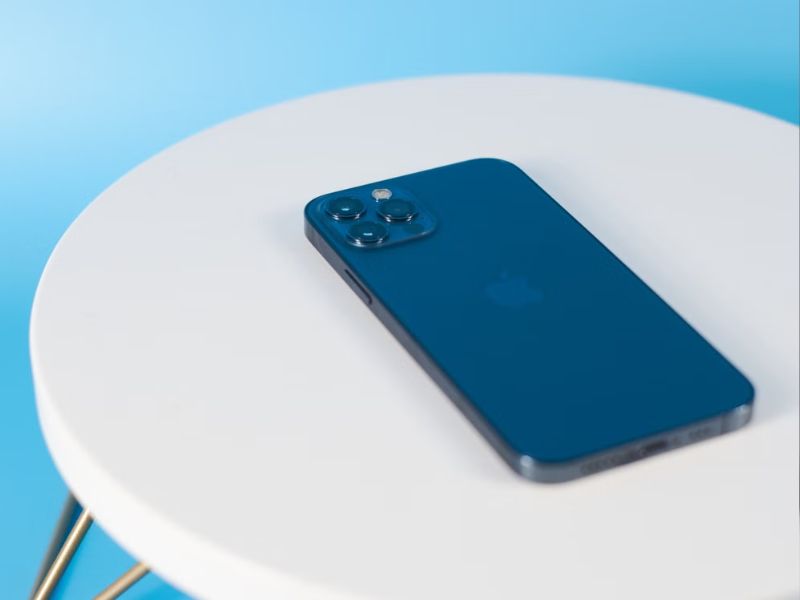
Dual SIM support depends on the iPhone model and the country or region where it was purchased. The table below provides a more accurate general guide.
| Nano-SIM and eSIM | iPhone SE (2nd generation), iPhone XR, iPhone XS and XS Max, iPhone 11 series, iPhone 12 series, and later models that include a physical SIM tray |
| Two active eSIMs | iPhone SE (3rd generation), iPhone 13 series, and later supported models |
| eSIM only | iPhone Air; iPhone 14 and later models purchased in the United States; other models or regional versions sold without a physical SIM tray |
| Two nano-SIM cards | Certain models purchased in China mainland, Hong Kong, or Macao |
The SIM configuration can differ even between phones with the same model name. For example, a U.S. iPhone 17e is eSIM-only, while versions sold in some other markets support a nano-SIM and eSIM. Check the exact model and original sales region before buying.
3. Pros & Cons of Dual SIM iPhone
Before deciding whether to use Dual SIM on your iPhone, it is helpful to understand both the advantages and potential drawbacks.
While the feature offers greater flexibility for managing multiple numbers and mobile plans, it also comes with a few trade-offs depending on how you use your device.
Benefits of a Dual SIM iPhone
An iPhone dual SIM is not only convenient, but it can also save you time and money. Here are a few advantages:
- Separate work and personal numbers: Keep two phone numbers on one iPhone without carrying a second device.
- Better for international travel: Use a local SIM or eSIM for affordable data while keeping your home number active.
- Improved network coverage: Switch between two carriers to access the strongest available signal.
- Lower mobile costs: Combine different plans to save money, such as one for calls and another for data.
- Easier expense tracking: Keep work and personal usage separate for simpler budgeting or reimbursement.
Disadvantages of a Dual SIM iPhone
Although there are many benefits, there are several factors to consider before using an iPhone with Dual SIM capability.
- Possible additional battery use: Maintaining two network connections may use more battery, particularly when one line has weak coverage.
- More complex to manage: You need to choose the correct line for calls, messages, and mobile data to avoid accidental charges.
- Call availability may vary: During a call on one line, the other line may become unavailable unless Wi-Fi Calling and the required data-switching settings are supported.
- Higher monthly costs: Maintaining two active mobile plans is generally more expensive than using a single plan.
>>>Read more: What Is A Prepaid SIM Card? Benefits Of No-Contract Plans
4. How to Set Up Dual SIM on iPhone?
The process of enabling dual SIM functionality may differ depending on the device.
Here are some general methods for enabling and managing dual SIM cards on your phone:
For a Physical SIM + eSIM
- Insert your physical SIM card into your iPhone.
- Open Settings > Cellular or Mobile Data.
- Tap Add eSIM.
- Follow the carrier instructions to transfer a line, scan a QR code, use a carrier app, or enter the activation details manually.
- Assign labels to each line, such as Personal and Work, to make them easier to identify.
- Choose your default line for calls and messages, then select the line used for cellular data.
For Dual eSIM
- Confirm that your iPhone supports two active eSIMs. Supported devices include iPhone SE (3rd generation), iPhone 13 models, and later compatible iPhones.
- Go to Settings > Cellular or Mobile Data > Add eSIM.
- Follow the on-screen instructions to transfer or activate each eSIM.
- Give each plan a unique label, such as Personal or Travel.
- Select your default voice line and preferred cellular data line.
- Turn on Allow Cellular Data Switching if you want iPhone to use the other line’s data in supported situations.
To use plans from two different carriers, make sure your iPhone is unlocked and that both carriers support the required Dual SIM setup.
>>>Read more: How To Activate eSIM On iOS And Android? 2026 Tutorial
5. Need an Affordable Wireless Service Plan for Your Dual SIM iPhone? Explore Lifeline Benefits
A Dual SIM iPhone lets you manage multiple phone numbers on one device, whether you’re separating work and personal calls or combining different mobile plans.
Moreover, to help reduce monthly wireless costs, eligible households can explore the Lifeline program.
This is a government assistance program that helps eligible low-income households afford stable connectivity through a monthly discount on phone service or internet service.
By applying through Eligible Telecommunications Carriers like Cintex Wireless, applicants can get free or discounted monthly service that may include talk, text, and generous data, along with a free device, depending on the carrier’s stock, your eligibility, and the time you apply.
To qualify, eligibility is generally based on income or participation in other qualifying programs like SNAP, SSI, etc.
However, note that Lifeline benefits are legally non-transferable under Federal Communications Commission regulations. Also, benefits are limited to one per household and non-transferable.
Importantly, Cintex is merging with AirTalk Wireless, which is great for those wanting to upgrade their device.
AirTalk offers a range of phone models from popular brands, along with exclusive benefits for eligible participants.
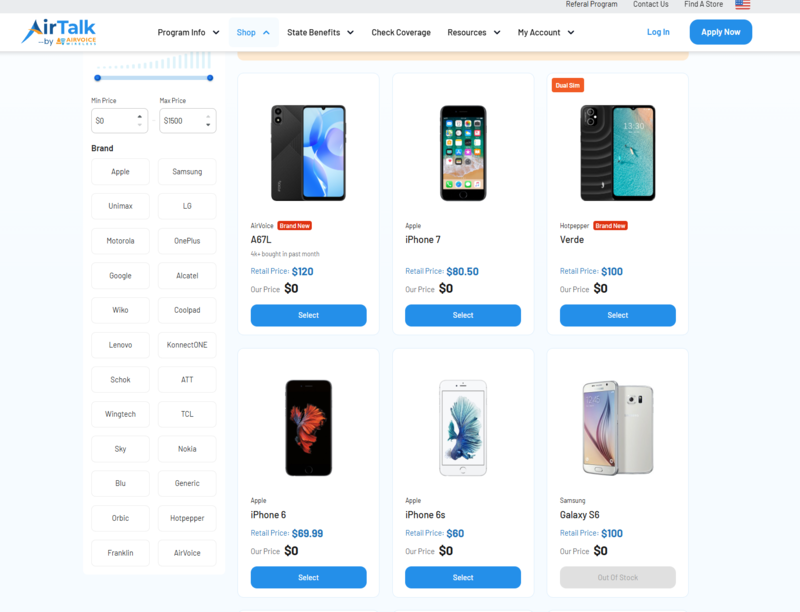
However, some iPhone models are considered premium devices and are offered in limited quantities through the Lifeline program.
Because these models are in high demand, they may sell out quickly or be temporarily unavailable.
If you have a specific iPhone in mind, it’s a good idea to check the product list regularly for new inventory and availability updates so you don’t miss the opportunity to claim your preferred device.
Notice: The government does not cover device costs, only basic service through Lifeline. Any free or discounted devices, upgrades, or top-ups are limited-time Cintex Wireless and AirTalk Wireless offers and may vary by state, eligibility, and availability. Terms and conditions apply.
Conclusion
The dual SIM iPhone functionality does more than just save space in your pocket. It turns your hardware into a command center, letting you switch between time zones or other parts of your life without replacing Apple devices.
With options such as a physical SIM plus eSIM or dual eSIM, you may experience seamless switching, cost savings, and convenient control, all from your iPhone.