Sometimes you pick up a new phone, buy a used device, or switch carriers and suddenly realize you’re not even sure whether there’s a SIM card inside. Without knowing, it’s hard to activate service or troubleshoot connection problems.
If you’ve been wondering how do I know if my phone has a SIM card, this guide walks you through the quickest ways to check and explains what to do next.
1. Understand What a SIM Card Actually Does
A physical SIM or eSIM identifies your mobile subscription so your phone can connect to your carrier’s network for calls, texts, and mobile data.
Because some phones use eSIM instead of a removable card, knowing which type your device supports is the first step.
2. Check Whether Your Phone Has a Physical SIM Card
The fastest way to answer how do I know if my phone has a SIM card is to inspect the device itself.
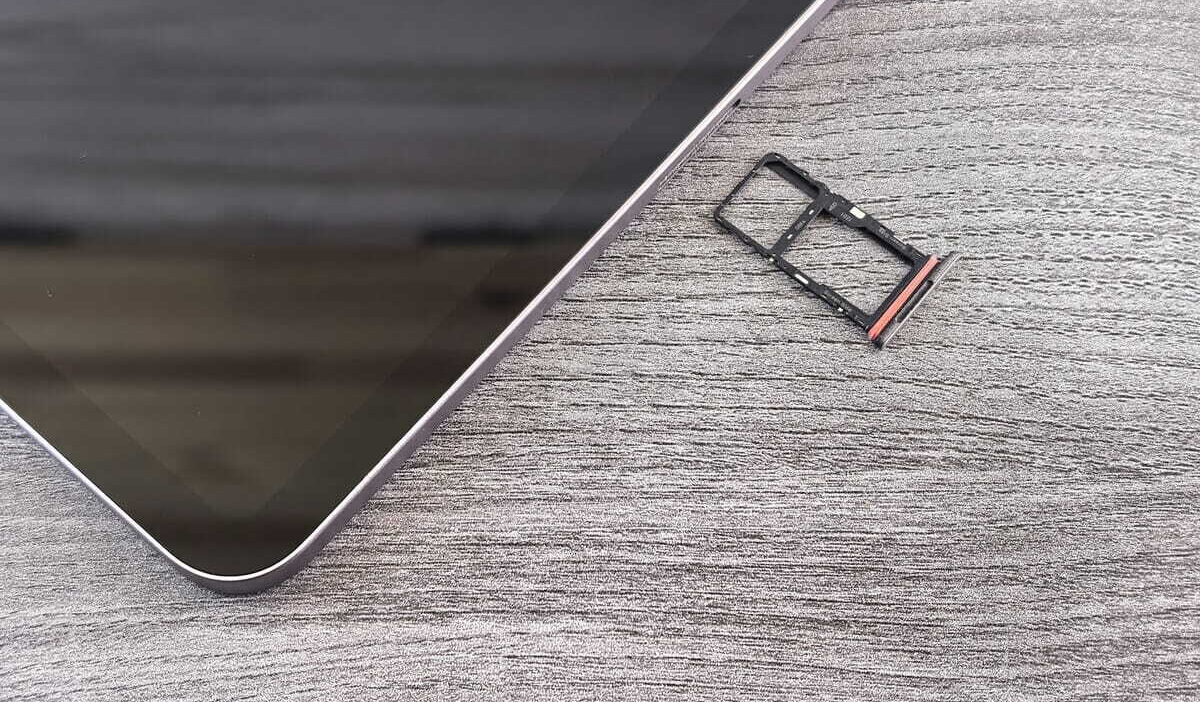
Locate the SIM tray
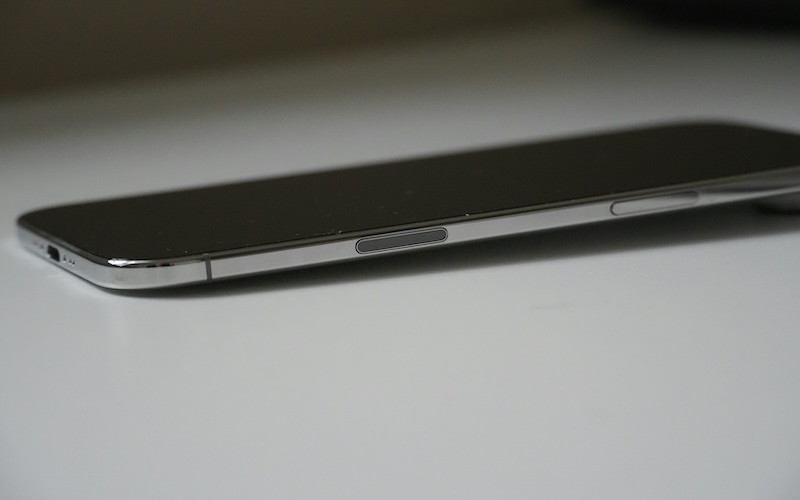
Look along the side of the phone for a small tray with a tiny pinhole. Most Android phones and iPhones place the SIM tray on one of the side edges. Some models are eSIM-only and therefore have no physical SIM tray
Remove the tray safely
Use a SIM eject tool or a straightened paperclip to gently press into the hole. The tray should slide out without requiring force.
Check whether a SIM is inserted
If you’re wondering how do I know if my phone has a SIM card, an empty SIM tray means no physical SIM is currently installed.
Reinsert the SIM tray correctly
Place the SIM back in the tray using the correct orientation, then slide it firmly into the phone until it sits flush with the frame.

3. Confirm It Using Your Device Settings
When learning how do I know if my phone has a SIM card, your phone’s settings can often confirm whether a SIM or eSIM is active.
Find SIM information on Android
Go to Settings > Network & Internet > SIMs on devices such as Google Pixel, or Settings > Connections > SIM Manager on many Samsung phones.
The exact menu varies by manufacturer, but you can usually see installed or configured SIMs, carriers, and whether a mobile line is enabled.
Locate carrier details on an iPhone
Open Settings > Cellular or Mobile Service. Look for a physical SIM or eSIM cellular plan, then check whether the line is turned on. An eSIM can provide cellular service even when no physical card is inside the phone.
Identify whether your phone uses eSIM instead
A helpful tip for how do I know if my phone has a SIM card is that an active eSIM can provide service even when no physical SIM is installed.
>>> Read more: How To Activate A SIM Card? Detailed Tutorial 2026
4. Does Every Phone Have a SIM Card?
No. If you’re asking does every phone have a SIM card, not every phone contains a removable physical SIM.
Phones with cellular service generally use a physical SIM, an eSIM, or both, while some newer models and regional variants are eSIM-only.
For example:
- Some newer smartphones are eSIM-only and have no physical SIM tray.
- Many phones support both a physical SIM and eSIM.
- Older or budget models may support only a physical SIM.
5. What If You Can’t Find a SIM Card?
If you still can’t figure out how do I know if my phone has a SIM card, one of these situations is usually the reason.
- Your phone may already use an eSIM: Many recent smartphones activate service digitally without requiring a removable SIM card.
- The SIM tray could be empty: A previous owner may have removed the SIM before selling or giving away the phone.
- Your device might not support cellular service: Some tablets and media devices connect only through Wi-Fi and don’t include cellular hardware.
- A carrier activation may still be required: Even if a SIM is installed, mobile service won’t work until the carrier finishes activating the line.
6. Ready to Activate Your Phone? Check Your Service Options
Once you’ve confirmed your phone has a SIM card or supports eSIM, the next step is making sure that device can work with the wireless service you want to use. That matters because having a SIM slot or eSIM support does not automatically mean the phone is compatible with every carrier.
If affordability is also part of your decision, you may want to check whether you qualify for the federal Lifeline program, a government assistance program.
Lifeline helps eligible households reduce the cost of monthly phone service or internet service, generally based on household income or participation in a qualifying assistance program.
Notably, the program does not handle things alone. That is where an approved carrier comes in.
Cintex Wireless is an Eligible Telecommunications Carrier that helps qualified customers access Lifeline-supported service.
Its application process is designed to be simple: confirm service availability in your area, choose an available service plan and device option, provide the required information, and submit your application for approval.
That choice also connects directly back to the SIM question.
- If you keep your current compatible phone, the service can be set up with the supported physical SIM or eSIM option if your device is compatible
- If you choose a new device instead, the available device and SIM setup will depend on the offer, location, and inventory.
Cintex has now merged into AirTalk Wireless, so customers can continue through the updated provider experience while accessing available Lifeline-supported service and device options.
Once your application is approved, you’ll receive the next steps for activating service and setting up the SIM or eSIM that works with your selected device.
Note: Eligibility varies by state and program. Offers depend on availability and qualifications. Cintex and AirTalk Wireless operate under the federal Lifeline Program as an Eligible Telecommunications Carrier (ETC). Service is non-transferable and limited to one service per household.
7. FAQs
Can a phone work without a SIM card?
Yes. You can still use Wi-Fi, apps, and other offline features without a SIM. Normal cellular calls, SMS, and mobile data require an active SIM or eSIM, although emergency calls may still be possible in some circumstances.
How can I tell if my phone uses eSIM or a physical SIM?
Check for a physical SIM tray, then review the SIM or Cellular section in Settings. A phone without a SIM tray may be eSIM-only, but checking the model specifications or settings is the most reliable way to confirm.
Can I use Wi-Fi if my phone doesn’t have a SIM card?
Yes. Wi-Fi works independently of a SIM card, so you can browse the internet, stream videos, and use most apps while connected to a wireless network.
Conclusion
If you’re asking how do I know if my phone has a SIM card, the answer usually takes just a few minutes to find.
Check the SIM tray, review your phone’s settings, and see whether your device uses a physical SIM or eSIM. Once you know which type your phone supports, activating the right mobile service becomes much easier.