
If you are wondering how to use WIC online Walmart pickup without card, the process is simpler than many people expect. However, online payment is not yet available everywhere, so the experience may depend on your state and local eligibility.
In this guide, you will discover how online WIC works at Walmart, how to shop for eligible items, and what to know before checkout. Check it out below!
Does Walmart Accept WIC Benefits?
Walmart accepts WIC (Special Supplemental Nutrition Program for Women, Infants, and Children) benefits at most of its stores.
Because the WIC program is regulated at the state level, each store must obtain specific authorization to participate.
This means that not every Walmart location accepts WIC. Thus, validating a store’s status is required before purchasing.
Currently, most states provide eWIC cards, making it easier to check out at Walmart.
These cards work similarly to a debit card. You may swipe your card at the register or self-checkout, enter your PIN, and the card will instantly cover all qualifying products in your cart.

So what about online orders? Walmart is investigating online WIC payments for pickup and delivery in Washington and Massachusetts. Available only in select states as part os pilot programs.
You may now use your WIC card to shop for qualifying products online using your Walmart account wallet.
Though online WIC ordering at Walmart is currently limited to select states, you can build your cart online, but double-check to make sure whether you need to pay at pickup or not.
Although grocery pickup is free, WIC does not cover delivery costs.
How to Find Walmart Locations That Accept WIC?
Before figuring out how to use WIC online Walmart, you need to know where WIC payment is acceptable. There are several ways:
- Check your state’s WIC store locator: Most states have an official list of approved vendors. You may find yours on your state WIC agency’s website or in the USDA WIC State Directory.
- Contact your local WIC office: Unless your state has a public list of accepted vendors, contact your local office directly. You may find your local WIC phone number and inquire about state-specific rules and participating retailers.
- Call your nearest Walmart store: A quick call to your nearby Walmart is also helpful. A staff member may validate WIC acceptance and answer concerns regarding checkout processes, such as which lanes are appropriate for WIC purchases.
- Search for in-store signage: Authorized businesses usually have a “WIC Accepted Here” sign at the door. Inside the shop, you may also see shelf tags identifying WIC-eligible goods.
How to Use WIC Online Walmart Easily?
Don’t worry about how to use WIC card at Walmart online because it is quite straightforward. Follow these steps:
- Visit walmart.com/wic to get started.
- Sign in to your Walmart account, or create one if you do not already have one.
- Add your WIC card to your Walmart wallet.
- Search for eligible products using the website’s WIC filter, or visit walmart.com/wic to shop for items on your WIC food list.
- Add eligible WIC items to your cart and make sure they fit within your available balance. If needed, add any regular non-WIC items as well.
- At checkout, follow the payment steps shown on the screen.
- Before placing the order, review everything carefully to make sure your eligible WIC items were applied correctly.
What Can You Buy with WIC Benefits at Walmart?
WIC benefits cover specified nutritional foods for pregnant and postpartum women, babies, and children up to age 5. Common categories include:
- Dairy and eggs: WIC-approved options often include milk, cheese, yogurt, and eggs.
- Fruits and vegetables: Eligible choices typically include fresh, frozen, and canned options.
- Whole grains: Common options include whole-wheat bread, brown rice, tortillas, and iron-fortified cereals low in sugar.
- Protein foods: WIC may also cover foods like peanut butter, dried beans, canned beans, and canned fish such as tuna or salmon.
- Infant foods: For babies, approved items can include iron-fortified formula, infant cereal, jars of baby food, fruits, and vegetables.
- Juice: In many cases, 100% fruit or vegetable juice is also included.
However, note that your state’s WIC program regulates which foods, brands, and sizes you may buy.
Thus, for a comprehensive list of what is covered, please consult your local WIC office’s approved food guide.
>>>Read more: How To Find A WIC Office Near Me? Maximize Your Benefits NOW
Stay Connected with WIC Benefits and Lifeline Program
Knowing how to use WIC online Walmart can make grocery shopping easier. Yet, staying connected is also an important part of managing everyday needs.
That is where the Lifeline program can help, by making phone service or internet service more affordable for eligible low-income households.
Lifeline is a government assistance program that supports a monthly discount on phone service or internet service for eligible households. The program does not handle the benefit-giving process directly but through the participating provider, also known as an Eligible Telecommunications Carrier (ETC)
Participating in government assistance programs such as WIC may help you qualify for Lifeline benefits (which vary by state).
Alternatively, you can qualify for Lifeline based on income or participation in programs such as SNAP, Medicaid, etc.
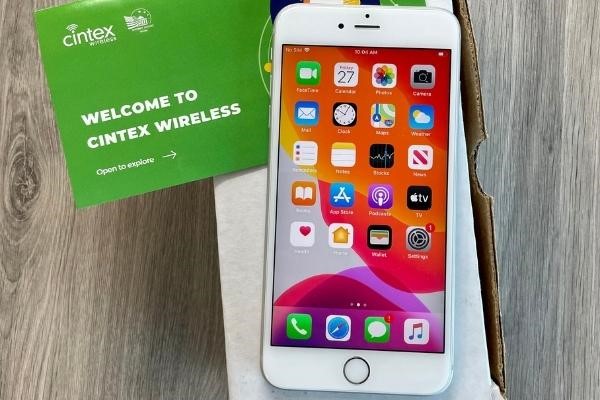
Lifeline covers the service benefit, and participating providers may include devices as part of their enrollment benefits.
Carriers, such as Cintex Wireless, assist qualified applicants in enrolling and managing service. Depending on region and current availability, Cintex’s Lifeline service may include low-cost or free phone deals.
Especially, Cintex is merging with AirTalk Wireless, an Eligible Telecommunications Carrier (ETC), to offer clients additional device options, including:
- iPhone 8 Plus
- iPhone 11
- iPhone 11 Pro Max
- iPhone 12
- iPhone 13
- Samsung Galaxy A12
- Motorola One 5G ACE
- OnePlus Nord N10 5G
However, there are a few important things to understand about the Lifeline program.
The benefit is non-transferable, which means it can only be used by the person or household that qualifies. In addition, only eligible consumers can enroll, and the program allows just one discount per household.
DISCLAIMER: The government does not cover device costs, only basic service through Lifeline. Any free or discounted devices, upgrades, or top-ups are limited-time Cintex Wireless offers and may vary by state, eligibility, and availability. Terms and conditions apply.
Conclusion
Knowing how to use WIC online Walmart may make shopping easier and stress-free, especially if you know what to expect. Because WIC online access varies by area, it is always a good idea to check your local alternatives, consider eligible items, and ensure that your payment method is properly configured before placing an order.