Transfer eSIM from iPhone to Android is not as simple as moving a physical SIM card from one tray to another. Since an eSIM is tied to both your device and carrier, the process may require a supported direct transfer, a new activation code, or help from your mobile provider.
Before switching phones, it is important to check compatibility, update both devices, and make sure you have WiFi access in case your cellular service pauses during activation. Use this guide to move your mobile plan with fewer errors and less downtime.
1. Is It Possible to Transfer eSIM from iPhone to Android?
Yes, you can transfer eSIM from iPhone to Android. However, the process is different from transferring a physical SIM card.
An eSIM is digitally linked to both your device and your carrier’s network. Because of this, moving an eSIM may involve either a supported direct transfer or a new eSIM activation from your carrier.
There are several factors that determine whether the transfer can be completed successfully:
- Device-specific security: eSIM profiles are encrypted and cannot simply be exported from one phone to another.
- Carrier policies: Some carriers support quick digital transfers, while others require users to request a new activation.
- Hardware compatibility: Both the iPhone and Android devices must support eSIM technology.
2. How to Know If You Can Transfer eSIM from iPhone to Android?
Before you start, it’s worth checking a few important requirements. Spending a minute on these items can help prevent activation errors and make the transfer process much smoother.
Use the following checklist before attempting to transfer eSIM to new phone Android:
- Your Android phone supports eSIM.
- Your carrier supports eSIM transfer or reactivation.
- Your iPhone is updated to iOS 26.3 or later if using direct transfer.
- Your Android phone is updated and compatible with Android 17 if using Apple’s direct transfer feature.
- Both phones are nearby and unlocked if using direct transfer.
- WiFi is available because cellular service may be interrupted during the transfer.
- Bluetooth is turned on for both devices if using direct transfer.
- Your phone number and carrier account are active.
If every item above is checked, you’re ready to move on to the transfer process.
Otherwise, resolving any missing requirements first can help you avoid unnecessary delays or activation failures.

3. How to Transfer eSIM from iPhone to Android?
The exact steps on how to transfer eSIM from iPhone to Android depend on the software available on your devices and the services offered by your carrier.
iOS 26.3 and Later (Direct eSIM Transfer)
In iOS 26.3 and later, Apple supports transferring an eSIM from iPhone to a compatible Android device when the carrier and Android device support the feature.
Below is the general process, which is only available when both the devices and the carrier support direct eSIM migration.
- Begin the setup process on your new Android phone.
- Use your iPhone camera to scan the QR code shown on the Android setup screen.
- Follow the prompts on both devices to connect them.
- Select the phone number or eSIM you want to transfer.
- Double-click the iPhone side button when prompted to confirm the eSIM transfer.
- Wait for the eSIM to activate on the Android phone.
You may also be able to start the process from the iPhone by going to Settings > General > Transfer or Reset iPhone > Transfer to Android, then following the on-screen prompts.
If the Transfer to Android option does not appear, the device, Android version, or carrier may not support direct transfer.
All Versions (Carrier-Assisted Transfer)
If direct transfer is unavailable, you can request a replacement eSIM from your carrier. Depending on the carrier, customers may be able to:
- Request or generate a new eSIM activation QR code.
- Download a replacement eSIM profile.
- Activate the line through the carrier’s website or mobile app.
- Receive assistance through customer support if manual verification is required.
Once the new eSIM is activated on your Android phone, the number usually stops working on the iPhone, but the exact timing depends on the carrier.
>>>Read more: What Happens If I Delete eSIM? Will I Lose My Phone Number?
4. Common Issues When You Transfer eSIM to New Phone Android
Although the transfer process is usually straightforward, a few issues may prevent the eSIM from activating successfully.
One common problem is an expired or previously used QR code. Some carriers allow each activation code to be used only once, so you may need to request a new QR code or activation method before trying again.
Another issue occurs when the Android phone cannot detect or install the eSIM profile. This may happen if the device does not support eSIM, the software is outdated, or the carrier profile has not been downloaded correctly.
Some users also find that activation stops midway through the process. In many cases, reconnecting to stable WiFi, turning Bluetooth on, restarting both devices, and repeating the setup can resolve the issue.
You may also notice that your phone number continues to work on your iPhone after the transfer begins. This can be temporary while the transfer is still processing, but once the transfer completes, the number should stop working on the iPhone.
Once the new eSIM is fully activated, the previous profile is typically disabled automatically.
Finally, not every carrier currently supports direct eSIM transfers between iPhones and Android devices.
If direct transfer is unavailable, you will usually need to request a replacement eSIM profile from your carrier and activate it on your new Android phone.
5. Your Phone Is Not eSIM Compatible? Eligible Users May Get a Free Upgrade with Cintex Wireless
If your current phone doesn’t support eSIM, upgrading to a compatible device may be the easiest way to enjoy the convenience of digital SIM technology.
For eligible low-income households, the Lifeline program provides an opportunity to lower the cost of wireless service.
You may qualify if your household is at or below 135% of the Federal Poverty Guidelines or participates in government assistance programs such as SNAP, SSI, Medicaid, or Federal Public Housing Assistance.
However, note that Lifeline does not provide service directly. Instead, it works with Eligible Telecommunications Carriers, such as Cintex Wireless.
These are the carriers that you should consider more if looking for an eSIM-compatible device, since they are the ones that may offer one, not the government or the Lifeline program.
Importantly, as Cintex continues its merger into AirTalk Wireless, another reputable ETC that has been serving eligible households for more than 2 decades, applicants can also benefit from a wider range of devices and wireless services.
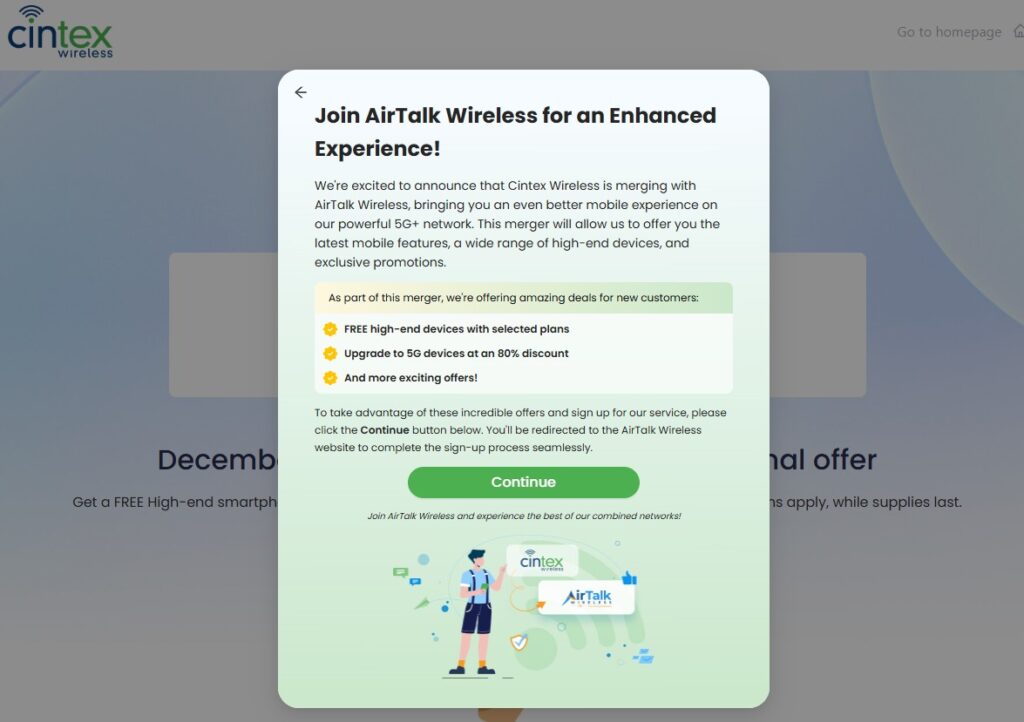
Depending on eligibility, location, and current availability, benefits may include the following:
- Discounted or free smartphones from leading brands
- Monthly talk, text, and mobile data
- SIM card or eSIM activation on supported devices
- International calling to more than 200 regions
- Dedicated customer support
- No annual contract, activation fee, or credit check
Keep in mind that Lifeline benefits are limited to one service per eligible household and cannot be transferred to another person.
Device availability and promotional offers may also vary by state and current inventory.
DISCLAIMER: The government does not cover device costs, only basic service through Lifeline. Any free or discounted devices, upgrades, or top-ups are limited-time Cintex Wireless and AirTalk Wireless offers and may vary by state, eligibility, and availability. Terms and conditions apply.
Conclusion
Switching phones should feel exciting, not stressful, because your mobile service is stuck between two devices. To transfer eSIM from iPhone to Android successfully, the key is knowing whether your carrier supports direct transfer or requires a replacement eSIM profile.
Once the new Android phone is activated and the old iPhone line stops working, you can continue using your number with more confidence. A few checks before the transfer can save you from delays, failed activation, or losing service when you need it most.