As more Samsung Galaxy devices support digital SIM technology, many users are looking for an easier way to activate and manage their mobile service.
If you’re searching for information about eSIM Samsung, you’ve come to the right place. This blog post explains Samsung eSIM compatibility, activation methods, common issues, and everything you need to get started. Check it out now!
1. What is eSIM Samsung?
An eSIM for Samsung is an embedded SIM built into a compatible Galaxy device. It lets you activate a mobile plan without inserting a physical nano SIM card.
A Samsung eSIM works by downloading a carrier profile to the phone’s built-in eSIM chip. Once activated, that profile lets the device connect to the carrier’s mobile network.
Depending on the plan, you may be able to use mobile data, calls, and texts, though some travel eSIM plans are data-only.
To use an eSIM, you need an eSIM plan or activation profile from a carrier or eSIM provider.
Nowadays, most Samsung devices have dual SIM technology, so you don’t even need to remove your nano SIM card.
However, if your Samsung phone is carrier-locked, you may be limited to eSIM plans from that carrier. To use an eSIM from a different carrier or transfer an eSIM between devices, the phone may need to be unlocked.

2. Why Use an eSIM Samsung?
Although various Samsung phones feature both nano SIM and eSIM technologies, many consumers are rapidly switching to eSIM smartphones due to the following advantages:
- Easy switching between cell providers, even when traveling overseas.
- Easier access to another carrier or travel data plan when your device and provider support it.
- Increased cellular data plan flexibility.
- Improved security.
- Separate your work and personal phone numbers.
- Available on selected Samsung phones, tablets, and watches, depending on the model, region, and carrier.
- No risk of the SIM card being misplaced, stolen, or damaged.
>>>Read more: What Happens If I Delete eSIM? Will I Lose My Phone Number?
3. Which Samsung Phone Models Are eSIM Compatible?
Many Samsung flagship phones released from the Galaxy S20, Note20, and newer Z Fold/Z Flip generations support eSIM, but not every Samsung phone released after 2020 does.
Here’s a list of Samsung phones that support eSIM:
| S Series | Galaxy S20 series and newer flagship S models, including S21, S22, S23, S24, S25, and newer supported models. |
| Z Series | Galaxy Fold, Z Fold2 and newer, Galaxy Z Flip, Z Flip 5G, and newer Z Flip models. |
| A Series | Models such as A54, A55, A56, A35, and A36 may support eSIM in certain regions, but availability depends on country and variant. |
| Note Series | Galaxy Note20 and Note20 Ultra. |
| Others | Selected XCover models, Galaxy Tab cellular models, and Galaxy Watch models may also support eSIM. |
While most recent Samsung phones support eSIM technology, certain older models may not.
Some regional variants may not support eSIM even when the model name appears on a compatibility list, so check the exact model number, country of origin, and Samsung settings before purchasing an eSIM.
Here’s how to check:
- Method 1: Navigate to Settings > Connections > SIM Manager. If you see “Add eSIM” or “Add Mobile Plan”, you have an eSIM Samsung phone.
- Method 2: Dial #06# from your phone. If you see an EID (Embedded Identity Document) number next to your IMEI, your phone supports eSIM technology.
- Method 3: Check your specific model number (available in Settings > About Phone) with Samsung’s official compatibility list.
If none of these ways show that your phone supports eSIM, it most likely does not.
4. How to Set up an eSIM Samsung Easily?
Once you have checked and confirmed that you have an eSIM Samsung phone, it is straightforward to activate it.
Depending on your carrier, you may be able to use eSIM Simple Setup, scan a QR code, enter an activation code manually, or transfer an eSIM from another supported device.
Manual Method
- Go to Settings > Connections > SIM Manager.
- Tap Add eSIM.
- Select Enter Activation Code Manually.
- Enter the activation code supplied by your carrier or eSIM provider.
- Follow the remaining prompts to finish setting up your eSIM.
QR Code Method
- Open Settings > Connections > SIM Manager.
- Tap Add eSIM.
- Choose Scan QR Code.
- Scan the QR code provided by your carrier or eSIM provider.
- Follow the on-screen instructions to complete the activation.
Note: The QR code must come from your carrier or eSIM provider, and many activation QR codes are single-use.
5. What to Do If Your Samsung Phone Doesn’t Support eSIM?
Is your Samsung phone not eSIM-compatible? Don’t worry, you can still stay connected using other reliable options.
Use a Physical SIM Card
The easiest method is to use your traditional SIM card. Most Samsung phones support a traditional nano SIM card (though some newer or region-specific devices may rely more heavily on eSIM)
Simply insert a SIM from a compatible carrier to access calls, texts, and mobile data without relying on eSIM technology.
Use a Portable/Pocket WiFi Device
If you require internet connectivity when working remotely or traveling, a portable Wi-Fi hotspot may provide a separate internet connection for your Samsung phone and other devices without requiring an eSIM Samsung phone.
These have limitations, such as the necessity to bring another device.
However, if you’re willing to pay the upfront cost and keep the device secure and charged, pocket WiFi is a viable option for staying connected on the go.
Upgrade to a New Phone
If your Samsung phone doesn’t support eSIM, upgrading to a newer eSIM-compatible device may be helpful.
One affordable way to do this is through the Lifeline program, which helps eligible low-income households access discounted or free wireless service through participating providers.
That means once you qualify for the programs, its approved providers may offer you an eSIM-compatible phone. The offer is solely from the providers, not the program or the government itself.
You may qualify for Lifeline if your household is at or below 135% of the Federal Poverty Guidelines or participates in government assistance programs such as SNAP, SSI, Medicaid, or Federal Public Housing Assistance.
While Lifeline itself does not provide smartphones, providers such as Cintex Wireless may offer eligible customers discounted or free devices, depending on their state, eligibility, and available inventory.
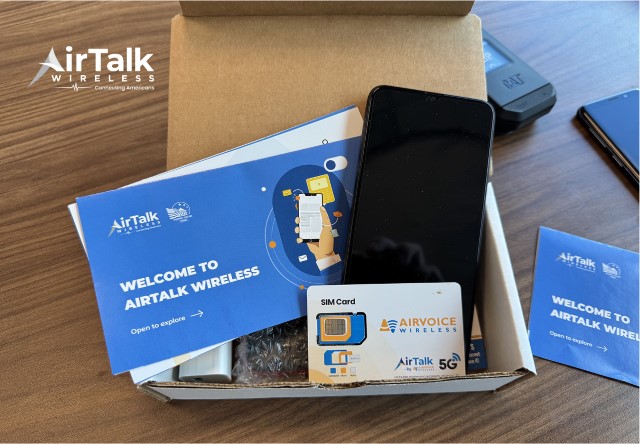
Moreover, as Cintex Wireless merges its services into AirTalk Wireless, applicants can also access a wider selection of smartphone offers, making it easier to upgrade to a device that supports eSIM technology.
Here are some models to consider (may vary by region and current stock):
Note: Eligibility varies by state and program. Offers depend on availability and qualifications. Cintex Wireless and AirTalk Wireless operate under the federal Lifeline Program as an Eligible Telecommunications Carrier (ETC). Service is non-transferable and limited to one service per household.
Conclusion
eSIM Samsung setup can make mobile service more flexible, especially if you want to use a travel plan, add a second line, or avoid swapping physical SIM cards.
The key is confirming three things first: your exact Samsung model supports eSIM, your carrier can activate eSIM on that device, and your phone is not restricted by region or carrier lock.
Once those details are clear, you can activate the eSIM through SIM manager using a QR code, manual code, simple setup, or a supported transfer method.