
Waiting for an eSIM to activate can be frustrating, especially when you need your phone working right away. If you’ve been asking how long does it take to activate eSIM, the answer depends on your carrier, device, and activation method.
This guide explains typical activation times, the most common reasons for delays, and common setup steps to help you get connected as quickly as possible.
1. How Does eSIM Activation Work?
An eSIM is a built-in, programmable SIM that lets you obtain mobile plans digitally rather than using a physical SIM card.
This provides more freedom because you can switch carriers, activate international plans, and manage multiple numbers on the same device.
Generally, the activation process differs slightly among eSIM providers; yet, the basic process remains consistent:
- Purchase an eSIM data plan: The mobile carrier will establish an eSIM profile for you.
- Install the eSIM profile: You may scan the QR code or enter the information manually. Still, some operators offer in-app activation, which eliminates the need to set anything up manually, making the process considerably easier. For travel eSIMs, installation and activation may not happen at the same time.
- Provider validation occurs: The carrier validates the profile and supplies service on its end.
- Network registration completed: Your phone connects to a compatible network and receives service.
- Data starts working: You can browse, navigate, and use internet-based apps as usual.
2. How Long Does It Take to Activate eSIM?
The time required to activate an eSIM depends on the carrier’s processing speed, device compatibility, and network reliability.
Most eSIM activations take a few minutes to complete after the setup process begins. Some take longer, and carriers occasionally warn that it may take up to 24 hours or more in rare situations.

Instant Activation (A Few Minutes to 1 Hour)
Generally, many major carriers and eSIM providers can activate a digital SIM almost immediately after installation is complete.
Therefore, eSIM activation often completes within a few minutes, though some carriers or account changes may take longer.
This is typical when your device is connected to a stable WiFi network, your carrier supports instant activation, and the setup process is completed without interruption.
With some travel eSIMs, the profile can be installed before the trip, but the plan may only activate or start working after the phone connects to a supported network at the destination.
Delayed Activation (A Few Hours to 24 Hours)
Wonder how long does it take to activate eSIM? Some eSIM activations take several hours or up to 24 hours, particularly when the carrier requires additional processing.
Delays are more likely if:
- Your carrier needs extra time to verify your account or process the activation request.
- Network congestion slows down activation.
- There are temporary issues with the carrier’s activation servers.
- Your device or software isn’t fully compatible with the eSIM profile.
If you are transferring a phone number from another carrier, the number transfer process may add extra waiting time beyond the eSIM profile installation.
Longer Delays
Although uncommon, activation may take longer than 24 hours if more complex issues occur. Common reasons include:
- Carrier system outages or maintenance.
- Incorrect activation details, such as an invalid QR code or activation code.
- Identity verification requirements before the eSIM can be activated.
- Delays in manual review or approval by the carrier’s support team. If activation takes longer than expected, it’s usually a sign that additional processing or carrier assistance is required.
>>>Read more: Does iPhone 15 Pro Max Have SIM Card Slot? A Surprising
3. Why is My eSIM Stuck on Activating?
Now you are aware of how long does it take to activate eSIM. However, when an eSIM remains “Activating”, it typically indicates that a stage in the activation process has not yet been completed.
Below are the most common technical reasons why an eSIM gets stuck on activation:
- Carrier activation delay: Your carrier may still be registering the eSIM on its network, which can take longer during busy periods or system maintenance.
- Unstable internet connection: A weak or interrupted WiFi connection during setup can prevent the activation from completing.
- Expired or reused QR code: Many eSIM QR codes, especially travel eSIM codes, are single-use. An expired or previously scanned code may prevent installation or activation.
- Carrier lock or regional limitations: A carrier-locked device or certain regional phone models with limited eSIM support can prevent successful activation.
- Pending system refresh: If the eSIM profile appears in settings, turn the line off and back on, then restart the phone to refresh the connection.
- Too many active eSIM profiles: Some devices limit the number of SIM or eSIM lines that can be active at the same time, so disable unused lines if necessary.
- Data Roaming is turned off: For many international or travel eSIMs, Data Roaming must be enabled before mobile data can connect.
- Incorrect APN settings: In some cases, you’ll need to manually configure the carrier’s APN settings before mobile data can work properly.
4. How to Activate eSIM Quickly? Useful Tips
To avoid a delayed eSIM activation process, follow this tutorial and some tips to speed things up:
How to Activate eSIM on iPhone
First, make sure your iPhone supports eSIM, such as an iPhone XS, iPhone XS Max, iPhone 16, or later, and that your carrier supports eSIM. Then choose one of the following methods:
- Use an activation link: If you’re on iOS 17.4 or later, tap the activation link from your carrier and follow the on-screen prompts to install your eSIM.
- Scan a QR code: Open the Camera app or go to Settings > Cellular > Add eSIM > Use QR Code, then scan the QR code supplied by your carrier. On iOS 17.4 or later, if the QR code is in a carrier email or webpage, you may be able to tap and hold it, then choose Add eSIM.
- Enter the details manually: If a QR code isn’t available, go to Settings > Cellular > Add eSIM > Use QR Code > Enter Details Manually, then enter the SM-DP+ address and activation code provided by your carrier.
Tips to Speed Up the Activation Process
How long does it take to activate eSIM? If it takes too long, try these troubleshooting strategies:
- Restart your device
- Turn on Data Roaming for travel eSIMs if the provider requires it
- Toggle airplane mode on/off
- Manually choose a network
- Check your internet connection
- Keep your phone on and unlocked during activation
- Update your phone software
- Reset network settings only after trying the simpler steps first
- Check for carrier settings updates under Settings > General > About
5. Cannot Activate eSIM? Explore Other Phone Service Options
If you’re unable to activate an eSIM after waiting a long time due to device limitations, carrier restrictions, or ongoing activation issues, you may want to consider other options.
One option is the Lifeline program, a federal assistance program. It helps eligible low-income households stay connected with free or discounted wireless service through eligible telecommunication carriers, who are in charge of handling the support-giving process.
Plus, these carriers often take it to another level by offering a free device with a SIM card/eSIM or just the SIM card alone to help eligible households receive the support that lasts beyond the short term.
You may qualify if your household income meets the program’s guidelines or if you participate in government assistance programs such as SNAP, Medicaid, SSI, Federal Public Housing Assistance, or other programs.
Depending on the provider, benefits may include a free SIM card, monthly talk, text, and data, and in some cases, a discounted or free smartphone.
Cintex Wireless is one of the most reputable Lifeline ETCs with years of experience serving customers.
Notably, it is merging into AirTalk Wireless to offer Lifeline applicants more benefits, including a streamlined application process and more device options.
However, note that Lifeline service is strictly tied to your identity and is non-transferable to anyone else.
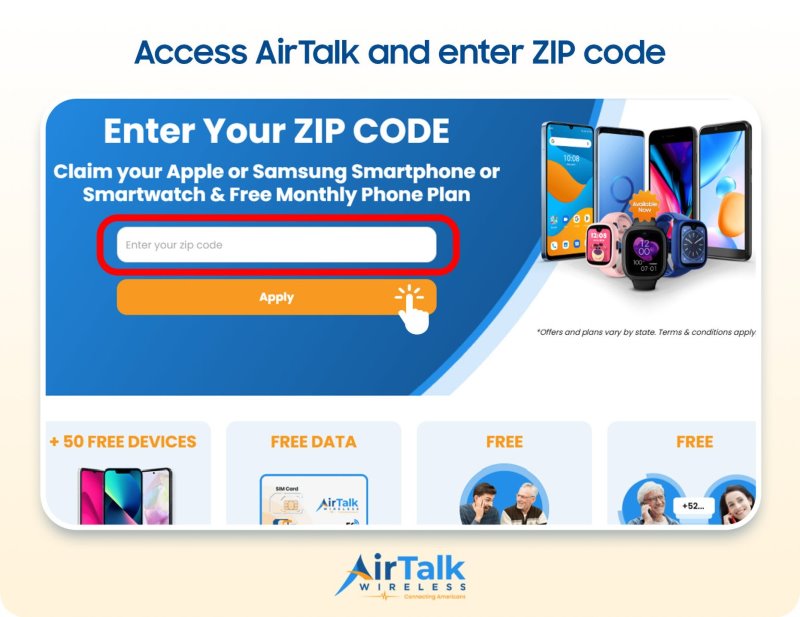
Note: Eligibility varies by state and program. Offers depend on availability and qualifications. Cintex and AirTalk Wireless operate under the federal Lifeline Program as Eligible Telecommunications Carriers (ETCs). Service is non-transferable and limited to one service per household.
Conclusion
To sum up, how long does it take to activate eSIM depends on your carrier, device, and activation method. In many cases, activation takes just a few minutes, but delays can occur because of network issues, carrier verification, or setup errors.
By following the correct activation steps and troubleshooting common problems, you can get your eSIM up and running quickly and enjoy the flexibility of digital mobile service.