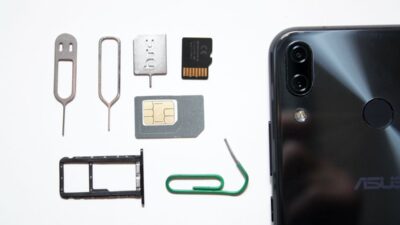
You insert a new SIM card, restart your phone, and expect everything to work. Instead, you’re greeted with an error that says “SIM not provisioned” or “SIM not provisioned for voice.” Suddenly, you can’t make calls, send texts, or sometimes even connect to the mobile network.
At first glance, it sounds like your SIM card is broken. In reality, that’s rarely the case. Most of the time, the issue is related to activation, account setup, or a network process that hasn’t finished yet.
1. What Does “SIM Not Provisioned for Voice” Mean?
The SIM not provisioned message usually means your carrier has not fully activated or associated your SIM card with the mobile line. Your phone may detect the physical SIM or eSIM, but the carrier’s network has not completed the setup needed for service.
You may also see a more specific message: SIM Not Provisioned for Voice
This often causes people to wonder, what does SIM not provisioned for voice mean? It usually indicates that the line has not been fully configured for voice calling.
However, the exact meaning can vary by device and carrier, so it does not automatically confirm whether text messages or mobile data will work.
Here’s the difference:
| Error Message | What It Usually Means |
| SIM Not Provisioned | The SIM or mobile line has not been fully activated, associated, or configured on the carrier’s network. Voice, text, and data may all be unavailable. |
| SIM Not Provisioned for Voice | Voice calling has not been properly provisioned, or the line has not completed its registration with the carrier. Mobile data and messaging may or may not be available. |
That’s why understanding what does SIM not provisioned for voice mean helps you narrow down the problem instead of immediately assuming the SIM itself has failed.
2. Why You’re Seeing This Message
There are several reasons why the SIM not provisioned error appears. Most are temporary and can be resolved without replacing your SIM.
- New SIM hasn’t been activated
A new SIM card must be activated before it can be used. Until that process finishes, your phone may display the provisioning error.
- Number transfer still in progress
If you’re moving your phone number to a new carrier, activation may be delayed until the number transfer is complete. During this period, temporary service interruptions are normal.
- Carrier activation delay
Even after you activate a SIM online, your carrier may still need additional time to update its systems.
- eSIM activation incomplete
An eSIM profile may download successfully without being fully activated. If the setup process is interrupted, you’ll often see the same message as with a physical SIM.
- SIM inserted into the wrong device
Some carrier-issued SIMs are linked to a specific activation process or device. Using the SIM in an unsupported phone before activation can trigger provisioning errors.
- Carrier account issue
Problems with billing, account verification, or pending identity confirmation may prevent the carrier from activating your mobile service.
- Recently replaced SIM
If you’ve replaced a lost or damaged SIM, the old SIM must first be deactivated while the new one becomes active. During the transition, temporary provisioning errors are possible.
- Temporary network provisioning error
Sometimes the issue isn’t on your phone at all. A temporary problem within your carrier’s provisioning system can delay activation until their servers finish processing your account.
>>> Read more: Unlock SIM Card: A Simple Guide to PUK Codes & Carrier Unlocking
3. How to Fix SIM Not Provisioned
Fortunately, most SIM errors can be resolved with a few simple troubleshooting steps.
Step 1: Restart your phone
Restart your phone so it can establish a fresh connection to your carrier’s network. It’s simple, but surprisingly effective.
Step 2: Check activation status
Sign in to your carrier’s website or mobile app to confirm that your SIM has been activated successfully. If activation is still pending, wait for confirmation before troubleshooting further.
Step 3: Reseat the SIM
Turn off your phone. Remove the SIM card, inspect it for damage, then reinsert it securely before powering the device back on. If you’re using an eSIM, verify that the profile is enabled in your cellular settings.
Step 4: Update carrier settings
Install any available software updates for your phone. On an iPhone, also go to Settings > General > About and wait a few moments to see whether a carrier settings update appears.
Android does not have one universal carrier settings update option. Depending on the phone and carrier, network-related updates may arrive through an Android system update, the carrier’s app, or services installed on the device.
Step 5: Complete pending number transfer
If you’re porting your existing phone number, check whether the transfer is still processing. Many carriers provide online tools that display the current transfer status.
Step 6: Contact your carrier
If the message remains after trying the previous steps, contact your carrier.
They can verify whether:
- Your SIM is activated
- Your account is fully provisioned
- Your number transfer is complete
- There are network-side issues preventing activation
Because provisioning happens on the carrier’s systems, this is often the fastest way to identify the remaining issue.
4. New SIM Still Not Active? Provider Support Matters
If the SIM not provisioned message remains after you’ve restarted your phone, checked the SIM, and reviewed your device settings, the issue likely needs to be resolved by your carrier.
Your provider may need to activate the SIM, complete a number transfer, update your account, or issue a replacement SIM or eSIM.
However, if you are also reconsidering your current service because of repeated activation problems or high monthly costs, you may have another option.
The Lifeline program is a government assistance program that helps eligible households reduce the cost of phone service or internet service.
Eligibility is generally based on household income or participation in a qualifying assistance program.
Rather than providing support directly, Lifeline works through approved Eligible Telecommunications Carriers, or ETCs, which apply the benefit to qualifying service plans.
One participating ETC is Cintex Wireless, which offers eligible applicants a simple online application process and a range of available wireless service options.
When applying through Cintex Wireless, you can either bring your own compatible phone or choose a new device from the available options. Whichever option you select, your service package will include a SIM card or eSIM, along with a qualifying wireless plan.
In addition, Cintex Wireless is merging with AirTalk Wireless. Thanks to this merger, customers can explore a wider selection of available devices and use a more unified system designed to make the application, account management, and service experience easier to navigate.
DISCLAIMER: The government does not cover device costs, only basic service through Lifeline. Any free or discounted devices, upgrades, or top-ups are limited-time Cintex Wireless and AirTalk Wireless offers and may vary by state, eligibility, and availability. Terms and conditions apply.
5. FAQs
Can a SIM not provisioned error fix itself?
Yes, sometimes. The message may disappear after your carrier finishes activating the SIM, updating the account, or transferring your phone number. The timing varies by carrier and situation, so check the activation or transfer status if the error lasts longer than the timeframe provided by your carrier.
Does SIM not provisioned mean my SIM is bad?
Not usually. In most cases, the SIM card is working correctly. The issue is that your carrier hasn’t finished activating or provisioning the mobile service associated with it.
How long does SIM activation usually take?
Activation times vary by carrier, account, and activation method. Some SIM cards become active shortly after setup, while others require additional carrier processing. Number transfers, incorrect account information, or identity verification may extend the process, so follow the timeframe provided by your carrier.
Should I replace my SIM if it isn’t provisioned?
Not immediately. A replacement SIM won’t solve the problem if the issue is related to account activation or network provisioning. Contact your carrier first to confirm whether the current SIM has been activated properly.
Conclusion
A SIM not provisioned message can feel like a device problem, but in most cases, it simply means the carrier has not finished activating or linking the line correctly. Restarting the phone, checking the SIM, and confirming the activation status can resolve many temporary issues.
If the error continues, contacting the carrier is usually the most effective next step because provisioning must be completed on its network. And if the experience has made you reconsider your current provider, it may also be a good time to explore a service option that offers clearer activation support and better fits your monthly budget.