Your phone suddenly loses signal in a place where you normally have full bars. A few minutes later, you receive an email saying your password has been changed, or worse, you can’t log in to your bank account because the verification codes never arrive.
At first, it feels like a network problem. But when several strange things happen at once, it’s natural to wonder how to tell if you’ve been SIM swapped.
1. How Can You Tell If You’ve Been SIM Swapped?
One unusual event doesn’t necessarily mean a SIM swap has occurred. However, several warning signs happening together deserve immediate attention. Here are the most common indicators when you’re trying to figure out how to tell if you’ve been SIM swapped.
Your phone suddenly loses service
If your phone unexpectedly shows No Service or Emergency Calls Only, even after moving to an area with normal coverage, your mobile number may no longer be connected to your SIM.
Calls and text messages stop working
Friends tell you your phone goes straight to voicemail, or you can’t send or receive text messages even after restarting your device.
Unexpected carrier notifications
Emails or text messages about:
- SIM replacement
- eSIM activation
- Account updates
- Device changes
- that you didn’t request should never be ignored.
- Verification codes never arrive
One of the clearest signs when considering how to tell if you’ve been SIM swapped is that SMS verification codes suddenly stop reaching your phone.
Password reset or login alerts
Unexpected alerts about password updates or login attempts on your email, bank, or social media accounts could mean someone is trying to use your phone number to gain access.
You lose access to multiple accounts
A SIM swap often isn’t the final goal; it’s the first step. If several online accounts suddenly become inaccessible within a short period, your phone number may have been compromised.
2. How to Confirm What’s Happening
If you’re wondering how to tell if you’ve been SIM swapped, these steps can help you determine whether the issue is a temporary network problem or something more serious.
Step 1: Restart your phone
A restart reconnects your phone to the carrier network. If service returns immediately, the problem may simply have been temporary.
Step 2: Test another SIM if possible
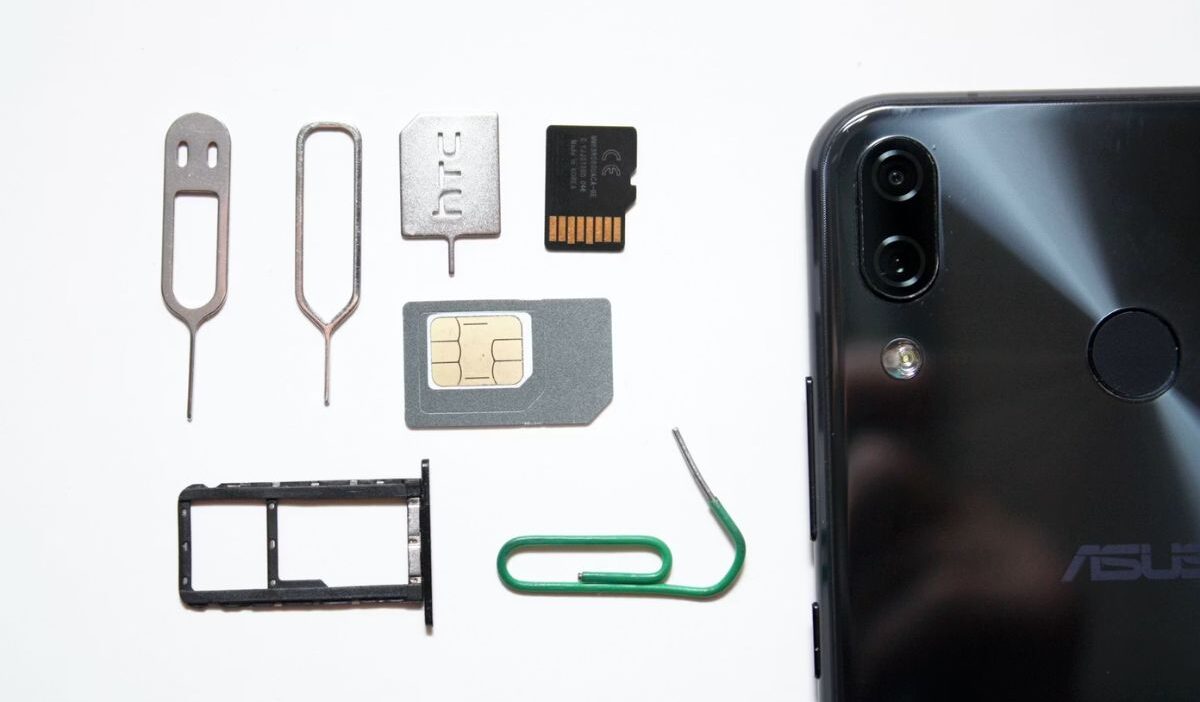
If your phone is unlocked, insert another working and compatible SIM. If the second SIM connects normally while your original line still doesn’t, the problem is more likely related to your SIM or mobile account than the phone itself.
However, this test cannot confirm a SIM swap on its own. You will still need your carrier to check whether an unauthorized SIM replacement or eSIM activation occurred.
Step 3: Check your carrier account
If you’re trying to learn how to tell if you’ve been SIM swapped, log in to your carrier’s website or mobile app to review your account activity.
Look for:
- Recent SIM replacements
- Device changer
- eSIM activations
- Account updates you didn’t authorize
Step 4: Call your carrier from another phone
If your own phone can’t make calls, borrow another phone and contact your carrier immediately. They can verify whether a SIM replacement has recently been processed.
Step 5: Review recent account activity
When figuring out how to tell if you’ve been SIM swapped, review your email, banking, and social media accounts for:
- Password reset requests
- New devices
- Login locations
- Security notifications
- These clues often appear shortly after a SIM swap begins.
Step 6: Check important online accounts
Review accounts that use your phone number for verification. If verification codes aren’t arriving or your recovery information has changed unexpectedly, respond immediately.
>>> Read more: How to Get Free eSIM Service Government iPhone (Step-by-Step Guide)
3. What to Do If You’ve Been SIM Swapped
Knowing how to tell if you’ve been SIM swapped helps you act quickly and limit the damage if unauthorized activity is detected.
Contact your carrier immediately
Report the suspected SIM swap and ask the carrier to suspend the unauthorized SIM. Request that your number be restored to your legitimate account.
Lock or recover your mobile account
Ask your carrier to:
- Add a security PIN
- Require identity verification
- Review recent account activity
If you’re learning how to tell if you’ve been SIM swapped, taking these precautions can help prevent another unauthorized SIM transfer.
Change important password
Once you have contacted your carrier, use a trusted device to change the passwords for accounts linked to your phone number.
Start with:
- Banking
- Payment services
- Your carrier account
- Social media
Use a different, strong password for each account and sign out of devices or sessions you do not recognize.
Secure email, bank, and payment apps first
Your email account is often used to reset passwords for other services, so protecting it quickly can prevent the attacker from taking over more accounts.
At the same time, review your bank, credit card, and payment accounts. If you find an unauthorized transaction or account change, contact the financial institution immediately through its official app, website, statement, or a trusted phone number.
Replace SMS 2FA with an Authenticator app or security key
Whenever available, switch from text-message verification to an authentication app or security key.
Authenticator-app codes are safer against SIM swapping because they are not sent through your mobile number. Security keys offer even stronger protection for supported accounts. Save backup or recovery codes in a secure place before changing your authentication settings.
Save evidence and report fraud if needed
Keep copies of:
- Carrier emails
- SIM or eSIM change notifications
- Login alerts
- Password-reset messages
- Unauthorized transactions
- Communications with your carrier or bank
These records may help your carrier, financial institutions, or investigators understand what happened. If personal or financial information was stolen, report the identity theft and follow the recovery steps provided for your situation.
4. How to Prevent It From Happening Again
Once you’ve learned how to tell if you’ve been SIM swapped and recovered your account, reducing future risk should become your next priority.
- Set a carrier PIN: Many carriers allow you to require an account PIN before approving SIM changes.
- Use an authentication app: Whenever possible, replace SMS verification with app-based authentication.
- Create strong, unique passwords: Avoid reusing the same password across multiple accounts.
- Use a password manager: A password manager helps generate and store strong passwords without requiring you to remember each one.
- Enable security alerts: You’re notified about login attempts, password changes, new device registrations, and other account updates.
- Be careful with OTP requests: Never share a verification code in response to an unexpected call, text, or email. A scammer may impersonate your carrier, bank, or support representative and claim the code is needed to protect your account.
When you initiate contact through an official channel, follow the instructions attached to the code carefully. Whenever possible, enter it yourself through the company’s official app, website, or automated verification system rather than reading it to another person.
If you’re learning how to tell if you’ve been SIM swapped, early alerts often provide the first warning of suspicious activity.
>>> Read more: What Are the Best Free Government Phone Carriers? Compare and Apply Now!
5. Mobile Security Starts With the Right Carrier
Knowing how to tell if you’ve been SIM swapped is an important part of protecting your mobile account. However, security does not depend on your actions alone.
Your carrier also plays a role in verifying account changes, handling SIM replacements, and helping you recover your number when something goes wrong.
For households that are also concerned about the cost of wireless service, the Lifeline program may provide additional support.
Lifeline is a government assistance program that helps eligible households lower the cost of qualifying phone or internet service.
Eligibility is generally based on household income or participation in an approved government assistance program.
Rather than providing service directly, Lifeline works with approved Eligible Telecommunications Carriers, or ETCs, which apply the benefit to qualifying service plans. Some ETCs may also offer free or discounted devices through their own promotions.
Cintex Wireless is one of the participating ETCs and is known for its simple online application process. Eligible applicants may receive a free smartphone along with a Lifeline-supported talk, text, and data plan, depending on their location, eligibility, and current device availability.
The carrier is also merging with AirTalk Wireless, another ETC with more than two decades of experience serving wireless customers. The merger is intended to offer customers choose to apply here a smoother application and stronger service support.
DISCLAIMER: The government does not cover device costs, only basic service through Lifeline. Any free or discounted devices, upgrades, or top-ups are limited-time Cintex Wireless and AirTalk Wireless offers and may vary by state, eligibility, and availability. Terms and conditions apply.
6. FAQs
Can a SIM swap happen without my phone?
Yes. Most SIM swap attacks happen remotely. Criminals typically convince the carrier to transfer your phone number to another SIM without ever stealing your physical device.
Will restarting my phone fix a SIM swap?
Usually not. Restarting may resolve a temporary network issue, but it won’t reverse an unauthorized SIM transfer. If your service doesn’t return after restarting, contact your carrier immediately.
Can eSIM users be SIM swapped?
Yes. Although eSIMs don’t use physical cards, attackers may still attempt to fraudulently transfer an eSIM profile through the carrier if they successfully impersonate the account holder. Strong account security remains important regardless of SIM type.
Conclusion
Learning how to tell if you’ve been SIM swapped is less about spotting one isolated problem and more about recognizing a pattern.
A sudden loss of mobile service combined with missing verification codes, unexpected carrier notifications, and account login alerts should always be taken seriously.