If you’re trying to unlock SIM card, it’s crucial to understand that the term can refer to two different issues.
The first is a SIM PIN lock, which occurs when the SIM card is protected by a PIN and may require a PUK code if the wrong PIN is entered too many times. The second is a carrier lock, which restricts your phone to a specific mobile network and typically requires assistance from your carrier to remove.
In this guide, we’ll explain both types of SIM locks, how they work, and the steps you can take to unlock them.
1. What Does “SIM Card Locked” Mean?
When a phone displays a message indicating that you have a SIM locked, the restriction may be tied either to the SIM itself or to the device.
A SIM PIN lock is designed to protect your mobile line from unauthorized access by requiring a PIN before the SIM can connect to the network.
A carrier lock, on the other hand, limits the phone to a specific mobile provider and blocks SIM cards from competing carriers.
In fact, identifying which type of lock you are dealing with is important because they serve different purposes.
A SIM PIN lock is a security setting that can typically be removed with a PIN or PUK code. Meanwhile, a carrier lock is a network restriction that typically requires carrier approval to be removed.
2. What Causes a Locked SIM Card?
Before exploring how to unlock SIM card, it is essential to figure out what causes this problem. This might occur for a variety of reasons:
- Incorrect PIN Enter: If you input your SIM card’s PIN (Personal Identification Number) incorrectly many times, it may get locked.
- Security measures: Some carriers may temporarily restrict SIM activity if suspicious or unauthorized usage is detected as a protective security measure.
- Lost or Stolen Phone: If your phone is lost or stolen, you may request that your cell carrier lock your SIM card to prevent unauthorized use.

3. How to Unlock SIM Card Easily?
What happens if you need to switch phones and forget your SIM card password?
To unlock a password-protected SIM, you must get a specific code known as a PUK (PIN unlock key) from your mobile carrier.
However, they may need you to submit proof of your identification before issuing you this code.
Here’s what you should do to unlock SIM card.
Enter Your SIM Unlock Code
If you have locked your SIM card, you will be prompted to enter a password when you insert it into a new phone.
If you know the password, use it to unlock your SIM. If not, you can unlock the SIM using a PUK provided by your mobile carrier.
Locate Your PUK Code
As mentioned earlier, you will need to enter the PUK code to unlock SIM card.
You may find your code on the SIM card holder or by calling customer care, which will provide it after user authentication.
Alternatively, you can retrieve your PUK code by contacting your mobile carrier’s customer support, logging into your carrier account online, or checking the SIM card packaging if you still have it. The exact method depends on your provider.
Just keep in mind that if your SIM card isn’t working, you will need to call customer care from a different phone (or a VoIP service like Google Voice).
Enter the PUK Code
Once you get your 8-digit PUK code, insert your SIM card into your phone and, when requested, enter the PUK code and follow the on-screen instructions.
However, be careful when entering the PUK code. If the incorrect PUK is entered too many times (usually between 3 to 10 attempts, depending on your carrier), the SIM card may become permanently blocked and you may need to request a replacement SIM from your provider.
Set a New PIN
Once you have successfully entered the PUK code, set a new one for your SIM.
After successfully entering the PUK code, you will be prompted to set a new SIM PIN. Once the new PIN is created, you can choose whether to keep SIM PIN protection enabled or turn it off, depending on your device settings.
Select a PIN that is simple to remember but hard for others to guess.
Restart Your Phone
After setting a new PIN, restart your device to apply the changes. Your SIM card should now be unlocked, allowing you to use your phone again.
4. How to Carrier Unlock Your Phone?
Unlike SIM-PIN locks, network providers typically lock phones to ensure the device is used with their network during contract or installment agreements and to prevent unauthorized use of subsidized devices.
To unlock a carrier-locked (or SIM restrictions) phone, first contact your network provider and request an unlock.
Depending on the carrier, this might take a few days to a week.
Once the carrier confirms that the phone is unlocked, you can add additional eSIMs or SIM cards.
5. When to Contact Your Carrier? (for Either Issues)
In some situations, contacting your carrier is the fastest way to unlock SIM card.
If you cannot retrieve your PUK code through your carrier’s website or self-service tools, customer support can verify your identity and provide the code.
You should also reach out if your carrier unlock request is unexpectedly denied or remains stuck in processing.
In addition, if the wrong PUK code has been entered too many times (typically 10 attempts), the SIM card may become permanently disabled and require replacement.
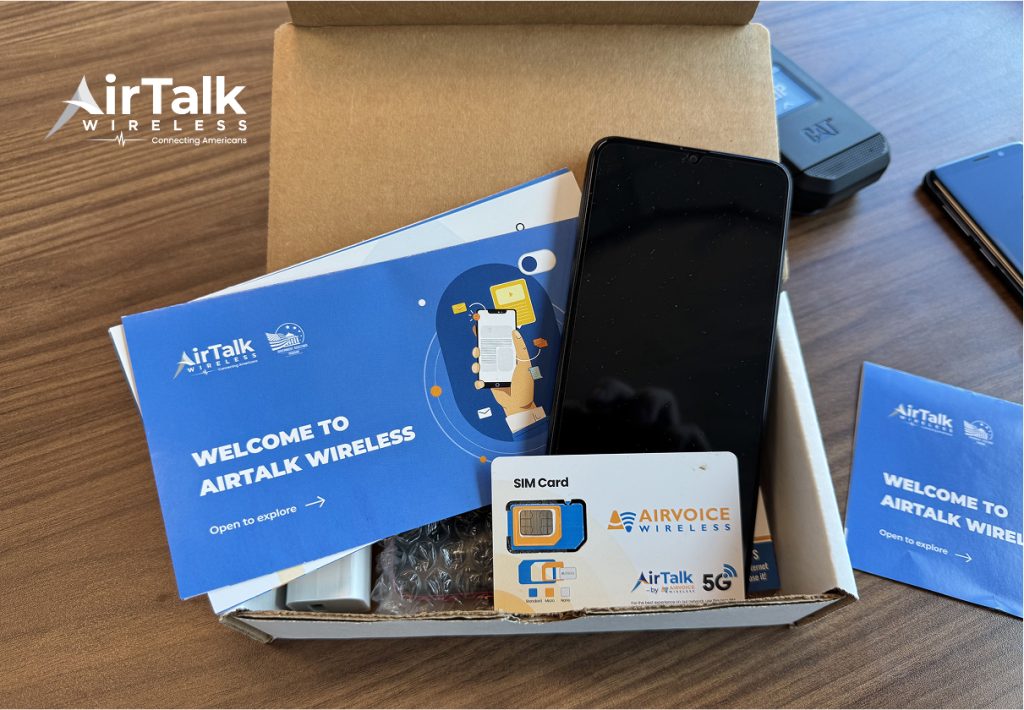
If a replacement SIM card or even a new phone is needed, eligible users may consider the Lifeline program. This is a federal assistance program that helps low-income individuals acquire affordable communication services. Though a little note that when applying, you are applying to carriers since the program does not handle the support by itself.
Eligible Telecommunications Carriers like Cintex Wireless can help eligible households access free wireless service, SIM cards, and free or discounted smartphones.
You are eligible for Lifeline benefits if you participate in qualified programs, including Medicaid, SSI, SNAP, etc, or fulfilling the Federal Poverty Guidelines at or below 135%.
Just note that the qualifying criteria differ by state. Offers are dependent on availability and qualifications. Furthermore, the service is non-transferable and limited to one per household.
Especially, Cintex Wireless is merging with AirTalk Wireless, to streamline the application process and offer more benefits to customers.
Here is how to apply:
- Visit the AirTalk Wireless website and enter your ZIP code to check service availability.
- Choose your available plan and device options based on your location, eligibility, and current inventory.
- Submit proof of eligibility and identity if requested during the verification process.
- Wait for approval from the Lifeline program and AirTalk Wireless, and receive your device and SIM card.
DISCLAIMER: The government does not cover device costs, only basic service through Lifeline. Any free or discounted devices, upgrades, or top-ups are limited-time Cintex Wireless offers and may vary by state, eligibility, and availability. Terms and conditions apply.
Conclusion
In conclusion, the process to unlock SIM card depends on the type of restriction you’re facing. A SIM PIN lock can usually be resolved with the correct PIN or PUK code, while a carrier lock requires approval from the mobile provider. If your SIM card is permanently disabled or your device no longer meets your needs, your carrier or a Lifeline provider may be able to help you get connected again.