In a world where mobile device flexibility is becoming increasingly important, smartphone users should comprehend the concept of “What does no SIM restrictions mean?”
This blog will discuss what this status implies, how to verify it, the key advantages of having no SIM restrictions, and what to do if your smartphone remains locked.
1. What Does No SIM Restrictions Mean?
SIM restrictions are similar to a lock that phone carriers place on your phone, preventing it from working with any other services.
If “No SIM Restrictions” appears next to “Carrier Lock” in your iPhone’s Settings, your phone is unlocked.
In practical terms, this means you may use SIM cards from any provider without restriction. You may easily switch carriers or select alternative plans based on your preferences and requirements.
Phone companies do this for a variety of reasons, the most important is to retain you as a long-term customer.
They may also ask you to pay a premium fee for their equipment, which is generally accompanied by a long-term contract.
2. No SIM Restrictions vs Carrier Lock
Now you understand what does no SIM restrictions mean. However, sometimes you may come up with carrier lock no SIM restrictions.
Unlike “No SIM restrictions”, if your phone is carrier-locked, you can only use SIM cards from the mobile phone carrier to which it is locked.
If you try to use a SIM card from another carrier, it will not operate unless the current carrier unlocks it.
In fact, when signing up with a new service provider, you are sometimes obliged to sign a one- or two-year contract.
To ensure you complete your contract, your mobile service provider may lock your phone to its network and prevent you from switching to another carrier.
Understanding this difference is critical for consumers, especially those who travel frequently or want to transfer carriers based on different plans and deals.
Another worthmentioning point is that if your iPhone shows “Carrier Lock: No SIM Restrictions” in Settings, it means the phone is carrier-unlocked. Although the section is labeled “Carrier Lock,” the status “No SIM Restrictions” confirms that you can use compatible SIM cards or eSIMs from different mobile providers.
>>>Read more: Nano SIM Vs Micro SIM: Understand The Key Differences
3. What Can You Do with a No SIM Restrictions iPhone?
iPhones with no SIM restrictions provide several practical benefits that boost daily use and travel flexibility.
Here’s what you can do:
- Change carriers whenever you want: Move to a different mobile provider whenever you find better coverage, pricing, or service options.
- Use local connectivity while traveling: Insert a local SIM card or activate an eSIM to reduce roaming costs and stay connected abroad.
- Take advantage of eSIM technology: Set up compatible digital mobile plans without a physical SIM card.
- Enjoy a quicker network transition: Switch providers more easily without lengthy carrier restrictions or approval processes.
- Use your phone in more locations worldwide: An unlocked device offers greater flexibility when connecting to networks in different countries.
- Increase your phone’s resale value: Unlocked iPhones are often more attractive to buyers, helping you secure a higher selling price.
4. How to Check SIM Restrictions Status?
Understanding what does no SIM restrictions mean is crucial, but you need to know whether your phone is unlocked or restricted to a single carrier
Follow these steps:
On iPhone:
- Open Settings > General > About.
- Scroll to Carrier Lock. If it displays “No SIM Restrictions,” the iPhone is unlocked, whereas “locked” means that it is restricted to a certain carrier.
On Android:
- Android devices vary by manufacturer.
- Check Settings and search for terms such as “Network Unlock,” “SIM Status,” or “Carrier Lock.” You can also contact your carrier to confirm whether the device is unlocked.
On other devices:
- Go to Settings > About Phone.
- Tap Device Details > Network lock. If it shows “Unlocked,” then your phone is unlocked.
5. What to Do If Your Phone Has SIM Restrictions?
Having SIM restrictions limits which networks you can use, although some carrier-owned networks and MVNOs may still be compatible.
It means you may have poor coverage or sluggish internet speeds, but you cannot switch to a better service.
Here are 2 strategies to solve this problem:
Contact Your Provider
If you want to unlock your phone so you may use it on another network, contact your mobile provider and ask them to unlock it.
You may need to provide your account name and number, as well as the IMEI or MEID of your phone.
If you qualify, the carrier can process an official unlock request. On most modern smartphones, especially iPhones, the unlock is completed remotely without requiring an unlock code.
In case you are still under contract or bought a used phone from someone who is still under contract, you may be unable to unlock your phone.
Switch to a New Provider
If your phone has SIM restrictions and you’re looking for more flexibility, switching to a different provider may be a good option.
For those who qualify for the Lifeline program, eligible telecommunication carriers such as Cintex Wireless can help make mobile service more affordable by offering discounted or free smartphones, SIM cards, and wireless plans.
Qualification is typically based on income or participation in government assistance programs. However, it may vary by state and program.
Also, offers depend on availability and qualifications. Service is non-transferable and limited to one service per household.
What’s great about Cintex is that it is merging with AirTalk Wireless to offer more benefits to participants.
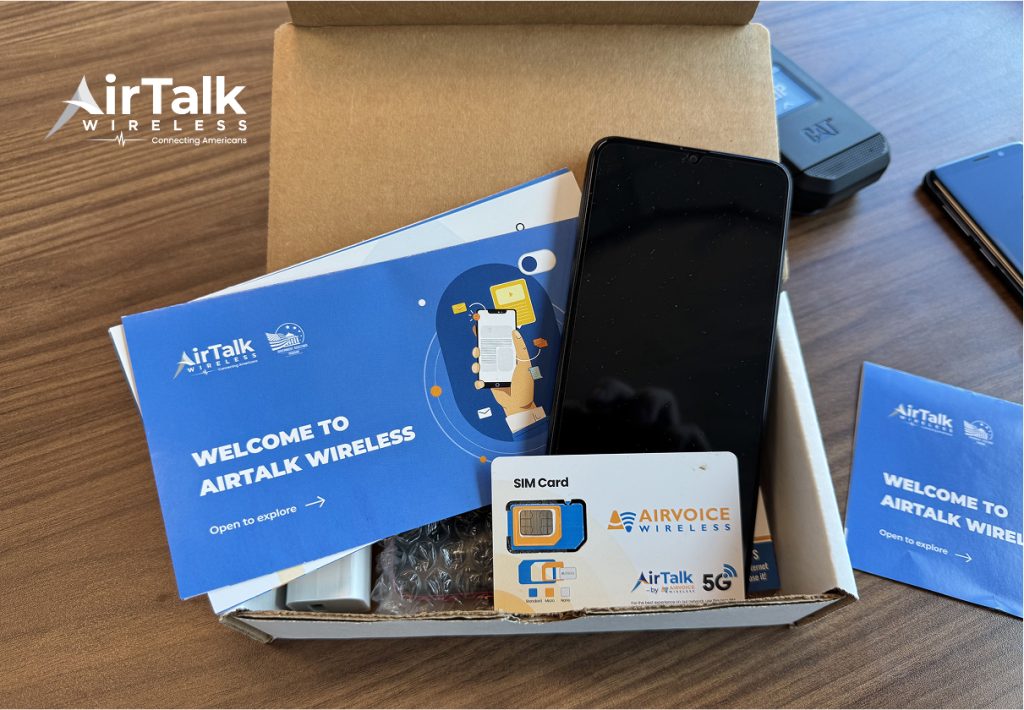
For example, AirTalk Wireless offers plans that include calls, texts, and data, with SIM or eSIM activation depending on your device.
It means you can get a ready-to-use phone and SIM card together, without worrying about whether your phone is unlocked.
If you need greater flexibility, you may use your own device through the Bring Your Own Device (BYOD) program.
6. FAQs
Can I use any carrier if my iPhone says No SIM Restrictions?
The answer is yes. If the device displays “No SIM restrictions,” your iPhone is unlocked and compatible with any carrier. If a specific carrier name is mentioned, the device remains locked to that provider.
Does No SIM Restrictions mean my phone is fully unlocked?
It means the device is carrier-unlocked. However, financing agreements or account obligations with the original carrier may still apply.
Can a phone change from No SIM Restrictions to Carrier Lock?
Once an iPhone has been officially unlocked by a carrier or purchased unlocked, it usually remains unlocked permanently.
Why does my iPhone say Carrier Lock instead of No SIM Restrictions?
If your iPhone displays “Carrier Lock,” it means the device is still restricted to a specific carrier. You may need to meet your carrier’s unlock requirements and request an official unlock to remove the restriction.
Conclusion
If you’ve been wondering what does No SIM restrictions mean, it simply means that your iPhone is carrier-unlocked and can be used with compatible SIM cards from different mobile providers.
This gives you greater flexibility when switching carriers, traveling internationally, or choosing a wireless plan that best fits your needs.