You need a functional SIM card or an eSIM to make calls, send messages, and perform other functions on your smartphone. However, if you see a “No SIM available” or “Invalid SIM” notice, you will be unable to use your phone until you resolve the issue.
So, why does my phone say SOS and no SIM and how to fix it? This blog post will explain what the no-SIM message on your phone may mean and how to get rid of it.
1. What Does No SIM Available Mean?
Your phone must have a SIM identity to register with a cellular network. That identity may originate from either a physical SIM card or an eSIM profile.
Nevertheless, “no SIM” available indicates that your phone cannot detect a valid SIM identity, whether from a physical SIM card or an active eSIM profile
The error message you receive may differ depending on the model of your phone.
On an iPhone, the message “No SIM” will appear in the status bar next to empty network bars, and a “No SIM Card Installed” or “No SIM available” message will appear in pop-ups and alerts.
Also, you may see the “Invalid SIM” notice on your iPhone. “Invalid SIM” is different from “No SIM” because the phone detects the SIM card but cannot authenticate it with the carrier.
On Android phones, the messages will seem identical, with empty network bars and perhaps a cross (x) next to the symbol.
In some cases, if your phone displays both “SOS” and “No SIM,” it usually means the device cannot detect a valid SIM card while still allowing emergency calling where supported. Common causes include a loose SIM card, a damaged SIM, an inactive eSIM profile, carrier activation issues, or device hardware problems.
2. Common Reasons for the No SIM Available Error
Many people wonder, why does my phone say no SIM? It is mostly due to an incorrectly inserted SIM card, but it can sometimes be because of the following reasons.
- Temporary system or network glitch: A brief software bug on your phone or a temporary issue with your carrier’s network may prevent your device from recognizing the SIM card.
- Problem with the SIM card slot or device hardware: Faulty hardware, a damaged SIM tray, or internal component issues can stop your iPhone or Android device from detecting the SIM card properly.
- SIM card or network configuration issue: Incorrect network settings or a temporary problem with the SIM card’s configuration may trigger a “No SIM” error.
- Pending software update: An outdated operating system can sometimes interfere with cellular connectivity.
- Carrier or account-related problem: Your mobile carrier may be experiencing service issues, or your account could be suspended, deactivated, or restricted for billing or verification reasons.
- Fraudulent activity: In some cases, the error may be linked to SIM swapping fraud. This occurs when a scammer convinces your carrier to transfer your phone number to a SIM card they control.
>>>Read more: What Is A Nano SIM? Everything You Need To Know [2026 Guide]
3. How to Troubleshoot No SIM Available Error?
Below are some effective ways for resolving the “no SIM available” issue on iPhones and Android.
Restart Your Device
Restarting your phone can reset the modem services and reinitialize SIM detection.
Unless you have restarted since the message came up, do it now to solve any software issues that may be causing your SIM card error messages.
Simply press and hold the Power button to switch off your device. Wait a few seconds before turning it back on.
Update Software
If you continue to receive “no SIM available” notifications, ensure that your operating system is up to date.
If you are using an older operating system, upgrading can fix repeated SIM detection issues. Software upgrades may include changes to carrier bundles as well as modem stability fixes.
Realign the SIM Card and Tray
Ensure that the SIM card tray is entirely closed and not loose.
Remember that different phone models use different-sized SIM trays, so if you’ve recently purchased a new phone, your old SIM card may not fit correctly, which could be causing the problem.
Furthermore, if the SIM card is dirty, gently clean the SIM card contacts with a dry microfiber cloth. If needed, use a small amount of isopropyl alcohol and allow the card to dry completely before reinserting it.
Allow it to dry before placing it back in the tray.
Replace the SIM
The “no SIM available” alert still appears? You can use a spare SIM card from another phone or go to your network provider’s store and ask them to try a new SIM card in your phone.
If another physical SIM works in your phone, your original SIM card may be defective. If you use eSIM, contact your carrier to verify that the eSIM profile is still active.
Check Network Coverage
A “No SIM available” message can sometimes be caused by poor network coverage rather than a faulty SIM card.
If you are in an area with a weak or no cellular signal, your phone may struggle to connect to your carrier’s network.
Thus, check your carrier’s coverage map or move to a different location to see if the issue resolves itself.
Reset Network Settings
If you continue to receive invalid SIM or No SIM card messages, this might be due to network settings.
Then, go to Settings > General > Transfer or Reset iPhone > Reset > Reset Network Settings. This will reset Wi-Fi networks and passwords, as well as cellular and VPN/APN settings.
Factory Reset Your Phone
A factory reset may help if the issue is caused by corrupted software or network settings, but it is unlikely to resolve a damaged SIM card or hardware fault.
Nevertheless, a factory reset requires you to start again; it should be your final option. Make sure to back up your phone before starting.
Contact Your Carrier
If none of the troubleshooting methods work, contact your mobile carrier for assistance.
They can check whether your SIM card is active, identify any account-related issues, and verify whether network problems are affecting your service.
Your carrier may also recommend additional troubleshooting steps or issue a replacement SIM card if necessary.
4. Still No SIM Available? Try eSIM
If you’ve tried the troubleshooting methods outlined above but your SIM card is physically damaged, there is not much you can do.
In most circumstances, you will need to contact your carrier to get a replacement SIM card.
However, if your handset supports eSIM technology, you should consider switching.
Unlike traditional SIM cards, eSIMs are embedded directly into your device and cannot be bent, scratched, misplaced, or damaged during normal use.
eSIMs cannot be physically removed from a device, which may reduce certain forms of theft or tampering. However, they do not eliminate risks such as SIM swap fraud.
As more carriers and devices use eSIM technology, it has become a more convenient and dependable alternative to conventional SIM cards.
>>>Read more: eSIM Vs Nano SIM: Which One Is Better In 2026
5. How Cintex Wireless Can Help You Get a Free SIM Card
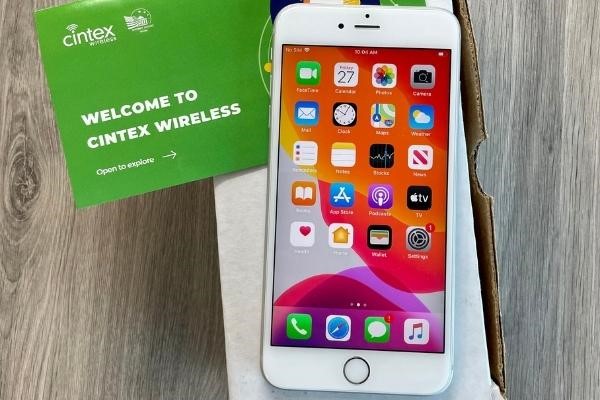
As a long-standing Lifeline provider, also known as an Eligible Telecommunication Carrier (ETC), Cintex Wireless has helped thousands of eligible customers access wireless service, free SIM cards, and other communication benefits.
Lifeline is a federal assistance program that provides eligible low-income households with discounted or free phone service to help them stay connected.
You are eligible for Lifeline if your income does not exceed 135% of the Federal Poverty Lines or you participate in government assistance programs such as SNAP, Medicaid, SSI, or Federal Public Housing Assistance.
Nevertheless, eligibility varies by state and program. Furthermore, Lifeline service is non-transferable. Only eligible customers can enroll in Lifeline service, and the service is limited to one discount per household.
Importantly, Cintex Wireless is currently transitioning and merging with AirTalk Wireless, another ETC that has served more than 2 million eligible households across the country.
Eligible users can continue to enjoy reliable Lifeline-supported services through a trusted provider committed to affordable connectivity.
Note: The government does not cover device costs, only basic service through Lifeline. Any free or discounted devices, upgrades, or top-ups are limited-time Cintex Wireless offers and may vary by state, eligibility, and availability. Terms and conditions apply.
FAQs
Why does my iPhone says no SIM?
The no SIM available iPhone may be due to the fact that the SIM card is not inserted correctly, is damaged, or has become deactivated. A software or carrier-related issue may also cause this error.
Why is my SIM no longer available?
A SIM card may become unavailable if it has been deactivated by your carrier, damaged, suspended, or replaced during a SIM upgrade or number transfer.
How to check if a SIM card is deactivated?
You can insert the SIM card into a compatible phone and check whether it connects to a mobile network. If it does not work, contact your carrier to confirm whether the SIM card is active or has been deactivated.
Conclusion
Unfortunately, for a variety of reasons, your phone may fail to read the SIM card, resulting in the no SIM available warning. However, by upgrading software, changing the SIM card, or factory resetting your phone, you may quickly resolve this frustrating issue.