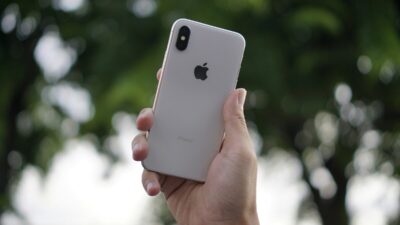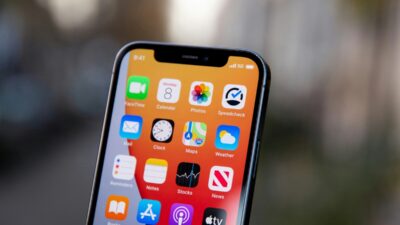
If you’ve recently switched carriers or inserted a new SIM card and it doesn’t function, a SIM lock iPhone issue might be the cause. Many iPhones come with carrier locks that restrict them to a certain network, which can cause problems when activating service or going overseas.
Understanding how SIM locks function is critical if you want to switch providers. This tutorial explains what a SIM locked iPhone is, how to verify its status, and what unlocking alternatives are available.
1. What Is a SIM Lock iPhone?
During activation of your iPhone or the insertion of a new SIM card, Apple’s servers verify the carrier-lock status associated with the device. If the iPhone is carrier locked, it will only activate cellular service with approved carriers until the lock is removed.
This implies that the phone will only take SIM cards from that carrier and will not function with others unless unlocked.
Importantly, this does not affect the phone’s general functionality. You can still use WiFi, access apps, and other functions. This limitation only applies to cellular network access.
2. Why Carriers Lock SIM iPhone?
Carriers typically apply a SIM lock to protect their investment when a phone is sold at a reduced cost. Common reasons include:
- Contract agreements: The iPhone is offered at a discounted price in exchange for a commitment to remain with the carrier for a specific period.
- Installment payment plans: SIM locks help ensure customers continue making payments until the device is fully paid off.
- Carrier promotions and special offers: When a carrier offers rebates, discounts, or free devices, a SIM lock helps prevent customers from immediately switching to another network.

3. How to Check SIM Locked iPhone?
Below are 4 practical methods to check your iPhone lock status.
Contact Your Carrier
The simplest method is to call your carrier’s customer service and ask whether your iPhone is carrier-locked.
It may take some time to get the answer, and you will most likely be required to provide other information (such as your iPhone’s IMEI number).
Despite that, it is an easy approach to clear up any confusion concerning your iPhone’s carrier lock.
Use the IMEI Checker
The IMEI number is your phone’s unique ID tag. You may find it in three ways:
- Dial *#06# on your iPhone’s Phone app (without pressing the call button).
- Go to your iPhone’s settings > General > About.”
- Inspect the SIM tray or original package.
Once you have your 15-digit IMEI number, you may use an online IMEI checker like IMEI.info or iUnlocker.com to check whether your iPhone is unlocked.
However, most independent online IMEI checkers charge a fee, and free checkers may expose you to cyber threats or to inaccuracies of data.
Check iPhone’s Settings
Checking your phone’s settings is also useful in knowing whether you encounter a SIM lock iPhone issue. Here is how:
- Open Settings on your iPhone.
- Tap General > About > Carrier Lock.
- Your iPhone is unlocked if it shows “No SIM restrictions”. Otherwise, it is most likely carrier locked.
Switch to a Different SIM Card
Testing another carrier’s SIM card is one of the most reliable ways to verify lock status, although it requires purchasing a new SIM card and physically dealing with your iPhone’s SIM card slots.
Moreover, because SIM cards are small and fragile, physically switching them out can cause harm if not done carefully.
- Turn your iPhone off.
- Insert a SIM card from another carrier.
- Restart the iPhone.
- If the phone connects to the new network, it is unlocked. If you notice “SIM Not Supported,” it is locked
4. How to Unlock Your iPhone SIM?
How troublesome it is to figure out that you have a SIM lock iPhone. But the following guide can help you solve this issue.
Can You Unlock a SIM Locked iPhone?
You can unlock a SIM lock iPhone in most cases. The process typically involves working directly with your carrier to remove the restriction. Here’s how it works:
- Step 1 – Request an official carrier unlock: Contact your carrier and submit an unlock request for your iPhone.
- Step 2 – Meet the carrier’s requirements: Ensure the device satisfies any eligibility criteria, such as being fully paid off and associated with an account in good standing.
- Step 3 – Wait for unlock confirmation: Once the request is approved, the carrier will notify you that the unlock has been completed.
- Step 4 – Confirm the unlock was successful: Check your iPhone’s Carrier Lock status or test a SIM card from another carrier to verify that the device is now unlocked.
What Happens After an iPhone Is Unlocked
Unlocking your iPhone does not normally affect your data, but maintaining regular backups is always recommended.
Next, switch off your phone and perform one of the following to finish the unlocking process (if needed, since some unlocks activate automatically):
- If you have an eSIM: Activate a digital eSIM from your new carrier.
- If you have a SIM card from your new provider, replace your old SIM card with a new one.
>>> Read more: Can I Use eSIM on Locked iPhone? Honest Answer 2026
5. Claim a Free SIM Card with Lifeline Program and Cintex Wireless
If you need an active SIM card without the added cost of a traditional wireless plan, the Lifeline program may be a valuable option.
It is a Federal Communications Commission’s program that helps eligible low-income households access affordable phone service and internet service through a monthly discount.
Qualification is generally based on income or participation in government assistance programs such as SNAP, Medicaid, SSI, or Federal Public Housing Assistance.
Through Eligible Telecommunications Carriers like Cintex Wireless, qualified users may receive a free phone and SIM card along with monthly talk, text, and data benefits.
Notice: The government does not cover device costs, only basic service through Lifeline. Any free or discounted devices, upgrades, or top-ups are limited-time Cintex Wireless offers and may vary by state, eligibility, and availability. Terms and conditions apply.
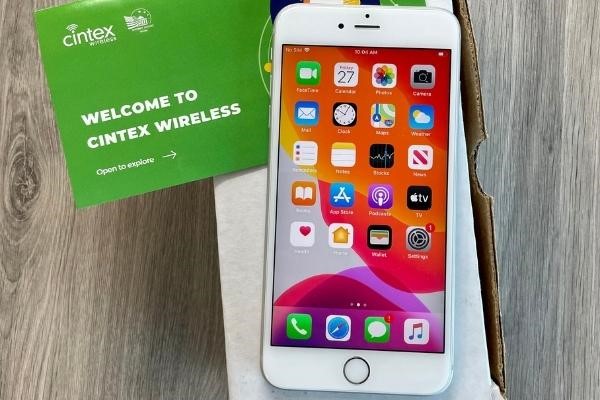
Importantly, Cintex is merging with AirTalk Wireless, another reputable carrier in the industry.
This transition offers applicants more phone offers from popular brands like Apple, Samsung, etc (varies by state and inventory).
If you want to continue using your current device, the Bring Your Own Device option can be useful.
FAQs
Is a SIM locked iPhone the same as a carrier locked iPhone?
The terms “SIM locked” and “carrier locked” both refer to an iPhone that can only be used with a specific carrier’s SIM card or network.
Can I use eSIM on a SIM locked iPhone?
You can use eSIM on a SIM lock iPhone, but it must usually be activated with the carrier that the iPhone is locked to. A SIM lock typically applies to both physical SIM cards and eSIM profiles.
How long does it take to unlock an iPhone?
The unlock process time varies by carrier. Some unlock requests are processed within a few hours, while others may take several business days.
Will unlocking my iPhone erase my data?
An official carrier unlock does not erase your photos, apps, contacts, or other personal data.
Conclusion
To conclude, a SIM lock iPhone prevents you from using SIM cards or eSIMs from other carriers worldwide. Fortunately, you can usually request an unlock through your carrier once the device meets the carrier’s eligibility requirements. An unlocked phone lets you explore multiple providers and find the best option for your mobile service needs.