Imagine buying a new phone only to discover it won’t work with any physical SIM card other than the one from the cell network you purchased. How irritating it is!
Understanding what does SIM locked mean allows you to make informed decisions. You can determine whether the reduced phone offer is worth being bound to a particular carrier, or if unlocked phones with greater options are a better alternative.
1. What Does SIM Locked Mean?
A SIM lock (or carrier lock) is a restriction applied by a mobile carrier that limits a phone to that carrier’s network.
This lock forces the phone to use just that carrier’s SIM card, preventing you from switching to another cellular carrier.
SIM Locked vs SIM PIN Locked
Understanding what does SIM locked mean, but many people mistake a SIM locked phone and a SIM PIN locked SIM card. However, these two are different.
A SIM locked device can only use SIM cards from a specific mobile provider until the carrier removes the restriction.
On the other hand, a SIM PIN locked SIM card is a security feature that requires you to enter a PIN before the SIM can connect to the network.
If you enter the wrong PIN multiple times, the SIM card may become locked and require a PUK code from your carrier to regain access.
How Does SIM Lock Work?
Basically, every phone has a unique identification known as an IMEI number.
When a SIM card is inserted, the phone checks whether the SIM belongs to a carrier that is permitted by the device’s lock settings.
If there is a SIM lock in place and the carrier does not match the one the phone is locked to, you will be unable to make calls, send messages, or use data.
Why are SIMs locked?
Carriers typically employ SIM locks to ensure the device is used only on their network for a specific period, especially if the phone was purchased as part of a promotional deal or installment plan.
In fact, network operators frequently subsidize phones by giving them at a reduced price in return for a service contract.
Implementing these locks benefits them in the following ways:
- Improved customer retention: SIM locks encourage customers to stay with the same carrier rather than switching to competitors after purchasing a subsidized device.
- Greater appeal to new customers: Offering phones at reduced upfront costs can make carrier plans more attractive to budget-conscious buyers.
- More stable revenue forecasting: Long-term customer commitments allow carriers to predict future income better and manage business operations.
- Theft and fraud prevention: Carrier locks may reduce a device’s resale appeal because buyers have fewer network options until the phone is unlocked.

2. What Are the Disadvantages of Locked SIMs?
In some countries, regulations limit the use of carrier locks or require carriers to unlock eligible devices after certain conditions are met and unlocking services are becoming more widely available.
As customer choice gains priority, the future of SIM locks may be less promising due to the following disadvantages:
- Limited carrier flexibility: A SIM-locked phone prevents you from switching to another provider, even if another carrier offers better pricing, coverage, or features.
- Higher costs when traveling: Because you cannot easily use a local SIM card abroad, you may have to rely on expensive international roaming services from your home carrier.
- Lower resale value: Carrier-locked devices are often less appealing to buyers, which can reduce their resale value.
3. How to Check if a Phone is SIM Locked?
There are several methods for determining if your cellular phone is now locked to its carrier:
Check in Your Phone’s Settings
Checking your device’s settings can help you determine whether your phone is locked by your mobile carrier.
On iPhone:
- Go to Settings > General > About and look for Carrier Lock.
- “No SIM Restrictions” means the phone is unlocked; otherwise, it is likely carrier locked.
On Android:
Unlike iPhones, most Android devices do not display a dedicated carrier-lock status. The most reliable method is to test the phone with a SIM card from another carrier.
If the device displays messages such as “SIM Not Supported,” “Network Locked,” or “Enter Unlock Code,” it is likely carrier locked. You can also contact your carrier and provide the IMEI number to confirm the lock status.
Try a Different SIM Card
Another method is to test it with a SIM card from a different carrier.
Start by turning off the device, then insert the new SIM card. Next, power the phone back on and wait for it to connect to a network.
If you see messages such as “SIM Not Supported,” “Invalid SIM,” or “Enter Unlock Code,” the phone is likely locked to a specific carrier.
However, if the new SIM connects successfully and allows you to make calls or use mobile data, the device is most likely unlocked.
>>>Read more: How To Fix SIM Failure iPhone Quickly? 5 Proven Methods
Check with Your Carrier
One of the easiest options is to contact your provider directly. They may validate your phone’s lock status and give details on unlocking methods.
Just note that the carrier likely needs to authenticate your IMEI number.
4. Can You Remove a SIM Lock?
If you wonder can you remove SIM lock on iPhone or Android, the answer is yes.
However, it involves a few procedures that differ depending on the carrier that locked it.
Official Carrier Unlock Process
In most cases, a SIM lock can be removed through your carrier’s official unlock process as follows:
- First, you’ll typically need to meet certain requirements, such as paying off the device in full or completing any contract obligations. Also, ensure the account is in good standing.
- Once you submit an unlock request, the carrier will review your eligibility.
- If approved, your device will be unlocked.
- After the unlock is completed, you can use compatible SIM cards from other carriers and enjoy greater flexibility when switching providers.
Risks of Third-Party Services
Many users ask, Can I unlock a SIM locked iPhone myself? Unfortunately, the unlock must be completed through your carrier rather than directly on the device.
That’s why people go for online third-party services.
Nevertheless, third-party unlock services vary widely in legitimacy. Some may charge fees without delivering a valid unlock, so research carefully before using them.
5. What If Unlocking Isn’t the Best Option?
In some situations, unlocking a device may not be practical, especially if the phone is outdated, damaged, or no longer meets your needs.
In that case, replacing the device may be a more practical solution. For eligible consumers, the Lifeline program may help reduce the cost of phone service while providing access to offers from participating wireless providers.
The Lifeline program is a federal assistance program that helps eligible low-income households stay connected through affordable wireless service. Qualification is typically based on income level or participation in programs such as SNAP, Medicaid, SSI, or Federal Public Housing Assistance.
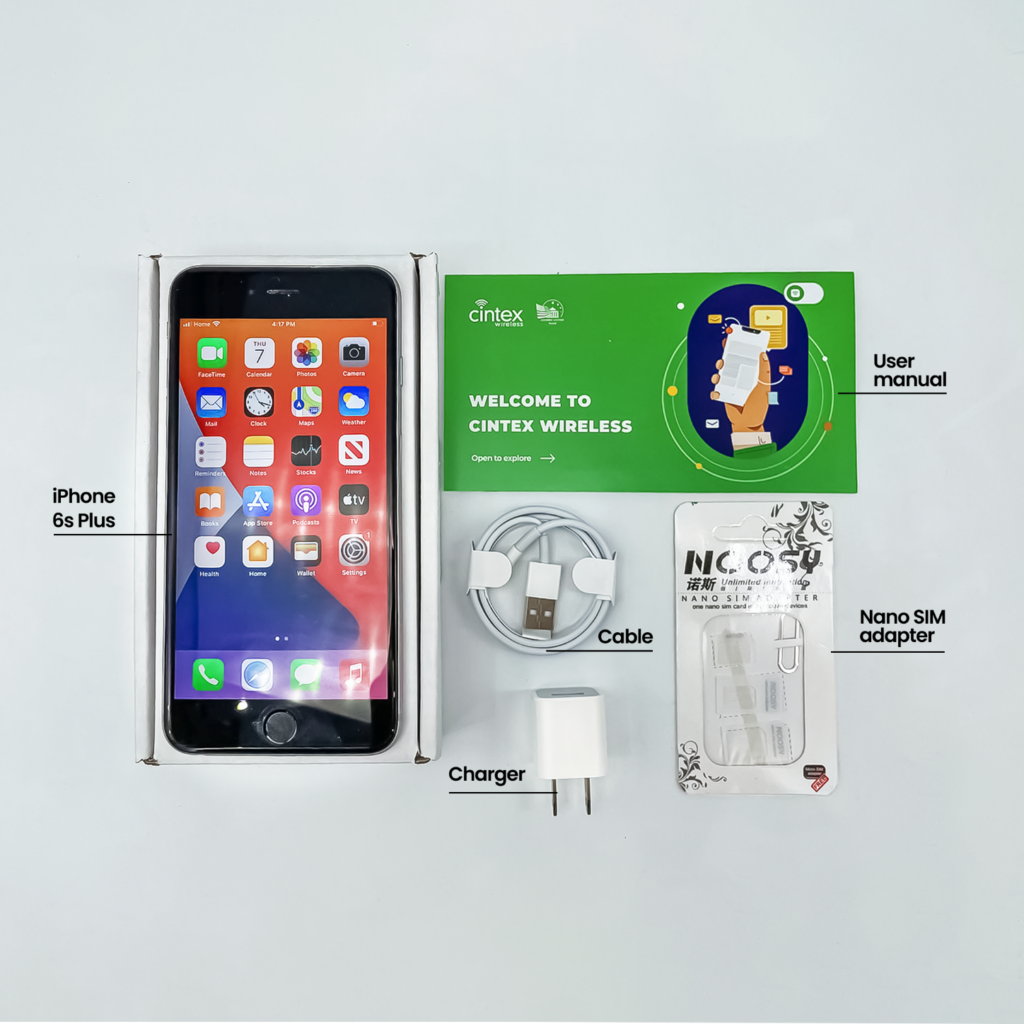
Lifeline itself does not provide phones or SIM cards. Instead, participating providers may offer promotional devices and wireless service to eligible customers.
Depending on eligibility and availability, these offers may include a SIM card, monthly talk, text, and data service, and even a free smartphone.
For consumers looking for a replacement device and wireless service in one place, Cintex Wireless is one participating provider to consider. The provider has been known for its straightforward application process, and device offers for eligible customers.
As Cintex merges with AirTalk Wireless, customers can continue exploring service and device options through a larger combined provider.
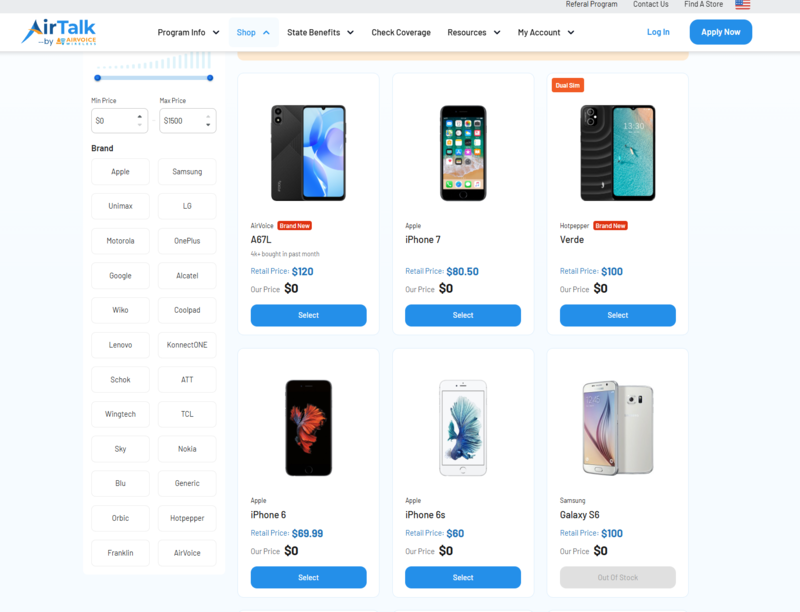
IMPORTANT: The government does not subsidize devices. Lifeline programs cover basic service costs only. Free or discounted devices, upgrade plans, or top-ups are exclusive benefits provided by Cintex and AirTalk Wireless as part of the promotional offers. Terms and conditions apply. Limited-time promotion—offers vary by state, stock availability, and eligibility.
Conclusion
Finally, understanding what does SIM locked mean can help you make informed decisions when purchasing, switching, or troubleshooting a mobile device. Also, by learning to identify a SIM lock, check your device’s status, and explore official unlocking options, you can easily determine the next step to enjoy digital freedom.