Forgetting, losing, or damaging your SIM card can leave you wondering whether your iPhone is still usable. The good news is that in many cases, the answer is yes.
Depending on your iPhone model and what you want to do, you can still use your device over Wi-Fi, activate an eSIM, or even make calls and send messages without a physical SIM card. In this guide, we’ll explain what features will continue to work, and the best alternatives for staying connected.
1. Can You Use an iPhone Without a SIM Card?
Yes, you can use an iPhone without a physical SIM card. However, whether you have cellular service depends on whether the device has an active eSIM or another mobile plan.
Without any active cellular plan, the iPhone can still work over WiFi for apps, browsing, entertainment, photos, and internet-based communication.
The setup process may vary depending on the iPhone model, carrier, and whether the device is locked. You will generally need a WiFi or cellular connection to activate and complete the initial setup.
2. What Can You Do on an iPhone without a SIM Card?
Now you have the answer to the question “Can you use an iPhone without a SIM card?” Below are features you can continue using without worrying about installing a SIM card.
Access Emergency Services
Whether your device is locked, switched off, or has no SIM card inserted, emergency numbers such as 911 or 999 may be able to be reached if a compatible cellular network is available.
In supported countries, an iPhone showing “SOS” or “SOS only” may connect through another carrier’s network for an emergency call. Certain iPhone 14 or later models may also use Emergency SOS via satellite when no cellular or WiFi coverage is available.
However, emergency access depends on your location, device, and available networks, and the iPhone must be switched on.
Connect to WiFi
Another important feature of phones without SIM cards is their capacity to connect to WiFi networks.
You can effectively use your smartphone as a mini-computer, eliminating the need for regular cellular connection.
Use GPS Navigation
Can you use an iPhone without a SIM card? Yes, because GPS can determine your location without a cellular connection.
However, navigation apps usually need WiFi or mobile data to download maps, calculate routes, and find nearby shops, attractions, or services.
On iOS 17 or later, you can download areas in Apple Maps beforehand and use supported navigation features while offline.
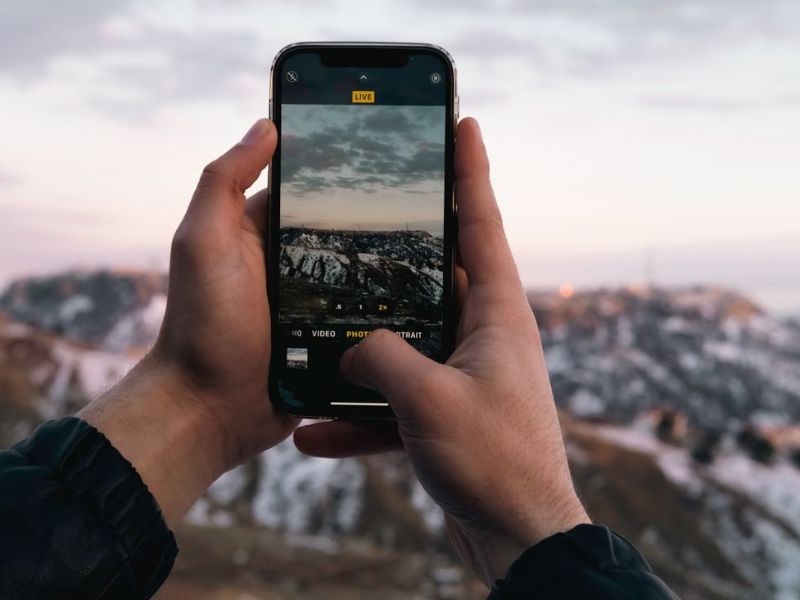
Take Photos and Videos
You can store photos and videos in your iPhone’s internal storage or sync them with a cloud service such as iCloud.
iPhones do not include a built-in SD card slot, although compatible external storage devices may be connected through an adapter.
Access Social Media
Can you use an iPhone without a SIM card? Yes, you can access apps such as Instagram, Facebook, Telegram, WhatsApp, and other social platforms over WiFi.
Some services, including WhatsApp and Telegram, typically require a phone number to register or verify an account. Once the account is active, you may continue using it over WiFi without keeping the physical SIM card in the iPhone.
Make Voice and Video Calls
You can make voice and video calls using internet-based apps like FaceTime, WhatsApp, Zoom, Skype, Messenger, or Google Meet over WiFi.
You may also use regular WiFi Calling if your carrier supports it and you still have an active cellular line, such as an eSIM. WiFi Calling will not normally replace a removed physical SIM if removing it also disconnects your active mobile line.
Watch Content
A missing SIM card won’t stop you from enjoying entertainment.
Connect to WiFi to stream movies and TV shows on platforms like Netflix, YouTube, Disney+, or Apple TV+, listen to music on Spotify or Apple Music, browse social media, or watch live streams just as you normally would.
3. What Can’t You Do on an iPhone without a SIM Card?
An iPhone without a physical SIM can still provide full cellular service if it has an active eSIM. However, if the iPhone has neither a physical SIM nor an active eSIM or cellular plan, it has several restrictions:
Send or Receive Text Messages and Phone Calls
Without an active physical SIM, eSIM, or cellular plan, you generally cannot make traditional cellular calls or send carrier-based SMS and MMS messages.
However, you can still use iMessage, FaceTime, and other internet-based calling and messaging apps while connected to WiFi.
No Mobile Data Connection
You will be unable to surf the internet on the move unless you are connected to a Wi-Fi network.
The inability to access mobile data limits access to various online services that require internet connectivity, making a SIM-less iPhone less flexible than a fully functional smartphone.
Whether you’re checking emails, streaming music, or using a navigation app, you’ll rely exclusively on Wi-Fi connectivity.
Unavailable Phone Numbers to Others
Can you use an iPhone without a SIM card? Yes, but without an active physical SIM, eSIM, or cellular plan, the iPhone will not have a working cellular line for regular calls and texts.
Your existing phone number does not become invisible. It remains associated with your carrier account until the service is canceled, transferred, or reassigned, but calls and texts may not reach the iPhone while the line is inactive.
4. How to Stay Connected Without a SIM Card? Explore Alternatives
Even without a SIM card, keeping connected is totally possible with several alternatives. Below are some practical solutions to any connectivity troubles you may encounter:
Use eSIM
If your iPhone supports eSIM, you can activate a mobile plan digitally without inserting a physical SIM card.
Depending on your carrier, you may be able to activate the eSIM through a QR code, carrier app, carrier activation, manual setup, or a transfer from another iPhone. Once activated, you can make calls, send texts, and use mobile data just like with a physical SIM.
This is especially convenient if your physical SIM is lost or damaged, or if your phone doesn’t have a SIM tray.
>>>Read more: Which iPhones Support eSIM? A Complete List
Use WiFi Hotspots
When mobile service isn’t available, connecting to a WiFi hotspot is an easy way to stay online.
Public hotspots at cafés, airports, hotels, libraries, or your home WiFi let you browse the web, stream videos, use social media, and access internet-based apps.
If you’re away from a wireless network, another smartphone can also share its internet connection through a personal hotspot.
Upgrade Your Device
If you’re using an older iPhone that requires a physical SIM card or your current device no longer meets your needs, the Lifeline program can help reduce the cost of staying connected.
Lifeline is a federal assistance program that provides eligible low-income households with discounted or free wireless service through participating providers.
Eligibility is generally based on income or participation in other federal programs.
Depending on the carrier and your eligibility, you may also qualify for a compatible smartphone, making it easier to upgrade without paying the full retail price.
However, note that the program only provides a monthly discount on wireless service; the carrier offers the promotional device, and the Lifeline service is non-transferable and limited to one service per household.
Lifeline partners with Eligible Telecommunications Carriers, such as Cintex Wireless, to offer a range of benefits to applicants.
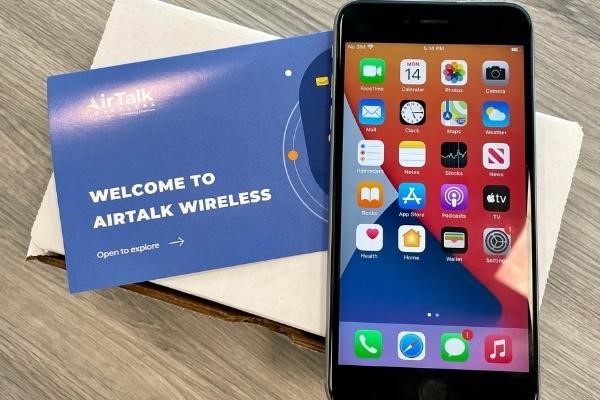
Importantly, as Cintex merges with AirTalk Wireless, new Lifeline applicants can apply through AirTalk Wireless and receive a range of perks, including:
- Free unlimited talk and text to stay in touch with family, employers, healthcare providers, and emergency services.
- Generous monthly data for web browsing, video streaming, navigation, and essential online activities.
- A compatible smartphone, subject to eligibility, state availability, and inventory.
- Reliable nationwide coverage through AirTalk’s network partners.
- No annual contracts, giving you flexibility while keeping your monthly wireless costs low.
Conclusion
Ultimately, can you use an iPhone without a SIM card? In most cases, yes. While you won’t be able to access traditional cellular services without an active mobile plan, your iPhone can still connect to WiFi for browsing, streaming, messaging, and internet-based voice and video calls.
If you need mobile connectivity, activating an eSIM is a convenient alternative on supported models, eliminating the need for a physical SIM card.