
Check SIM card status online free to see whether your mobile line is active, suspended, still pending activation, or affected by an account or network issue. The most reliable place to start is your carrier’s website or app, since third-party lookup tools usually show only basic details such as carrier or line type.
This guide covers four practical ways to check your status, what information you may need, and what to do if your SIM or mobile line is not working as expected.
1. Can You Check SIM Card Status Online Free?
Yes, you can check SIM card status online free in many cases.
Nevertheless, there is no universal database that shows the real-time status of every SIM card.
What “SIM status” means can also vary depending on the carrier and the information you are trying to verify. Here are some statuses you may come across:
- Active: The SIM is activated and associated with an active mobile service.
- Inactive: The SIM is not currently providing service, possibly because it has not been activated or the plan is no longer active.
- Suspended: Service has been temporarily restricted, often because of an account, payment, or security issue.
- Activation pending: The SIM has been registered for activation, but the process has not yet been completed.
- Expired or deactivated: The SIM or associated line may eventually be disconnected after prolonged inactivity, nonpayment, or service cancellation, depending on the carrier’s policy.
- Network or carrier lock is different from SIM status. It refers to the phone being restricted to a particular carrier, not whether the SIM itself is active. On iPhone, you can check Settings > General > About > Carrier Lock; “No SIM restrictions” means the device is unlocked.

In general, you can use your carrier’s official website, mobile app, or customer service to obtain the most precise outcome.
Third-party phone-number lookup tools may sometimes identify basic information such as the likely carrier, country, or line type.
However, they generally do not have access to the carrier account, so they cannot reliably confirm whether a specific SIM is active, suspended, expired, or fully provisioned.
Additionally, it is advisable to refrain from providing sensitive account information, such as passwords, verification codes, or Social Security numbers, to an unknown SIM-checking website.
2. What You May Need to Check Your SIM
The information required to check your SIM status can vary by carrier, but you may generally need:
- Mobile phone number: Used to identify the line associated with the SIM.
- Carrier account login: Some providers require you to sign in to your online account or mobile app.
- ICCID or SIM card number: The unique serial number assigned to your physical SIM or eSIM profile.
- IMEI: Your phone’s unique device identifier, which carriers may use to check compatibility or activation status.
- Account PIN or verification code: Used to confirm your identity before accessing account or SIM information.
For a simple account-status check, your phone number and carrier login may be enough; ICCID or IMEI are more commonly needed for activation, replacement, or troubleshooting.
3. How to Check SIM Card Status Online Free?
As mentioned earlier, there is no universal database to check SIM card status online free.
However, you can consider one of the following methods to verify your SIM card status:
Check Through Your Carrier’s Website
Your carrier’s official website is usually one of the most dependable places to check your SIM or line status since the information comes directly from your provider.
After signing in, you can review activation details, service status, plan information, and SIM-related settings.
>>>Read more: Can I Put My SIM Card In Another Phone? Here Is What Will Happen
Use Your Carrier’s Mobile App
A carrier app can be a convenient option if you prefer checking everything from your phone.
Depending on the provider, the app may show your active line, plan, SIM details, usage, and service settings.
This method is quick and easy for existing customers. Still, you may need to download the app, sign in, and complete identity verification before accessing the information.
Use a Third-Party SIM or Carrier Checker
As mentioned earlier, third-party lookup tools can sometimes identify basic information associated with a phone number, such as the carrier, country, or line type.
Their biggest benefit is convenience, as many do not require you to log in to a carrier account.
However, their information is limited and may not be fully accurate or up to date.
Also, they generally cannot confirm account-level details such as whether a SIM is suspended, blocked, or fully activated.
Contact Your Carrier
If the online account or app does not give you enough information, contact your carrier through live chat, phone support, or another official support channel.
A customer service representative can verify your account and check the SIM or line status in more detail.
This method is especially useful for complicated activation or account issues, although it may take a long.
4. Common SIM Status Problems
Now you know how to check SIM card status online free. However, you may sometimes encounter issues such as “No SIM”, “Network Locked”, etc.
Continue reading to figure out what they mean:
- No SIM: Your phone cannot detect the SIM card, which may happen if the card is inserted incorrectly, damaged, dirty, or not making proper contact with the tray.
- SIM Not Supported / Invalid SIM: This can appear when the phone is carrier-locked, the SIM or eSIM is not provisioned correctly, or there is another activation/account issue. On iPhone, check Settings > General > About > Carrier Lock and contact the carrier if needed.
- Carrier/Network Lock on the Phone: Your phone is locked to a specific carrier and may not accept a SIM from a different network until it is unlocked.
- Activation Pending: The SIM has not yet finished activating, often because the carrier is still processing the request or awaiting account verification.
- Mobile Data Not Working: Calls and texts may work while cellular data does not, which can be caused by incorrect APN settings, disabled mobile data, plan restrictions, or network issues.
- SIM PIN / PUK Locked: If the wrong SIM PIN is entered too many times, the SIM may require a PUK code from the carrier. Do not guess the PUK, because repeated incorrect attempts can permanently lock the SIM and require a replacement.
5. What to Do If Your SIM Is Inactive?
Check SIM card status online free and find that it is inactive? Don’t worry, as the following strategies can help you solve this issue:
Restart the Phone
Restarting your device can refresh the network connection and resolve temporary software or registration issues.
After the phone turns back on, wait a few minutes to see whether the SIM reconnects to the carrier.
Reinsert the SIM
If you use a physical SIM card, you may need a SIM card tool to reinsert it.
Turn off your phone, remove the physical SIM card, and place it back into the tray correctly. Make sure the card sits flat and is not visibly damaged or dirty before restarting the device.
If the SIM contacts are dusty or dirty, gently wipe the card with a clean, dry microfiber cloth and avoid liquids or abrasive cleaners.
Renew or Recharge the Plan
If you use prepaid service, your line may stop working when the plan expires or there is not enough balance to renew it.
Depending on the carrier, the account may first enter a suspended or unpaid status before the line is permanently canceled, so check the provider’s refill and expiration rules.
In that case, add credit, renew your plan, or purchase a new service period through your carrier.
Complete Activation
A new or replacement SIM may still need to be activated before it can connect to the network.
Thus, simply follow the carrier’s activation instructions on its website, in its app, or through customer support.
Contact the Carrier
If the SIM remains inactive, contact your mobile provider for assistance.
They can check whether the line is suspended, expired, blocked, or requires reactivation or SIM replacement.
Replace the SIM if Necessary
If none of the aforementioned methods work, you may need to replace your SIM card.
For eligible low-income consumers, the federal Lifeline program can help make phone service more affordable.
It provides a monthly benefit of up to $9.25 toward qualifying phone or internet service, or up to $34.25 for eligible subscribers on Tribal lands.
Applicants may qualify based on household income or participation in programs such as Medicaid or SNAP.
Notably, you can apply through participating Lifeline providers such as Cintex Wireless, which is merging with AirTalk Wireless, to claim more benefits.
Depending on your state, eligibility, and current offer, these providers may provide free monthly service and may also include a free SIM card or promotional phone.
However, note that Lifeline is non-transferable. You cannot give your Lifeline benefit to another person, even if they are eligible.
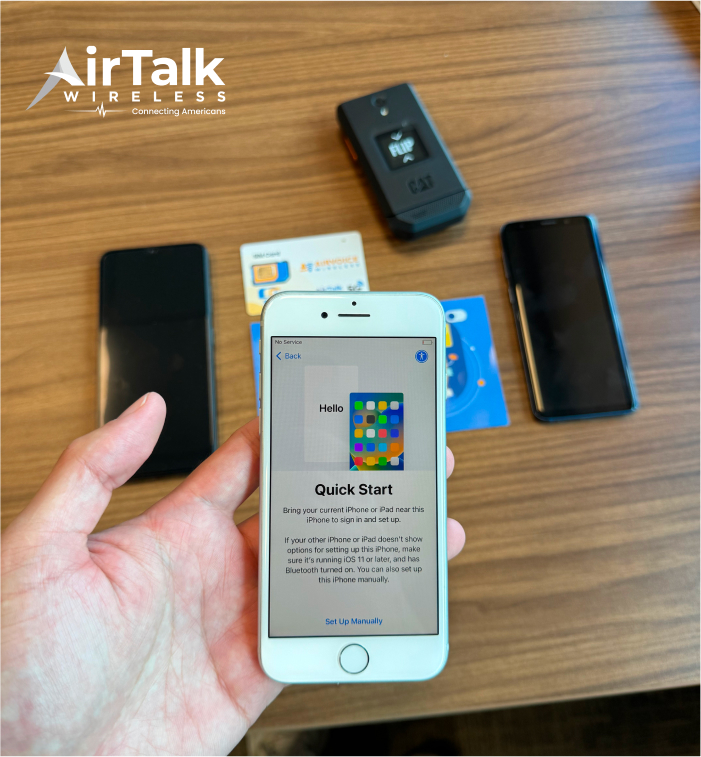
DISCLAIMER: The government does not cover device costs, only basic service through Lifeline. Any free or discounted devices, upgrades, or top-ups are limited-time Cintex Wireless and AirTalk Wireless offers and may vary by state, eligibility, and availability. Terms and conditions apply.
Conclusion
Checking your SIM status online is most useful when you separate account problems from device problems. A suspended line, pending activation, carrier lock, SIM PIN issue, or poor network connection can all produce different symptoms even though they may look similar at first.
For check SIM card status online free, start with your carrier’s official account tools for the most accurate result. If the SIM still appears inactive or unusable, check activation, prepaid balance, lock status, and SIM condition before deciding that the card needs to be replaced.