
How to unlock any phone password using emergency call is a common search when you’re locked out of your phone and can’t remember the PIN or pattern. You might have seen videos claiming the Emergency Call button offers a quick way back in, without losing your photos or contacts.
Unfortunately, those tricks don’t work on modern, updated devices. But that doesn’t mean you’re out of options. Before considering a factory reset, find out which official recovery methods might let you regain access without erasing your data.
1. Can You Unlock Any Phone Password Using Emergency Call?
No. The Emergency Call feature does not provide a legitimate way to remove or bypass a screen lock on modern, updated Android phones or iPhones.
The Emergency Call feature is designed to let someone contact emergency services without unlocking the phone. Depending on the device and region, users may also access limited emergency information, such as Medical ID or emergency contacts.
So, why do some online tutorials claim otherwise? The confusion comes from security vulnerabilities discovered in older operating system versions.
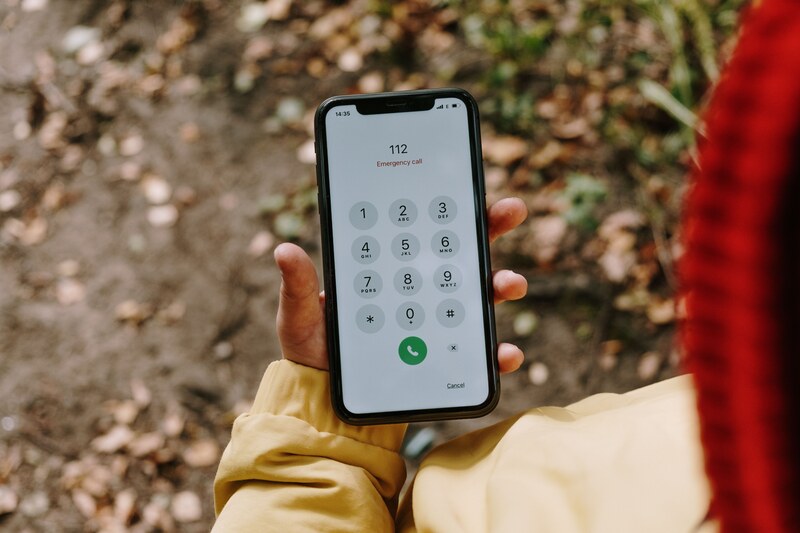
Certain Android and iOS devices once had glitches that allowed limited access to locked screens through the Emergency Call interface. However, manufacturers addressed these flaws through software updates.
These tricks are not reliable recovery methods today. Trying them on a newer phone will not remove its PIN, password, or pattern.
2. How to Unlock Any Phone Password Using Emergency Call: 2 Old Tricks Explained
The idea came from real security vulnerabilities discovered in older Android and iPhone software. However, neither provides a reliable unlocking method for modern devices.
The Old Emergency Call Trick on Android 5.0 to 5.1.1
In 2015, researchers discovered a lock-screen vulnerability affecting certain devices running Android 5.0 and 5.1.
The flaw could cause the lock-screen interface to crash under specific conditions, potentially allowing unauthorized access.
Google addressed the issue through a September 2015 security update, including build LMY48M for supported Nexus devices.
The Emergency Call Bypass Glitch on iOS 6.1
Apple also identified a lock-screen vulnerability involving emergency calling in iOS 6.1.
On affected devices, the flaw could allow unauthorized access to certain phone functions. Apple addressed the issue in iOS 6.1.3.
Bottom line: These were software vulnerabilities, not legitimate password-recovery features. Modern users should rely on manufacturer-supported recovery methods instead.

3. Forgot Your Screen Lock? Try These Recovery Methods
Before considering a factory reset, check whether your phone offers a way to regain access without deleting personal files.
Two options are worth trying, depending on your device and its software version.
Android: Check Biometrics and Samsung’s Previous Lock Recovery
If fingerprint or face unlock is still available, try your registered biometric method.
However, Android may require your PIN, password, or pattern after restarting or under certain security conditions.
Samsung Galaxy devices running One UI 6.1 or later may let you recover access using your previous screen lock within 72 hours of changing it.
To try this:
- After five unsuccessful unlock attempts, tap Forgot PIN/Password/Pattern?
- Enter your previous screen lock method.
- Follow the instructions to set a new lock.
This option only works if the previous lock remains available. Repeated incorrect entries can disable the recovery feature, so avoid guessing.
>>> Also read: How To Set Up Cellular On New iPhone? 5 Quick Steps
iPhone: Try Your Previous Passcode Within 72 Hours
On iOS 17 or later, Apple’s Passcode Reset feature may let you use your previous passcode within 72 hours of changing it.
To use this option:
- On the iPhone Unavailable screen, tap Forgot Passcode?
- Choose Enter Previous Passcode.
- Enter your previous passcode.
- Follow the instructions to create a new one.
The option requires a supported device and the necessary account, Find My, and connectivity conditions.
If previous-passcode recovery is unavailable, you may need to erase the device to regain access.
4. What If You Can’t Recover Your Screen Lock?
If available recovery methods don’t work, resetting your phone may be necessary.
Warning: A factory reset erases locally stored data. You can restore information only if an accessible backup or separately synchronized copy exists.
Android: Reset Through Official Recovery Options
Depending on your device, you may be able to reset it through Recovery Mode or Google’s Find Hub.
Recovery Mode:
- Follow your manufacturer’s instructions to enter Recovery Mode.
- Select Wipe data/factory reset.
- Confirm the reset and follow the setup instructions.
Button combinations and menu options vary by model.
Google Find Hub: If your phone meets Google’s requirements, you can use Find Hub from another device to remotely erase it.
After resetting, Android’s Factory Reset Protection (FRP) may require a previously associated Google Account or other permitted verification credentials.

iPhone: Use Security Lockout or Recovery Mode
Apple provides two official ways to erase a locked iPhone.
Option 1: Use Security Lockout
On supported iPhones:
- From the iPhone Unavailable screen, tap Forgot Passcode?
- Select Start iPhone Reset.
- Enter your Apple Account password when prompted.
- Confirm the device erasure.
This requires Find My to have been enabled and an active internet connection.
Option 2: Use Recovery Mode
If on-device reset isn’t available, connect your iPhone to a Mac or Windows PC, enter Recovery Mode using Apple’s model-specific instructions, and choose Restore in Finder or the Apple Devices app.
Both methods erase the iPhone. During setup, you may need to verify the previously linked Apple Account because of Activation Lock.
You can restore compatible data from an available backup afterward.
>>> Also read: How To Call Back A Private Number: Will *69 Work?
5. What Should You Check Before Erasing a Locked Phone?
Before attempting another solution to how to unlock any phone password using Emergency call, remember that a factory reset removes locally stored information, so check what you can recover before proceeding.
Take a moment to check these things first:
- Available backups: Verify whether important photos, contacts, and other files are saved in iCloud, Google, or another accessible backup service.
- Account credentials: Confirm you can sign in to the Google Account or Apple Account associated with the device.
- Device protection: Android FRP and Apple Activation Lock may require account verification after resetting.
- Encrypted backups: Some Android data may require a previous screen lock to restore, even when a cloud backup exists.
- SIM and eSIM: Check whether your chosen reset method preserves your eSIM or requires carrier assistance afterward.
Most importantly, not every app backs up all its data. If something important exists only on the locked phone, erasing it may mean losing that information permanently.
6. Can’t Unlock Your Phone? It May Be Time for an Upgrade
Losing access to an old or unreliable phone can be a good reason to consider an upgrade. Fortunately, replacing it doesn’t always require a big upfront payment.
Through the federal Lifeline program and its providers, eligible U.S. households can save on monthly phone service or internet service and may also qualify for free or discounted smartphones!
Lifeline helps lower the cost of monthly phone service or internet service for qualifying households. You may qualify through participation in Medicaid, SNAP, SSI, Federal Public Housing Assistance, or household income at or below 135% of the Federal Poverty Guidelines.
To get the benefit, you can apply to an Eligible Telecommunications Carrier (ETC). The carrier will handle to delivering the support, and in many cases, may offer more than just a discount.
One provider worth exploring is Cintex Wireless, an established Lifeline carrier that has served eligible customers for years.
Notably, Cintex has merged into AirTalk Wireless, a reliable Lifeline provider known for its valuable service benefits and attractive smartphone offers, such as:
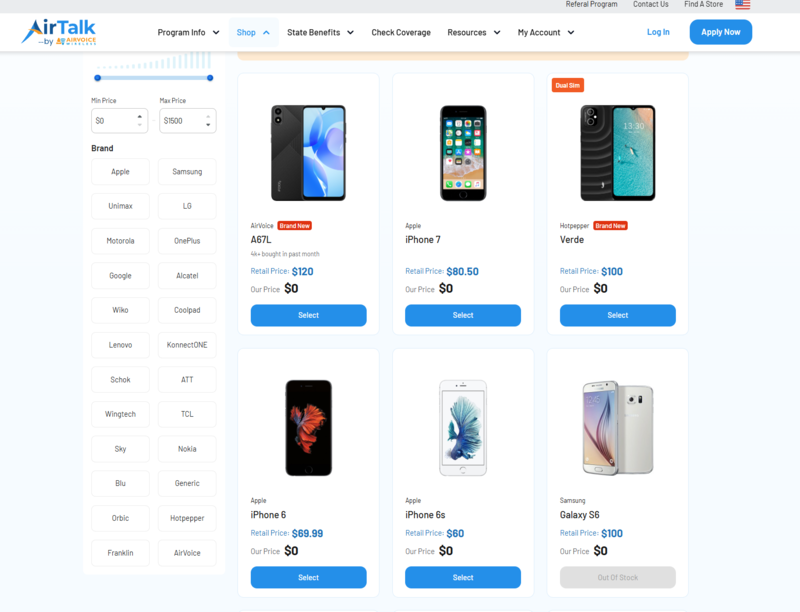
Some devices may even be available at no cost, while others come with significant savings, making it easier to upgrade without putting too much pressure on your budget.
Note that device availability and offers vary by location, eligibility, and current inventory.
DISCLAIMER: The government does not subsidize devices. Lifeline programs cover basic service costs only. Free or discounted devices, upgrade plans, or top-ups are exclusive benefits provided by AirTalk Wireless and Cintex Wireless as part of the promotional offers. Terms and conditions apply. Limited-time promotion—offers vary by state, stock availability, and eligibility.
7. FAQs
What Is the Secret Code to Unlock an Android Phone?
There is no universal secret code that removes an Android screen lock. Codes such as *#06# display device information, including the IMEI number, but they do not bypass passwords or patterns.
Can You Unlock an Android Phone Without Losing Data?
Sometimes. If biometrics are still available or your Samsung phone supports previous-lock recovery, you may regain access without a reset. Otherwise, Android generally requires erasing the device when you cannot provide the screen lock.
Will a Factory Reset Remove a Phone’s Password?
Yes. A factory reset removes the existing screen lock by erasing the device. However, Android FRP and Apple’s Activation Lock may still require the original account credentials.
How Do I Bypass My Phone Lock?
There is no reliable universal bypass for modern phones. Use the manufacturer’s official recovery options, such as previous-passcode recovery or a factory reset, rather than attempting outdated Emergency Call tricks.
What Happens If You Forget Your Phone’s PIN, Password, or Pattern?
Your phone remains locked until you use an available recovery method. Depending on the model and software, you may regain access without erasing data or need to reset the device and restore an existing backup.
Conclusion
Getting locked out of your phone can feel like losing access to a little part of your daily life. Although searching for how to unlock any phone password using emergency call may lead you to tempting shortcuts, don’t risk your data on outdated tricks.
Official recovery options offer a safer path, especially if you’ve recently changed your screen lock. Even when resetting is necessary, an accessible backup can help you recover important information.
A forgotten password doesn’t always mean losing your phone or everything stored on it. Knowing your recovery options can make the situation much easier to handle.