Are you searching for a free iPhone government phone location near you? Yes, the Lifeline program helps eligible low-income users access discounted phone service through participating providers. Depending on the provider and availability in your area, some may also offer a smartphone at no cost to the customer.
Some locations offer in-store enrollment, while many providers allow online applications by ZIP code. If you qualify, you may receive a free smartphone, a SIM or eSIM activation, and a $0 monthly plan.
Continue reading to learn where to find a free iPhone government phone location and how to apply step by step.
1. What Is a Free iPhone Government Phone Location?
A free iPhone government phone location is a place where you can apply for a phone and service through an approved provider under the Lifeline program. The government funds the subsidy, while providers handle the application process and device distribution.
You can apply for Lifeline service in two main ways:
- Online application through a provider website
- Offline enrollment locations, such as retail stores, community events, or authorized booths
Both options come from providers that allow you to check eligibility, compare plans, and see available phones in your area.
The Lifeline program is a federal communications assistance program managed by the Federal Communications Commission (FCC). The program supports access to mobile service and internet service for low-income households. More than 35 million Americans have used Lifeline benefits over the years.
The program works through a monthly subsidy:
- $9.25 monthly subsidy for standard households
- Up to $34.25 monthly subsidy for households on Tribal lands
Trusted providers like AirTalk Wireless and Cintex Wireless partner with Lifeline. As a result, eligible users may receive benefits such as:
- $0 monthly service plans
- Free smartphones or discounted new devices, depending on inventory and promotions
Note: Device availability may vary based on provider inventory, ZIP code, and promotion timing.
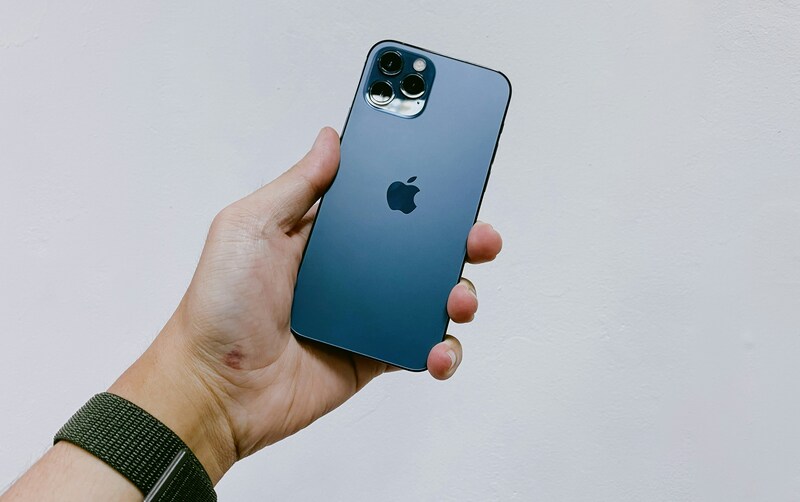
2. Where Can You Find Free Government Phone Locations?
You can find a free iPhone government phone location through approved Lifeline providers. These providers offer two main ways to apply for service. You can visit a local enrollment location or submit an online application. Each option works differently and may suit different users.
2.1. Local Lifeline Retail Stores
Some users prefer to apply at free government Lifeline phone stands or retail stores. These locations include authorized wireless retailers and temporary enrollment booths operated by Lifeline providers.
You may find enrollment locations at:
- Authorized wireless retail stores
- Temporary enrollment booths
- Community events or outreach programs
Applying in person can offer several advantages:
- Staff help you complete the application
- Quick review of eligibility
- Assistance with documents if required
This option works well for people who want direct help during the enrollment process.
2.2. Online Application (Most Common Option)
Many applicants choose to apply for a free government phone online because the process is simple and convenient. Most Lifeline providers allow you to start the application directly on their websites.
With the online option, you can:
- Enter your ZIP code to view available plans
- Compare phone models and service options
- Check device inventory in your area
So, why do US residents prefer to apply online? Online applications also offer several benefits:
- Faster approval in many cases
- Phone shipped directly to your home
- Wider selection of available devices
Tip: Even if you apply online or at a store, the most useful step is to compare several Lifeline providers first. Look at device choices, monthly data plans, customer support quality, and approval speed. A trusted provider often offers better service and a smoother process from application to phone activation.
3. What Carrier Will Give Me a Free Phone Without Paying?
Several providers participate in the Lifeline program and distribute phones and service plans across the United States. Before applying, you should compare trusted providers carefully. Look at key factors such as:
- available phone models and inventory
- data allowance and plan benefits
- customer support quality
- approval speed and application process
- shipping time for devices
- support for eSIM or BYOD options
Comparing these features helps you choose a provider that offers the best experience from application to activation.
3.1. AirTalk Wireless and Cintex Wireless
AirTalk Wireless and Cintex Wireless are two widely used Lifeline providers. Together, they serve millions of users nationwide. Many applicants choose these providers because they offer a wide range of plans and device options.
Common features include:
- Nationwide Lifeline service coverage
- Unlimited talk and text on most plans
- International calling to more than 200 countries
- Free iPhone options, depending on inventory
- Discounted iPhone models during certain promotion periods
- Mobile data plans with larger allowances in some regions
- eSIM activation or traditional SIM card options
- BYOD (Bring Your Own Device) support for existing phones
- Quick approval in many cases, sometimes within 30 minutes or a few business days
- Phone shipment typically delivered within 7-14 business days
These features help many applicants complete the process quickly and activate service without visiting a store.
Update: Cintex Wireless is currently combining services with AirTalk Wireless. This change allows both brands to operate through a more unified system.
The update may provide several benefits:
- Improved device inventory across both brands
- Faster application approvals
- A more streamlined enrollment system
>>> Read more: Top 10+ AirTalk Wireless Free Phone and Tablet: Application Guide
3.2. Example Data in Oahu Area (ZIP Code: 96814)
Service plans and device options vary depending on your ZIP code. For example, AirTalk Wireless and Cintex Wireless offer for users in Oahu, Hawaii (ZIP code 96814) plans below:
1. Lifeline Data Boost Plan – 30GB
- BYOD (Bring Your Own Phone) plan
- A higher mobile data allowance
- Activation through SIM or eSIM
- No free phone is included by default
2. Lifeline Standard Plan – 16GB
- Includes free or discounted phone options
- Lower data allowance compared with the Boost plan
- SIM or eSIM activation is available
These examples show how plan options may change depending on location, provider inventory, and promotion periods. Applicants often review several providers before choosing the plan that best fits their needs.

>>> Oahu residents should know: Free Government Phone Oahu: How to Apply $0 Service Plan Today
4. How to Apply Free Lifeline Services?
Many people choose to apply for Lifeline service online because the process is simple and fast. Online enrollment removes the need for complicated paperwork or visiting physical locations.
Providers such as AirTalk Wireless and Cintex Wireless offer easy-to-use application systems. Even older applicants can complete the process without difficulty. If questions appear during enrollment, customer support teams can guide applicants through the steps.
Step 1 – Check Lifeline Eligibility
First, confirm that you qualify for the Lifeline program. You may qualify in two ways.
1. Program-based eligibility
You participate in a government assistance program such as:
- SNAP (Food Stamps / EBT)
- Medicaid
- Supplemental Security Income (SSI)
- Section 8 / Federal Public Housing Assistance
- Veterans Pension
2. Income-based eligibility
You may qualify if your household income is at or below 135% of the Federal Poverty Guidelines.
Note: If you have determined that you are eligible, please follow the application steps below; the provider’s system will automatically verify your eligibility.
Step 2: Choose Providers and Enter ZIP Code
Next, visit the website of a Lifeline provider and enter your ZIP code. The system will show plans and phone options available in your area.
Before choosing a provider, compare several key factors:
- Phone availability and device inventory
- Monthly data allowance
- Approval speed
- Customer support quality
Many applicants choose trusted providers such as:
- AirTalk Wireless
- Cintex Wireless
Both providers offer nationwide service and multiple Lifeline plan options.
Step 3: View Lifeline Plan
After entering your ZIP code, the provider will show the available Lifeline plans.
Typical options include:
- Free or discounted smartphone plans
- BYOD (Bring Your Own Device) plans for users who already have a compatible phone
Plans may also include SIM card or eSIM activation.
Step 4: Submit Application
Complete the application form and submit your information.
Most applications go through automatic verification using the provider system. If the system cannot confirm eligibility, you may need to upload documents such as:
- Proof of program participation
- Proof of income
- Identification documents
Many applicants receive approval on the same day.
Step 5: Receive Phone or Activate Service
After approval, the provider will complete the final setup.
You may receive:
- a smartphone shipped to your address within a few days, or
- SIM or eSIM activation instructions for your existing phone.
Once activation finishes, your Lifeline service becomes active, and you can start using your mobile plan.
Final Words
A free iPhone government phone location helps eligible users apply for Lifeline service and receive free or discounted smartphones. The government funds the subsidy, while approved providers handle the phones and mobile plans. You can apply at retail enrollment locations or submit an online application by ZIP code.
Compare providers, review available phones, and complete the application to see what devices and plans appear in your area.