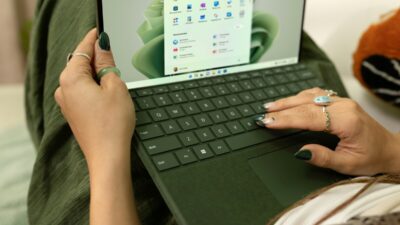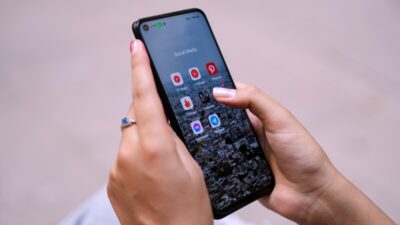
If you are a SNAP recipient, you can get a free phone and tablet with food stamps through a Lifeline provider. SNAP benefits count as program-based eligibility, so many users automatically qualify for Lifeline without income checks. Approved Lifeline providers may offer a free phone and access to tablet deals with $0 monthly service. Phone offers depend on stock, and tablet deals depend on ZIP code and promotions.
Keep reading to see how the program works and how to apply step by step.
1. Can I Get a Free Phone and Tablet With Food Stamps?
If you receive SNAP or EBT benefits, you may automatically qualify for Lifeline without income checks. Then, you apply online through an approved provider, and you will see phone and tablet options based on your ZIP code and current offers.
1.1 Lifeline Program Overview
The Lifeline Program gives a federal discount to help low-income households afford phone service or internet service. If you receive SNAP, you may likely qualify right away. The discount applies to your monthly service bill and can make your plan $0, depending on the provider and plan. Approved providers such as AirTalk Wireless and Cintex Wireless apply the benefit and may add device offers when stock allows.
Lifeline support monthly service discount:
- About $9.25 standard
- Up to $34.25 on Tribal lands
Applies to service, not cash and not guaranteed devices
For food stamp users, the main value is simple access. SNAP removes extra steps, speeds up approval, and unlocks free phone $0 monthly plans when available.
1.2 Other Ways to Qualify for Lifeline (If You Don’t Use SNAP)
You can still qualify without food stamps through other paths.
Program-based eligibility
- Medicaid
- SSI
- Section 8 / Public Housing
- Veterans benefits
Income-based eligibility
- Household income at or below 135% of the Federal Poverty Guidelines
- Household size affects approval
Most applicants see instant results. Documents are requested only if the automatic check does not confirm eligibility.
2. What You Can Actually Get With Food Stamps (Real Benefits)
If you receive SNAP, you can access Lifeline free phone and tablet plus $0 service benefits through approved Lifeline providers. Trusted providers like AirTalk Wireless (serving over 1.3 million users nationwide) apply the Lifeline benefit and may add device offers based on your ZIP code and current stock. What you see depends on location, inventory, and active promotions, not guarantees.
2.1 Free & Discounted Phone Benefits (Most Common)
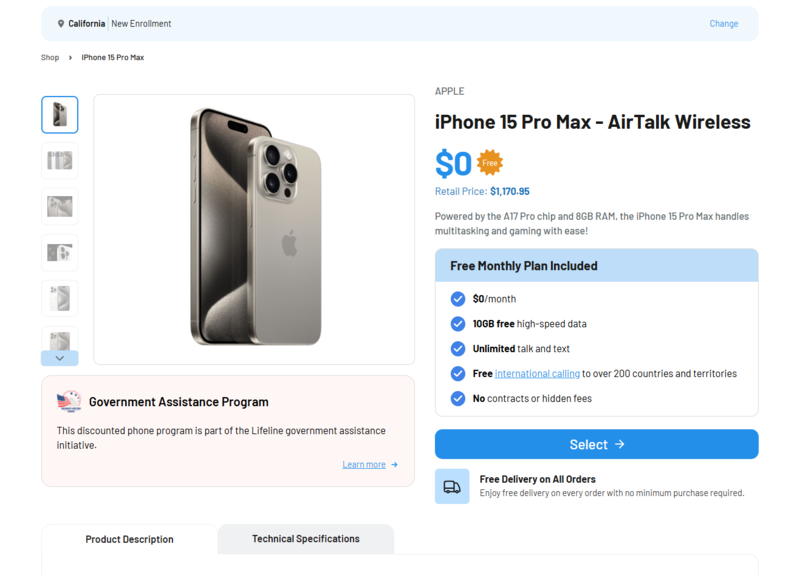
Most SNAP users start with a $0 smartphone or a discounted newer iPhone when inventory allows. These phones handle daily needs such as calls, texts, apps, and basic streaming.
(List example devices through AirTalk Wireless)
Availability rotates. If one model runs out, another option usually appears.
2.2 Tablet Options for SNAP Users
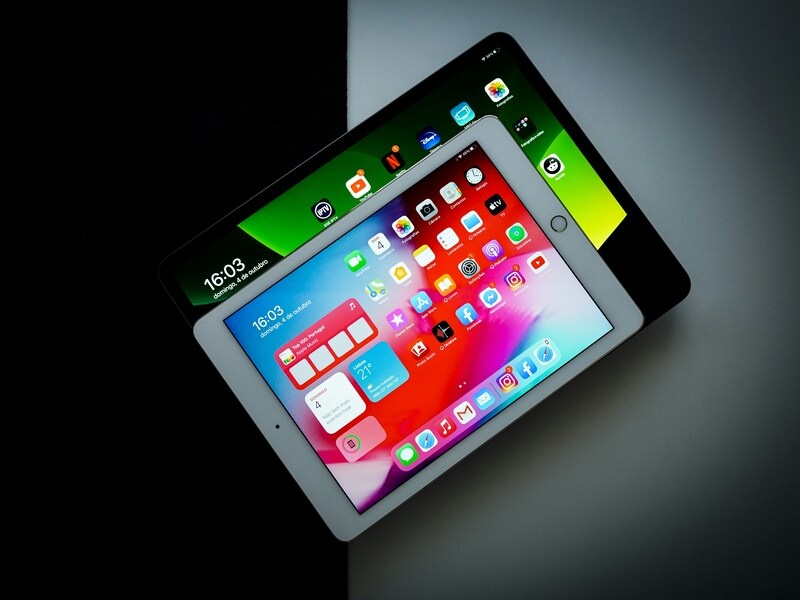
Tablets are not always free, but SNAP users often see discounted tablet options through Lifeline providers. Selection depends on ZIP code and promotions.
Typical tablet options
- Android tablets or iPads
- Education or productivity models for school and work
- Discounted pricing (almost time), or $0 during limited promotions
Lists of tablet include:
- iPad 3
- iPad Air 2
- iPad Air 4
- Galaxy Tab A (2018)
- Galaxy Tab A (2020)
- Galaxy Tab E
- Galaxy Tab S2 (9.7″)
- Galaxy Tab S4
- Galaxy Tab S5e
- Galaxy Tab A7 Lite
For example, Cintex Wireless and AirTalk Wireless sometimes launch special promotion plans. During these periods, eligible SNAP users (Lifeline users) may add free phone and tablet deals for 100% free. These offers do not run all the time. If a promotion is not active when you apply, you can still claim another free device and watch for special deals later.
2.3 $0 Monthly Service Included
Besides a free phone or tablet plan, eligible users can also receive $0 monthly service through approved Lifeline providers. Service details depend on your provider and ZIP code, but most qualifying plans cover everyday communication needs without a monthly bill.
Below are the $0 monthly service getting through AirTalk Wireless:
- Free talk and text for local and nationwide use
- Up to 30 GB of data, based on provider and ZIP code availability
- International calling on select plans (over 200 + nations), helpful for families with contacts abroad
- Free SIM or eSIM, depending on your device type
- BYOD support if your current phone is unlocked and compatible with the network
These benefits apply as long as you stay eligible for Lifeline and complete annual recertification when requested. Service features may change by location, so checking your ZIP code during the application shows the exact plan details available to you.
3. Best Providers Offer Free Phone and Tablet With Food Stamps
Not all Lifeline providers work the same way. The provider you choose directly affects what devices you see, how fast you receive them, and how smooth the process feels from start to finish. Providers control device inventory, tablet availability, shipping timelines, and access to limited promotions. Picking a well-established provider helps avoid delays and stock issues.
3.1 Trusted Lifeline Providers Commonly Used by SNAP Users
Two providers are commonly chosen by SNAP recipients because they handle Lifeline benefits clearly and at scale: AirTalk Wireless and Cintex Wireless.
Update on provider systems: Cintex Wireless is merging into AirTalk Wireless. Some SNAP applications may redirect during the process. The unified system helps improve:
- Device availability across more ZIP codes
- Faster approval timelines
- Clearer order and shipping tracking
3.2 Why SNAP Recipients Choose AirTalk Wireless
Many SNAP users apply through AirTalk Wireless because the service works well for daily needs without adding monthly costs. The network supports stable calls and data in cities, suburbs, and smaller towns, which helps with work searches, school tasks, and healthcare access. Coverage stays consistent across regions, so service quality does not depend on where you live.
Support also plays a key role. AirTalk Wireless offers 24/7 customer service through live chat and phone. You can get help with applications, device setup, SIM or eSIM activation, and account questions at any time.
What SNAP users benefit from
- Nationwide network with clear calls and stable data
- Reliable service in urban and rural locations
- 24/7 customer support for applications and accounts
- Help with device setup and SIM or eSIM activation
- Ongoing support for plan changes and service issues
These points make AirTalk Wireless a practical option for SNAP recipients who want a free phone and tablet plan that works long term, not just at sign-up.
>>> Medicaid recipients can also read more: Free Phone And Tablet With Medicaid? Tips To Maximize Your Benefits
4. Step-by-Step: How to Apply Free Phone and Tablet With Food Stamps
Applying for a free phone and tablet with food stamps is simple when you use an approved Lifeline provider like AirTalk Wireless. If you receive SNAP benefits, most checks happen automatically.
Step 1: Visit the AirTalk Wireless Website
Go to the AirTalk Wireless site and start your application online. Enter your ZIP code to see available plans and devices in your area.
Step 2: Choose a Lifeline Plan and Device
Review the Lifeline plan shown for your ZIP code. Select a free phone or tablet if available. You may see discounted tablet options if free stock is limited.
Step 3: Enter Your Personal Information
Fill in your basic details:
- Full legal name
- Home address
- Date of birth
- Government-issued ID
Each Lifeline benefit is limited to one household.
Step 4: Upload Proof Only if Requested
If auto-verification fails, upload a SNAP benefit letter or EBT document. Most applicants do not need to upload documents.
Step 5: Submit and Activate
Submit your application. Your phone or tablet ships to your address, or you receive eSIM activation details if supported.
>>> Read more: Best Free iPhone Government Phone For Seniors & How To Claim Easily
5. FAQs
Can I really get a free phone and tablet with food stamps?
Yes, you can qualify if you receive SNAP benefits. SNAP counts as program-based eligibility for Lifeline. Most approved Lifeline providers offer a free phone with $0 monthly service. Tablet access depends on the provider, your ZIP code, and current promotions.
Are tablets always free with SNAP?
No. Tablets are not always free. Some providers offer tablets at a low discounted price. Free tablets usually appear only during limited promotion periods.
How long does approval take?
Approval often takes 1–2 business days when SNAP auto-verification works. If documents are required, approval may take a few extra days. Shipping usually takes 7-14 business days after approval.
Can I switch Lifeline providers later?
Yes. You can change Lifeline providers if you want. You must follow the Lifeline transfer process and keep one benefit per household. Your SNAP eligibility stays valid when you switch.
What if the tablet is out of stock?
Tablet inventory changes often. If a tablet is not available, you can still apply and receive a free phone. You may add or upgrade to a tablet later if stock or promotions return.
Final Words
A free phone and tablet with food stamps is possible, but the availability depends on your provider, ZIP code, and timing. SNAP makes the application easier, and most users receive a free phone with monthly service. Tablet offers appear less often, but some providers include discounted or free tablets during special plans. The best step is to check your ZIP code and apply early to access current phone and tablet deals. Start your application now to see what devices you can get today.