Searching for “how to tell if your blocked on iPhone without calling” after your messages suddenly stop showing “Delivered”? It can be unsettling when someone you regularly talk to goes quiet, especially when you don’t know whether something is wrong with your phone.
Unfortunately, iPhone doesn’t provide a feature that reveals another person’s blocking settings. Even familiar iMessage clues can be misleading. So, which signs are worth paying attention to, and what can you actually check without making a call?
1. Can You Tell If Someone Blocked You On iPhone Without Calling?
No, not reliably from your iPhone alone. Messages does not provide a definitive indicator revealing another person’s blocking settings.
A missing delivery receipt, a change in message color, or an unanswered text may raise questions, but none can confirm blocking. These changes can also result from network problems, messaging settings, or the recipient being unavailable.
Even when several signs appear together, they remain inconclusive. Only the person controlling the blocking settings can confirm their choice.
2. Five iPhone Signs That Don’t Prove You’ve Been Blocked
Certain changes in iMessage or other iPhone features may raise suspicions, but none can reliably reveal another person’s blocking settings.
Your Message Doesn’t Say “Delivered”
When an iMessage lacks a Delivered label, it may not have reached the recipient’s device or messaging service.
However, poor connectivity, an unavailable device, or temporary iMessage issues can produce similar behavior.
The missing label alone doesn’t establish that you’ve been blocked.
Your Messages Turn Green
Green bubbles indicate RCS, SMS, or MMS rather than iMessage.
This may happen when someone switches to Android, disables iMessage, or experiences a service issue. A green bubble is not proof of blocking.
You Don’t See a “Read” Receipt
A recipient can disable read receipts for all iMessage conversations or individual contacts.
If you only see Delivered, it doesn’t mean they haven’t read your message. Likewise, missing read receipts aren’t evidence that someone blocked you.
You See “Notifications Silenced”
This message generally indicates that the person is sharing a Focus or notification status.
It doesn’t mean your messages were blocked or deliberately ignored.
Their Location or Contact Photo Disappears
Location-sharing settings and contact photos can change independently of blocking.
Someone may stop sharing their location, change devices, or update their contact information without blocking you.
The key takeaway: None of these signs, individually or together, can confirm that someone has blocked your number.
>>> Read more: Why Is My iPhone Not Ringing When I Get A Call Or Text? Easy Fixes
3. Check Your Own iPhone Before Assuming You’ve Been Blocked
These checks make “how to tell if your blocked on iPhone without calling” a troubleshooting exercise rather than a guessing game.
- Confirm the correct contact: Check the conversation’s phone number or email address against current contact details.
- Check your internet connection: Test Wi-Fi or mobile data; iMessage requires internet access.
- Review iMessage settings: Open Settings > Apps > Messages. Confirm iMessage is enabled, then check Send & Receive for the correct number or Apple Account address.
- Look for a wider problem: If several conversations fail, investigate your connection or device.
- Troubleshoot persistent errors: If Messages displays “Not Delivered,” tap the warning icon and select Try Again. You can also check your connection, restart your iPhone, and install available updates.
If iMessage continues failing across multiple contacts, contact Apple Support. For SMS, MMS, or RCS problems, contact your wireless carrier.
These steps may uncover a technical fault. They cannot reveal another person’s private blocking settings.
4. What Can You Do When Someone Suddenly Stops Responding?
An unanswered message does not necessarily mean you have been blocked. Consider these steps before drawing conclusions:
- Allow time for a response: The recipient may be busy, unavailable, or simply need time before replying.
- Send one polite follow-up: If appropriate, check in once without pressuring the person to respond.
- Avoid repeated testing: Searching “how to tell if your blocked on iPhone without calling” should not lead to contacting someone through multiple numbers or accounts.
- Respect personal boundaries: If someone chooses not to communicate, avoid repeated attempts to reach them.
- Check your own phone settings: If messages fail across several contacts, review your network connection, iMessage settings, and service availability.
- Remember: Troubleshooting can help identify message delivery issues, but it cannot reveal why someone has stopped responding.
>>> Read more: SIM Card Inserted But No Service iPhone? 9 Easy Troubleshooting Tips
5. Stay Connected Without Adding Another Expensive Bill
Sending a message is easy, but you can’t see whether the other person has blocked you, so a reply may never come. What you can control is your own end of the line, which raises a practical question: what does it cost to keep it working for the people who need to reach you?
That is the cost Lifeline is designed to reduce. This government assistance program gives eligible households a monthly discount on phone service or internet service.
You may qualify through household income at or below 135% of the Federal Poverty Guidelines or participation in programs such as Medicaid, SNAP, or SSI.
Each household receives one benefit, which cannot be transferred. A discount, though, is only a number until it is attached to a plan, so who provides that plan?
An Eligible Telecommunications Carrier (ETC) does. It is the provider that delivers your service and applies the savings.
Cintex Wireless is one, and it also offers free or discounted phones, so a device can be part of the same decision. Its merger into AirTalk Wireless, another ETC, widens the device selection and gives you a single place to enroll. That leaves one question: what does enrolling look like?
Here is how you can get started with:
- Enter your ZIP code: Head to the AirTalk Wireless website, and it will show the offers available where you live.
- Weigh your options: Look over the coverage, plan allowances, and devices, and note any charges before you choose.
- Submit your application: Fill in the details requested, and upload proof of eligibility if asked.
- Switch on your service: Once approved, follow the instructions that come with your SIM, eSIM, or device to finish setup.
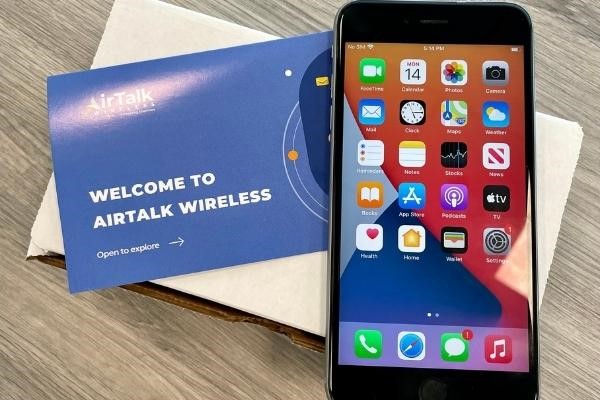
A reliable connection supports message delivery, but it cannot reveal another person’s blocking settings or guarantee a reply.
IMPORTANT: The government does not subsidize devices. Lifeline programs cover basic service costs only. Free or discounted devices, upgrade plans, or top-ups are exclusive benefits provided by AirTalk Wireless and Cintex Wireless as part of the promotional offers. Terms and conditions apply. Limited-time promotion—offers vary by state, stock availability, and eligibility.
6. FAQs
Can someone block me without my iPhone notifying me?
Yes. Your iPhone does not notify you when someone blocks your number. You may notice changes in call or message behavior, but these signs alone cannot confirm that you have been blocked.
Does a green text bubble mean someone blocked my number?
No. A green bubble generally indicates that your message was sent using RCS or SMS/MMS instead of iMessage. This can happen for several reasons, including unavailable iMessage service, and does not prove blocking.
Can a message say “Delivered” before someone blocks me?
Yes. A previous Delivered status indicates that iMessage reported successful delivery at that time. It doesn’t prove the recipient read the message or reveal whether they blocked you afterward.
Can Apple Support tell me whether someone blocked my number?
No. Apple Support cannot reveal another person’s private blocking settings. However, it can help troubleshoot iMessage or FaceTime problems affecting your device.
Does being blocked on iPhone also block me on WhatsApp?
Not automatically. WhatsApp has its own blocking system, separate from Apple’s Phone and Messages apps. Someone must block your account within WhatsApp for its blocking restrictions to apply.
Conclusion
If you’ve been searching for “how to tell if your blocked on iPhone without calling,” the most important thing to remember is that no message indicator can confirm another person’s blocking settings.
Missing delivery receipts or sudden changes in conversation behavior may have technical explanations, but they cannot tell you why someone stopped responding.
Check your own messaging service when something seems wrong, and give the other person space when communication goes quiet. You can resolve technical uncertainty without having to assume the worst.