Trying to add an eSIM for locked iPhone, only to have it fail with no clear explanation? eSIM for a locked iPhone follows one strict rule, and once you understand it, the rest makes sense.
This guide breaks down exactly what works, what does not, and what to do if your phone is standing in your way.
1. What eSIM for Locked iPhone Actually Means
A locked iPhone generally only supports eSIM activation from the carrier it is locked to, or providers operating on the same carrier network, depending on how the device is provisioned.
This restriction comes from software, not hardware. It is enforced through carrier activation rules, which prevent the device from accepting SIM or eSIM profiles from unsupported networks. The eSIM itself is not the problem. The lock simply does not recognize anyone else.
This applies to all iPhones with eSIM support (starting from iPhone XS and newer), as well as dual-SIM models using physical SIM or eSIM. The same carrier-matching rule still governs which eSIM profiles those devices will accept.
2. When eSIM Works and When It Does Not
Whether an eSIM activates on your locked iPhone depends entirely on which carrier issued it. Before going further, confirm your status by going to Settings -> General -> About -> Carrier Lock. “No SIM restrictions” means you are unlocked and can skip the rest of this section.
| Scenario | Result |
| eSIM from your locking carrier | Works |
| Second line from the same carrier | Works |
| eSIM from a different carrier | Usually does not work |
| International roaming eSIM | May work in some cases |
>>> Read more: Can I Use eSIM on a Locked iPhone? Honest Answer 2026
3. How to Activate eSIM on a Locked iPhone (Same Carrier)
If you are staying with your current carrier, activation takes only a few minutes.
- Contact your carrier by phone, app, or in-store
- Request eSIM activation for your line
- Receive a QR code or activation link
- Open Settings -> Cellular -> Add eSIM
- Tap Use QR Code and scan it
- Follow the on-screen prompts to finish
Some carriers may activate eSIM automatically through their app instead of using a QR code.
Note: Dual SIM iPhones, like iPhone XS through iPhone 13, support one physical SIM and one eSIM. iPhone 14 and later US models support multiple eSIM profiles but do not include a physical SIM tray.
4. How to eSIM Unlock Your iPhone
To use any carrier’s eSIM, including a Lifeline provider’s, your iPhone must be officially unlocked first.
- Find your IMEI: Settings -> General -> About -> IMEI
- Contact your carrier by phone or through their online portal
- Submit an unlock request with your IMEI number
- Wait for confirmation, typically 1 to 5 business days
- Restart your iPhone once the unlock is confirmed
Note: Never pay a third-party website to unlock your iPhone. Only your carrier can unlock your device officially. These services are almost always scams.
5. Need a Device That Supports eSIM?
Unlocking takes time and requires meeting your carrier’s conditions, like a paid-off device or a completed contract. If you qualify for government assistance, a Lifeline provider can issue a free device with a $0 monthly plan right away, no unlock request needed.
The Lifeline program is a federal assistance program that helps eligible low-income households access phone service at reduced or no cost each month. Standard households can receive a discount of up to $9.25 per month, while households on recognized Tribal lands qualify for an enhanced discount of up to $34.25 per month.
Approved providers apply this subsidy directly to their service plans, which is how many eligible users end up with $0 monthly service instead of paying out of pocket.
You may qualify if your household income is at or below 135% of the Federal Poverty Guidelines. Enrollment in Medicaid, SNAP, SSI, Section 8, or Veterans Pension also qualifies you automatically.
Cintex Wireless is one of several trusted Eligible Telecommunications Carriers (ETCs) offering free smartphones and eSIM with $0 monthly telecommunication services to qualifying applicants. Eligible users may receive:
- A free 5G smartphone
- Unlimited talk and text
- Monthly data allowance
- $0 monthly cost
UPDATE: Cintex Wireless is officially merging with AirTalk Wireless, a trusted Lifeline provider serving over 2 million users nationwide. After the merger, you can receive a stronger network, faster application processing, and significantly larger monthly rewards.
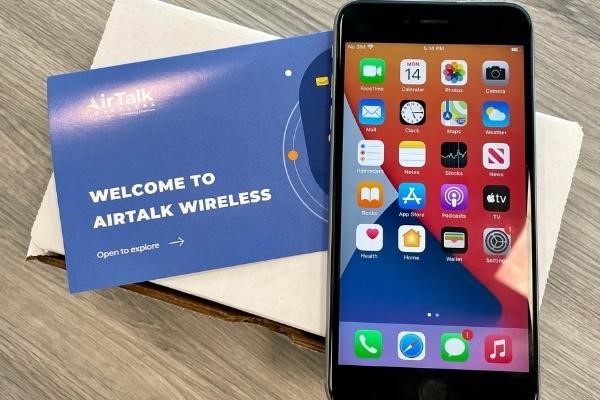
DISCLAIMER: Eligibility varies by state and program. Offers depend on availability and qualifications. Cintex and AirTalk Wireless operate under the federal Lifeline Program as Eligible Telecommunications Carrier (ETC). Service is non-transferable and limited to one service per household.
>>> Read more: Free Government Phone eSIM: How to Activate Instantly and Use Today!
6. FAQ
Q1. Can I use an international eSIM on a locked iPhone?
International data-only eSIMs may work in some cases if they function as roaming services, but compatibility depends on the carrier that locked the device. Check with the eSIM provider before purchasing to confirm compatibility with your specific carrier lock.
Q2. Does unlocking my iPhone delete my current plan or data?
No. Unlocking only removes the carrier restriction from your device. Your current plan, contacts, apps, and data stay intact. You can continue using your existing plan or switch to a new one after unlocking.
Q3. Can I use a Lifeline eSIM on my current locked iPhone?
A locked iPhone generally requires the same carrier for eSIM activation. In some cases, providers using the same network infrastructure may also be compatible, but this depends on carrier rules. In most cases, you need to unlock your iPhone first or apply for a new unlocked device through a Lifeline provider.
Final Words
eSIM for locked iPhone comes down to one rule: same carrier works, any other carrier mostly does not, depending on how the device is provisioned.
Check your Carrier Lock status before attempting any activation, and contact your carrier directly if you need an official unlock. Skip third-party unlock services entirely, since these are almost always scams.
If you qualify for government assistance, an approved Lifeline provider can set you up with a free new device and eSIM-ready service, so you are not stuck waiting on an unlock request.