Does iPhone 14 have eSIM? Yes, every model in the lineup supports it, though the exact setup depends on where it was purchased. This guide confirms which version you have and walks you through the process of activating eSIM service on your device.
1. Does iPhone 14 Have eSIM?
Yes. All four iPhone 14 models, standard, Plus, Pro, and Pro Max, support eSIM. In the United States, iPhone 14 models are eSIM only with no physical SIM tray. International models include both a nano-SIM tray and an eSIM. Phone models in mainland China do not support eSIM and use two physical SIM cards.
| Region | Physical SIM tray | eSIM support |
| United States | No | Yes, eSIM only |
| International (Europe, Canada, Australia) | Yes, nano-SIM | Yes, dual SIM (capability varies by carrier and region). |
| China mainland | Yes, dual physical SIM | No |
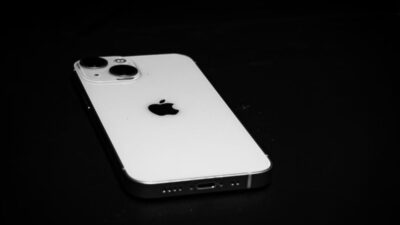
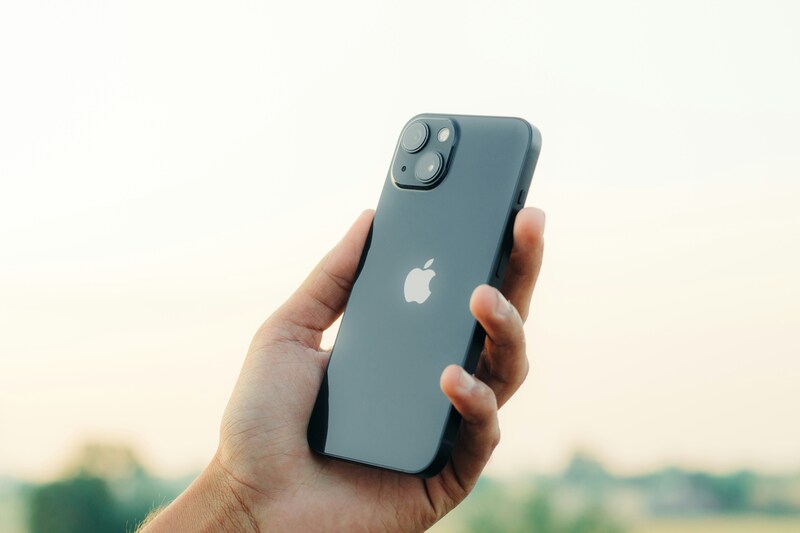
Tip: If you are unsure which version you have, check the left side of your device. US models have no visible SIM tray slot.
>>> Read more: Does iPhone 14 Have a SIM Card? US vs International 2026
2. How Many eSIMs Can iPhone 14 Hold?
The iPhone 14 can hold more eSIMs than most users realize.
- Stores up to 8 eSIM profiles on the device at one time
- Only 2 lines can be active at once (Dual SIM mode)
- US models: two active lines means eSIM plus eSIM
- International models: two active lines can be nano-SIM plus eSIM, or eSIM plus eSIM
- You can name each line (Personal, Work, Travel) and switch the active ones at any time in Settings -> Cellular
This makes it easy to keep a personal number and a work line on one device, or to add a travel plan without losing your home number.
3. How to Activate eSIM on iPhone 14
Activating an eSIM on iPhone 14 only takes a few minutes once you have the right details ready.
Before You Start
Make sure the following are in place before you begin:
- Your carrier supports eSIM activation
- Your device is unlocked if you are switching to a different carrier
- You have an active internet connection
Activation Steps
Once you have confirmed the above, follow these steps:
- Contact your carrier and request eSIM activation for your account or a new line
- Receive a QR code, direct link, or carrier app notification from your carrier
- Open Settings -> Cellular
- Tap Add eSIM
- Tap Use QR Code and scan the code, or tap Carrier Activation if your carrier supports automatic setup
- Follow the on-screen prompts to confirm the plan and complete activation
- Confirm the new line appears under Settings -> Cellular and set it as primary or secondary
Note: If the Add eSIM option does not appear, it may be due to a carrier lock, an outdated iOS version, carrier eSIM support not enabled, or device management restrictions (such as enterprise profiles). Updating iOS or contacting your carrier resolves this in most cases.
4. Looking for an eSIM-Compatible Plan for Your iPhone 14?
Now that you know your iPhone 14 supports eSIM, activating a new plan is entirely digital. If you qualify for government assistance, you may be able to activate a free monthly plan through the Lifeline program without waiting for any physical SIM card in the mail.
How Does Lifeline Work?
The Lifeline program is a federal assistance program that helps eligible low-income households access phone service at reduced or no cost each month.
But when applying for the program, you will do that with approved carriers called Eligible Telecommunication Carriers, like Cintex Wireless, because the program does not handle the support directly, but through a monthly discount in the service plan provided by these carriers
You may qualify if your household income is at or below 135% of the Federal Poverty Guidelines. Enrollment in Medicaid, SNAP, SSI, Section 8, or Veterans Pension also qualifies you automatically.
Note: Eligibility varies by state and program. Offers depend on availability and qualifications. Cintex Wireless operates under the federal Lifeline Program as an Eligible Telecommunications Carrier (ETC). Service is non-transferable and limited to one service per household.
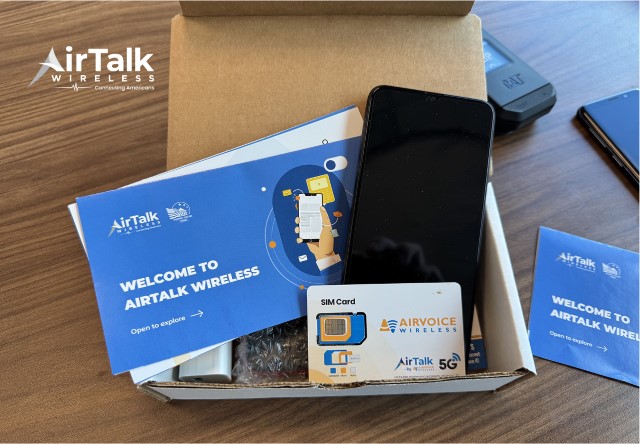
Many participants choose Cintex for its approachable application process. What’s more notable about this carrier is that it is merging with another reputable carrier, AirTalk Wireless, aiming to deliver a better experience in device selection and overall support.
Though the real deal will depend on your location, eligibility, and the carrier stock at the moment you apply, the typical offer that eligible users may receive will look something like this:
- A free 5G smartphone
- Unlimited talk and text
- Monthly data allowance
- $0 monthly service cost
Moreover, AirTalk Wireless also runs promotional offers that give eligible Lifeline recipients access to newer devices like iPhone 11-15 (Pro/ProMax) at a larger discount, or occasionally at no cost at all. These promotions are not always available, so check current offers when you apply.
How to Apply
- Choose a trusted provider, visit its website, and enter your ZIP code to confirm the service availability
- Choose a Lifeline plan and device that fits your needs
- Fill in your personal information
- Submit and wait for your approval
>>> Read more: Free Government Phone eSIM: How to Activate Instantly and Use Today!
5. FAQ
Q1. Does iPhone 14 Pro Max have eSIM?
Yes. The iPhone 14 Pro Max supports eSIM on all regional versions except China mainland. It can store up to 8 eSIM profiles and run two active lines at once, the same as every other model in the iPhone 14 lineup.
Q2. Why is the Add eSIM option missing on my iPhone 14?
The most common reasons are a carrier lock, an outdated iOS version, or the carrier has not yet enabled eSIM on your account. Update your iPhone to the latest iOS version first, then contact your carrier to confirm eSIM is activated on your plan.
Q3. Can I use a Lifeline eSIM on my iPhone 14?
Yes. Because US iPhone 14 models are eSIM only, activating a Lifeline provider’s plan is fully digital and does not require a physical SIM card. Contact an approved Lifeline provider like Cintex Wireless or AirTalk Wireless to check eligibility and activate your plan.
Final Words
Does iPhone 14 have eSIM? Yes, all four models support it, with US versions running eSIM only and international versions offering both a nano-SIM tray and eSIM. Check the left side of your device to determine which version you own, if you are unsure. If you qualify for government assistance, an approved Lifeline provider may offer a free phone with eSIM-ready service at no monthly cost.