The question “Does iPhone 16 have SIM card?” has been more and more popular. However, the answer depends largely on where the device was purchased. Some iPhone 16 models still support physical SIM cards, while others rely entirely on eSIM technology.
Understanding these regional differences can help you choose the right model, properly activate your service, and avoid unexpected compatibility issues.
1. Does iPhone 16 Have SIM Card? Region Differences
The answer to this concern varies depending on whether the phone is sold in North America, China, or other countries.
North America (United States)
iPhone 16 models sold in the United States no longer include a physical SIM tray. Instead, Apple uses eSIM technology for carrier activation.
Users activate their mobile plans digitally through supported wireless providers, eliminating the need to insert a physical card.
For buyers of a U.S. model, cellular service is typically set up through carrier apps, QR codes, or online activation.
International Market
Many iPhone 16 models sold outside the United States continue to support physical nano SIM cards.
Depending on the country, these devices may offer 1 nano SIM and 1 eSIM, dual-SIM functionality, or multiple eSIM profiles stored.
This gives users additional flexibility, especially when traveling or switching between carriers.
China Region
Unlike in the U.S., certain iPhone 16 models sold in China continue to support physical dual SIM functionality.
Instead of using eSIM, these devices may contain two nano SIM slots, allowing users to maintain separate mobile numbers simultaneously without relying on digital activation.
Because Apple offers different hardware configurations across regions, checking your device model before purchase is always recommended.
2. Can You Use Dual SIM on iPhone 16?
Yes, you can use dual SIM on iPhone 16. The entire iPhone 16 lineup supports Dual SIM functionality, although the specific setup varies by model.
Depending on the version you own, you may be able to use 2 active eSIMs, 1 nano SIM and 1 eSIM, or 2 physical nano SIM cards in certain regions.
This feature can be particularly useful for:
- Separating personal and work numbers
- Managing domestic and international plans
- Using different carriers for data and voice service
- Traveling abroad
However, note that the exact Dual SIM configuration depends on the country where the device was sold.
3. How to Check If Your iPhone 16 Has a SIM Card Slot?
Now you have a general idea regarding does iPhone 6 have SIM card slot.
Nevertheless, because iPhone 16 models vary by country, many users are unsure whether their device has a physical SIM tray. ‘
Fortunately, there are several simple ways to verify whether your iPhone supports a physical SIM card or relies entirely on eSIM technology.
Physical Check
The quickest method is to inspect the device’s exterior.
On international models that support a nano SIM card, the SIM tray is typically located on the left side of the phone. You should see a narrow slot with a small pinhole that can be used with a SIM eject tool.
If your iPhone 16 does not have this tray, it is very likely an eSIM-only model.
Keep in mind that some protective cases can cover the device’s edges, making the tray difficult to notice. Removing the case before checking can help you inspect the sides more carefully.
Check Through Settings
Your iPhone’s settings can also provide useful information about SIM support.
Simply go to Settings > General > About. Next, scroll down to the section that displays your cellular information.
Depending on your device and carrier, you may see details about your current cellular plan, available eSIM profiles, or SIM status.
Alternatively, you can also go to: Settings > Cellular or Settings > Mobile Data.
If the device displays options such as Add eSIM, Convert to eSIM, or Cellular Plans, this indicates that the phone supports eSIM functionality.
Having eSIM settings alone does not necessarily mean the device lacks a physical SIM slot, since many international models support both technologies.
Check the Model Number
Another reliable method is checking the model number. Navigate to: Settings > General > About.
Locate the model number and search it on Apple’s official specifications page or your carrier’s support website. Different model numbers correspond to different regional versions.
For example:
- U.S. models are generally eSIM-only.
- Many European and Asian models support both nano SIM and eSIM.
- Certain Chinese models may support dual physical SIMs.
This approach is especially useful if you purchased the device secondhand or imported it from another country.
Using these three methods together can quickly determine whether your iPhone 16 includes a physical SIM card slot or relies entirely on eSIM activation.
4. How to Activate eSIM on iPhone 16?
Setting up an eSIM on iPhone 16 is generally straightforward. Here is how to do it:
- Open Settings.
- Tap Cellular or Mobile Data.
- Select Add eSIM.
- Follow your carrier’s instructions.
- Scan the provided QR code or enter activation details manually.
- Complete the setup process.
Many wireless providers now allow customers to activate service remotely without visiting a retail store.
Some carriers also support transferring existing mobile plans directly from another iPhone during setup.
5. Getting Cellular Service on Your iPhone 16
After activating your iPhone 16, the next step is choosing the right wireless service.
Many major carriers support eSIM activation, allowing customers to set up plans digitally. International models with physical SIM support can also use traditional nano SIM cards where available.
For eligible households, the Lifeline program may help reduce wireless costs. The program supports by providing a monthly discount on communication services.
It then works with Eligible Telecommunication Carriers (ETCS), who adapt that discount into their service plans, and may offer a more sustainable option, a free device, along with the communication service.
To qualify, you generally have to meet one of the two eligibility criteria: meeting the household income limit or participation in qualifying programs.
But you have to know that the service is non-transferable and limited to one service per household.
ETCs such as Cintex Wireless, which is currently transitioning services through AirTalk Wireless, are a good choice if you are looking for a trusted Lifeline partner to apply to, offering qualifying consumers access to affordable mobile service.
Depending on eligibility and location, applicants may receive benefits that include monthly wireless service, SIM card support where applicable, mobile data allowances, etc.
Especially, you can get a discounted or free phone from popular brands (vary by state and inventory), such as:
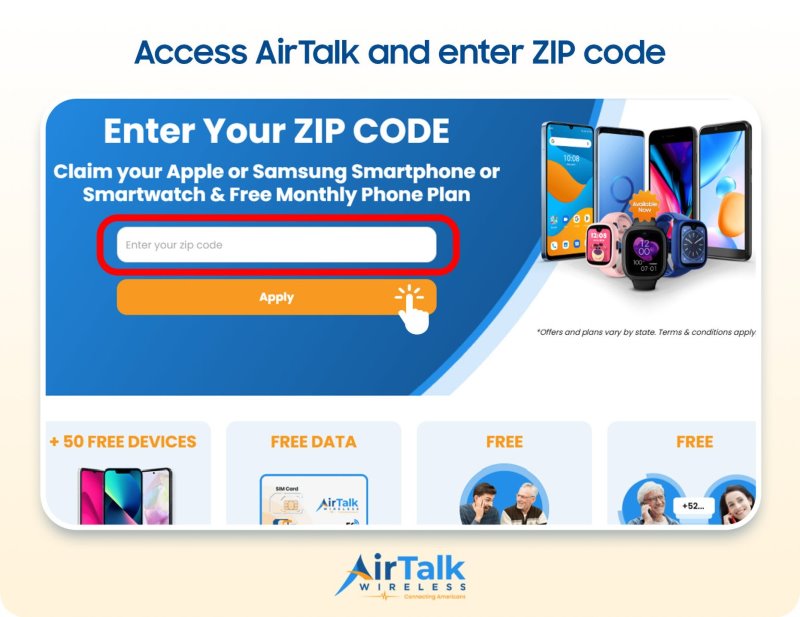
DISCLAIMER: The government does not cover device costs, only basic service through Lifeline. Any free or discounted devices, upgrades, or top-ups are limited-time AirTalk Wireless and Cintex Wireless offers and may vary by state, eligibility, and availability. Terms and conditions apply.
Conclusion
If you’re asking does iPhone 16 have SIM card support, the answer depends on your device’s region. U.S. models rely entirely on eSIM technology, while many international versions continue to support physical SIM cards. Understanding these differences can help you purchase the right model, activate service more easily, and take full advantage of the iPhone 16’s Dual SIM capabilities.