Does iPhone 11 Pro have eSIM? Yes, eSIMs work on this model alongside its physical nano-SIM slot. This guide answers the question directly, then walks through three ways to activate a new eSIM and how to convert your current physical SIM to a digital one. No extra background needed, just the steps.
1. Does iPhone 11 Pro Have eSIM?
Yes, eSIMs work on the iPhone 11 Pro. It has a built-in eSIM alongside its physical nano-SIM slot, supporting Dual SIM use. You can use one eSIM together with one physical SIM at the same time, but the phone does not support using multiple eSIMs simultaneously.
Models sold in Mainland China, Hong Kong, and Macao do not support eSIM and use two physical SIM slots instead. The device can store multiple eSIM profiles, even though only one is active at a time.
2. How Do I Activate eSIM on My iPhone 11 Pro?
There are three ways to activate a new eSIM on your iPhone 11 Pro, depending on what your carrier provides.
Method 1: QR Code
- Contact your carrier and request eSIM activation
- Receive a QR code from your carrier
- Go to Settings > Cellular > Add eSIM
- Tap Use QR Code and scan it with your camera
- Follow the on-screen prompts to complete activation
Method 2: Carrier App
- Download your carrier’s app from the App Store
- Open the app and look for an eSIM setup or activate the new line option
- Follow the in-app instructions to complete activation directly from your phone
Method 3: Manual Entry
- Go to Settings > Cellular > Add eSIM
- Tap Enter Details Manually
- Input the SM-DP+ address and activation code that your carrier provided
- Follow the prompts to finish setup
Make sure your iPhone 11 Pro is connected to Wi-Fi or has an active data connection during setup, since eSIM activation requires internet access.
>>> Read more: Does iPhone 11 Have eSIM? Dual SIM and Activation Guide
3. How Do I Convert My iPhone 11 Pro to eSIM?
If you already have a physical SIM active and want to switch it to an eSIM instead, the process is different from adding a new line.
- Go to Settings > Cellular (or Mobile Service)
- Tap Convert to eSIM
- If this option does not appear, your carrier may not support conversion. Contact your carrier for an eSIM Carrier Activation or QR code instead
- Confirm the conversion when prompted
- Wait for your eSIM to activate
- Once the eSIM is activated, your physical SIM is typically deactivated by the carrier.
Your phone number and plan transfer to the eSIM during conversion, so you do not need to set anything up separately afterward.
4. Already Activated Your eSIM? You May Qualify for a Free Service Plan
Since your iPhone 11 Pro already supports eSIM, you can use it with most compatible carriers without needing to upgrade your device.
This also means that if you qualify for government assistance, you may be able to apply your eligibility toward a more affordable monthly plan through the Lifeline program, using the phone you already have.
The Lifeline program is a federal assistance program that helps eligible low-income households access phone service at reduced or no cost each month.
- Standard households can receive a discount of up to $9.25 per month
- Households on Tribal lands qualify for an enhanced discount of up to $34.25 per month
You may qualify based on income or program enrollment. Your household income must be at or below 135% of the Federal Poverty Guidelines, or you must be an active participant in Medicaid, SNAP, SSI, Section 8, or Veterans Pension.
Note: This benefit is non-transferable and limited to one discount per household. It is available only to consumers who meet the program’s eligibility requirements.
The Lifeline program partners with Eligible Telecommunications Carriers (ETCs) to reach out to those in need. And these carriers, in many cases, offer a free device with a SIM card/eSIM or just the SIM alone, to ensure the connectivity is sustainable.
So, in simpler terms, when applying, you will do it with the carrier to enjoy the fullest benefit.
Another point worth noting is that if you want to use your existing iPhone 11 Pro, you may be eligible for the BYOP (Bring Your Own Phone) option. Before applying, confirm two things: your device is carrier-unlocked, and it is compatible with the Lifeline provider’s network.
You can check your lock status under Settings > General > About > Carrier Lock. If your phone is still locked to another carrier or is not compatible, a new device option is equally available through the program.
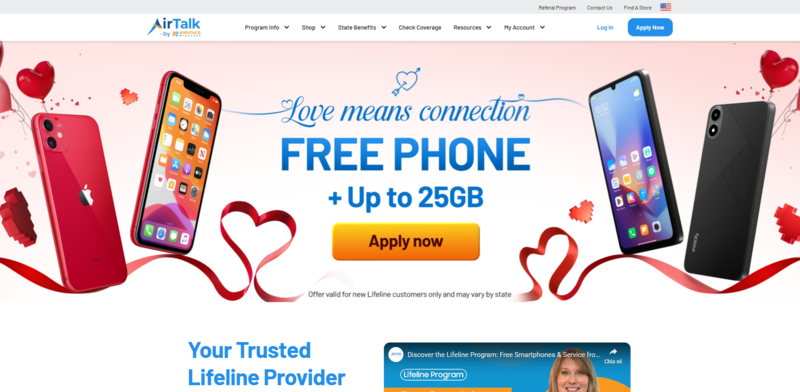
Cintex Wireless is a federally approved Eligible Telecommunications Carrier (ETC), which is trusted by many for its simple application process, offering both BYOP plans and free promotional smartphone options for qualifying applicants.
UPDATE: Cintex Wireless is merging with AirTalk Wireless. After the merger, customers can expect a stronger network, faster application processing, and larger monthly rewards.
>>> Read more: Does iPhone 11 Have SIM Card? Which iPhones Still Do
5. FAQ
Q1. Can my iPhone 11 Pro support two eSIMs simultaneously?
No. The iPhone 11 Pro supports one active eSIM alongside one physical nano-SIM. You can store multiple eSIM profiles, but only one works at a time. Two active eSIMs without a physical SIM became possible starting with iPhone 14 in the US.
Q2. What happens to my physical SIM after I convert to eSIM?
Once your eSIM activates, your physical SIM card deactivates automatically. You can remove it from the tray afterward, though it is fine to leave it in if you prefer.
Q3. Do eSIMs work on iPhone 11 Pro?
Yes. The iPhone 11 Pro has a built-in eSIM chip alongside its physical nano-SIM slot. You can run one eSIM and one physical SIM at the same time. The only exception is models sold in Mainland China, Hong Kong, and Macao, which use two physical SIM slots and do not support eSIM at all.
Conclusion
The iPhone 11 Pro still sits in a useful spot in Apple’s lineup, not because it is new, but because it quietly supports the kind of flexibility most people actually need. With eSIM support alongside a physical nano-SIM, it already handles everyday dual-SIM use without forcing any changes in how you use your phone.
That balance is what keeps its answer to the question does iPhone 11 Pro have eSIM meaningful beyond a simple yes or no. You do not need to rethink your setup or rush into an upgrade just to access modern carrier options. In many ways, it simply extends the life of the device, making it feel less like an older model and more like one that still fits into how mobile service works today.