Finding a budget smartphone is easy, but finding one that actually supports eSIM takes a little more research. Some listings advertise dual SIM support without mentioning whether eSIM is included, while others vary depending on the exact model or region.
If you’re looking for the cheapest eSIM phone, knowing what to check before buying can save you from activation problems later. This guide explains how to choose an affordable eSIM phone that works with your carrier and your budget.
1. What to Check Before Buying a Cheap eSIM Phone
Before purchasing the cheapest eSIM phone, verify these details to avoid compatibility issues after checkout.
- Confirm the exact model number supports eSIM
A phone series may include both eSIM and non-eSIM variants. Always verify the exact model number instead of relying on the product name alone.
- Make sure the phone is unlocked
A carrier-locked phone may prevent you from activating service with another provider, even if it supports eSIM.
- Check carrier compatibility
Before you buy the cheapest eSIM phone, confirm that your preferred carrier supports the device on its network.
- Check whether eSIM works in your country or region
Some manufacturers enable eSIM only in specific markets, so regional differences matter.
- Avoid listings that only say “Dual SIM.”
Dual SIM doesn’t automatically mean eSIM support. Some phones use two physical SIM cards instead.

2. Best Types of Cheap eSIM Phones to Consider
If you’re shopping for the cheapest eSIM phone, several product families consistently offer good value while supporting eSIM on selected models.
Entry-Level iPhones
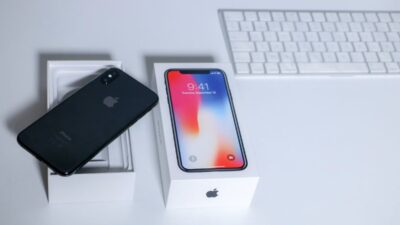
Older iPhone models such as the iPhone SE (3rd generation), iPhone 12, or iPhone 13 often provide an affordable way to access Apple’s eSIM features.
Before purchasing, verify the exact model number, region, carrier lock status, and IMEI compatibility.
Google Pixel A-Series
Google’s Pixel A-Series combines clean Android software with broad eSIM support. Devices such as the Pixel 7a or Pixel 8a are popular choices for buyers who want reliable software updates at a lower price.
But you should still confirm the exact model, region, and carrier compatibility before buying.
Samsung Galaxy A-Series
Selected Galaxy A-Series models include eSIM functionality, although availability varies by country and carrier.
For example, Samsung lists some A-Series models such as A54, A55, A35, A36, and A56 as eSIM-supported in certain regions, but Samsung also warns that eSIM may not be supported even when a device appears on the list, depending on the country of origin.
Always review Samsung’s official specifications before completing your purchase.
Budget Motorola Phones
Some newer Motorola smartphones support eSIM, but compatibility depends heavily on the model and market.
If you’re considering the cheapest eSIM phone from Motorola, verify eSIM support before placing your order.
>>> Read more: Free eSIM Trial Unlimited Data: Everything You Need to Know
3. New eSIM Phone vs. BYOD: Which Makes More Sense?
Choosing the cheapest eSIM phone isn’t always the lowest-cost solution. If you already own an eSIM-compatible device, bringing your own phone (BYOD) may save even more money.
A new phone makes sense if your current device doesn’t support eSIM, no longer receives software updates, or isn’t compatible with your preferred carrier.
On the other hand, BYOD eliminates the cost of replacing hardware while allowing you to keep using a phone you already trust.
Think about both the purchase price and your long-term monthly service costs before deciding which option provides the better value.
4. How to Verify eSIM Support Before You Pay
Even if a listing looks correct, take a few extra minutes to confirm the details before making a purchase. Doing so helps ensure the cheapest eSIM phone you choose will activate without unexpected issues.
- Search for the exact model number
Look up the full model number on the manufacturer’s website. Different regions may sell nearly identical phones, but only certain models include eSIM support.
- Check the manufacturer’s specifications
Official specifications are more reliable than marketplace descriptions. Review the Connectivity or SIM section to confirm that eSIM is listed.
- Ask the seller whether an EID is available
Every eSIM-compatible phone should have an EID, which is a device identifier associated with eSIM capability.
If you are buying from an independent seller, ask for the exact model number, IMEI, lock status, and whether the device shows an EID in settings. Do not rely on the seller saying “dual SIM” or “unlocked” without proof.
- Check your carrier’s BYOD compatibility tool
Before buying the cheapest eSIM phone, enter the device’s IMEI (if available) into your carrier’s compatibility checker to confirm it can be activated.

5. Which Budget eSIM Phone Is Right for You?
The cheapest eSIM phone depends on how you plan to use it.
| If you want… | A good option |
| Long software support | Entry-level iPhone |
| Clean Android experience | Google Pixel A-Series |
| Large display and battery | Samsung Galaxy A-Series |
| Basic everyday use at a lower price | Budget Motorola phone |
These categories are not always the absolute cheapest, but they are common places to start when comparing affordable eSIM-compatible phones.
6. Need an Affordable eSIM Phone or Mobile Plan? Explore Lifeline Options
Finding the cheapest eSIM phone is only one part of lowering your mobile costs. Your monthly phone bill also plays a major role, which is why it’s worth reviewing whether you qualify for assistance.
The Lifeline program is a federal benefit that helps eligible consumers reduce the cost of basic phone service or internet service. Lifeline support is delivered through approved Eligible Telecommunications Carriers (ETCs) that participate in the program.
You generally qualify if your household meets the income limit or has already participated in other qualifying programs
As a participating carrier, Cintex Wireless has helped many eligible customers apply for Lifeline through a straightforward application process. Depending on your eligibility, location, available plans, and inventory, you may qualify for:
- A BYOD (Bring Your Own Device) plan if you already own an eSIM-compatible phone or
- A free device with a data option through qualifying provider offers.
Both options also cover SIM or eSIM activation, depending on the supported device and available plans.
Another important update is that Cintex Wireless is merging into AirTalk Wireless, creating a more streamlined application experience and broader customer support resources.
Following this transition, eligible customers can continue exploring available devices, BYOD options, and Lifeline-supported plans through AirTalk Wireless.
DISCLAIMER: The government does not cover device costs, only basic service through Lifeline. Any free or discounted devices, upgrades, or top-ups are limited-time Cintex Wireless and AirTalk Wireless offers and may vary by state, eligibility, and availability. Terms and conditions apply.
7. FAQ
Can I use a physical SIM and an eSIM at the same time?
Yes. Many modern smartphones support Dual SIM functionality, allowing you to use one physical SIM and one eSIM simultaneously. Availability depends on your phone model and carrier.
Do prepaid phone plans work with eSIM?
Yes. Many prepaid carriers now support eSIM activation. Check with your provider to confirm that both your phone model and prepaid plan are compatible.
Does activating an eSIM cost extra?
Not always. Some carriers may not charge extra just because you use eSIM, but standard activation fees, upgrade fees, plan charges, or replacement eSIM fees may still apply. Check your carrier before activating.
Can I transfer an eSIM to another phone?
Yes. Many carriers allow you to move your eSIM to another compatible device. The exact process depends on your carrier and phone model, and some providers may require a new QR code or activation through their app.
Conclusion
Choosing the cheapest eSIM phone isn’t just about finding the lowest price, it’s about buying a device that supports eSIM, works with your carrier, and fits your long-term needs.
By verifying compatibility before you purchase and comparing your available options carefully, you can avoid activation problems and get the most value from your investment.