There are times when you don’t want to remove an eSIM completely; you simply want to stop using it for a while. Maybe you’re traveling with another SIM, troubleshooting network issues, or temporarily switching to a different phone number.
If you’re searching for how to turn off eSIM on iPhone, the process is straightforward and doesn’t delete your eSIM profile. This guide explains how to disable an eSIM safely, when it’s the better choice than deleting it, and what happens after you turn it off.
1. Can You Turn Off an eSIM on iPhone?
Yes. You can temporarily disable an eSIM on an iPhone without deleting it. This lets you stop using the mobile line while keeping the eSIM profile stored on your device.
Learning how to turn off eSIM on iPhone is useful if you expect to use the same line again later. In most cases, turning the line back on later does not require a new QR code because the eSIM profile remains stored on the iPhone.
2. How to Turn Off eSIM on iPhone
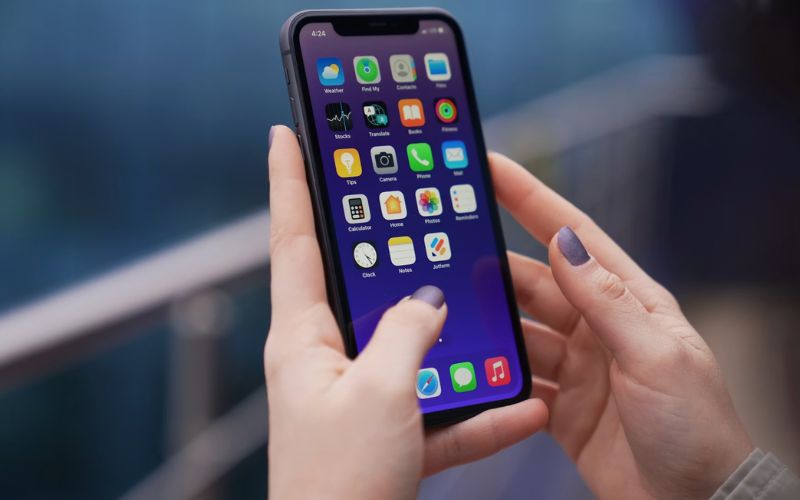
If you’re wondering how to turn off eSIM on iPhone, follow these simple steps.
Step 1: Open Cellular settings
Open Settings and tap Cellular, Mobile Service, or Mobile Data, depending on your region and iOS wording.
Step 2: Select the eSIM line
Under the SIMs or Cellular Plans section, tap the eSIM you want to disable.
Step 3: Turn off the cellular line
Turn off Turn On This Line for the eSIM or cellular line you want to disable.
Step 4: Confirm the line is inactive
Return to the Cellular screen and confirm that the line is no longer enabled for calls, texts, or cellular data. You have now completed how to turn off eSIM on iPhone without removing the eSIM from your device.
>>> Read more: What Happens If I Delete eSIM? Will I Lose My Phone Number?
3. When Should You Turn Off an eSIM Instead of Deleting It?
If you’re learning how to turn off eSIM on iPhone, it’s helpful to know that disabling an eSIM is often a better option than deleting it. In many situations, you may want to turn it off temporarily while keeping the plan available for future use.
Traveling with another SIM
If you’re using a local SIM or travel eSIM during a trip, turning off your home line can help prevent that line from using roaming. However, this may also stop calls, SMS, and some number-based services on that line. Another option is to keep the home line on, set cellular data to the travel eSIM, and turn off data roaming for the home line, depending on your carrier setup.
Switching between work and personal numbers
Many Dual SIM users temporarily disable one line during evenings, weekends, or vacations instead of deleting it completely.
Troubleshooting network problems
If you’re learning how to turn off eSIM on iPhone, temporarily disabling it can sometimes refresh the cellular connection. If the issue continues, contact your carrier before deleting the eSIM.
Saving the eSIM for later use
If you won’t need the line for a while but expect to use it again, disabling it is much more convenient than deleting and reactivating it later.
4. What Happens After You Turn Off an eSIM?
If you’re learning how to turn off eSIM on iPhone, it’s useful to understand what happens afterward. Turning off an eSIM temporarily disables mobile service on that line, but the eSIM itself remains on your device and can be turned back on later.
Calls and text messages
Calls and SMS for that line generally will not arrive on the iPhone while the line is turned off. Depending on your carrier, incoming calls may go to voicemail or fail to connect until you turn the line back on.
Mobile data
If the disabled eSIM was your data line, mobile data will stop unless another active SIM or Wi-Fi connection is available.
iMessage and FaceTime
If iMessage or FaceTime is tied to the disabled phone number, check Settings > Messages > Send & Receive and Settings > FaceTime. Messages sent to your Apple Account email may still work over Wi-Fi or another data line, but calls and SMS for the disabled number generally will not arrive until the line is active again.
Dual SIM behavior
If your iPhone has another active SIM, it will continue handling calls, messages, and mobile data according to your preferred line settings. This is one reason many users learn how to turn off eSIM on iPhone instead of deleting the profile altogether.
>>> Read more: Should I Delete eSIM From Old Phone? Tips When Changing Phone
5. Turning Off eSIM? Make Sure the Line Still Fits How You Use Your Phone
Once you’ve learned how to turn off eSIM on iPhone, it’s worth taking a moment to think beyond the setting itself.
If you’re disabling a line because you no longer use it often, are switching numbers, or your mobile needs have changed, it may also be a good time to review whether you’re paying for a plan that still makes sense.
For eligible consumers, the Lifeline program may help lower the cost of monthly phone service or internet service by offering a monthly discount.
The program is designed for qualifying households and provides support through approved Eligible Telecommunications Carriers (ETCs) rather than directly through the government.
To qualify, you generally need to meet the income limit or participate in qualifying programs like SSI, SNAP, etc.
Many eligible customers have chosen Cintex Wireless because of its straightforward application process and flexible service options. Depending on your eligibility, location, available plans, and inventory, you may be able to:
- Bring Your Own Device (BYOD): Keep using your compatible phone and activate Lifeline-supported service with either a physical SIM card or an eSIM, depending on your device.
- Free or discounted device: If you qualify and devices are available, you may receive a phone with Lifeline-supported service, activated using a physical SIM card or eSIM.
Another reason why people choose Cintex is that the carrier is merging into AirTalk Wireless, promising the application process will be more streamlined while giving eligible customers access to improved customer support.
Whether you’re turning an eSIM off temporarily or planning to use a different mobile line, reviewing your service at the same time can help ensure you’re only paying for what you actually need.
DISCLAIMER: The government does not cover device costs, only basic service through Lifeline. Any free or discounted devices, upgrades, or top-ups are limited-time Cintex Wireless and AirTalk Wireless offers and may vary by state, eligibility, and availability. Terms and conditions apply.
6. FAQs
Will turning off my eSIM cancel my mobile plan?
No. Turning off an eSIM only disables the mobile line on your iPhone. Your carrier generally continues billing your plan unless you separately cancel the service.
Can I turn my eSIM back on without scanning the QR code again?
Yes. In most cases, if you only turned the line off and didn’t delete the eSIM, you can reactivate it directly from your iPhone’s Cellular settings without scanning the QR code again.
Does turning off an eSIM save battery life?
It may help slightly, especially if the line was searching for signal or using network resources in the background. However, the battery difference is usually small. Turning off an unused eSIM is more useful for line management, privacy, or roaming control than major battery savings.
Can I use my physical SIM while my eSIM is turned off?
Yes. If your physical SIM remains active, it can continue handling calls, text messages, and mobile data while the eSIM stays disabled.
Conclusion
Knowing how to turn off eSIM on iPhone gives you more flexibility without permanently removing your mobile line.
Whether you’re traveling, switching between work and personal numbers, or troubleshooting a connection issue, disabling an eSIM is often a better choice than deleting it.