Upgrading to a new phone often involves more than simply moving your photos and apps. If your mobile plan uses eSIM, one important question usually comes up during the setup process: Should I delete eSIM from old phone?
Deleting an eSIM removes the carrier profile stored on your device, but doing it at the wrong time could interrupt your mobile service or complicate the transfer. This guide will explain when it’s safe to remove an eSIM, what happens after deletion, and the steps you should take before erasing it from your old phone.
1. What Does Deleting an eSIM Mean?
Deleting an eSIM means removing the digital mobile profile stored on your phone.
This profile contains the information your device uses to connect to your carrier’s network and use the cellular plan assigned to that device.
Once the eSIM profile is removed, the phone can no longer use that mobile plan for calls, text messages, or cellular data unless the eSIM is activated again.
However, deleting the profile does not automatically cancel your wireless account or terminate your service. Your mobile plan usually remains active with your carrier until you request cancellation or transfer it to another device.
Because the eSIM profile itself is erased, restoring service usually requires contacting your carrier or following its activation process to get a new eSIM profile.
For this reason, it’s important to understand when deleting an eSIM is appropriate, especially if you’re preparing to switch phones.
2. Should I Delete eSIM from Old Phone?
Yes, you should delete eSIM from your old phone.
However, when moving your mobile service to a new device, it’s generally safer to complete activation before removing the eSIM from your old phone.
After your new device can successfully make calls, send text messages, and access mobile data, you can delete the old eSIM with greater confidence.
Taking this extra step helps reduce the risk of unexpected service interruptions during the transfer.
Also, it gives you an opportunity to confirm that your phone number and carrier profile have been activated correctly before erasing anything from the previous device.
That said, not every carrier follows the same process.
Some providers may require you to remove the existing eSIM before issuing a replacement profile or completing activation on another phone.
If your carrier provides specific instructions, it’s best to follow those guidelines rather than relying on a general recommendation.
Leaving the old eSIM profile on your previous phone after the transfer is complete usually isn’t harmful, but it can occasionally create confusion or activation issues, especially if the old profile is inactive or no longer linked to the active line.
Depending on your carrier, you may encounter situations such as:
- Delays when activating the eSIM on your new phone.
- Carrier or activation messages related to an already-used, expired, or unavailable eSIM profile.
- Uncertainty about which device is currently linked to your mobile plan.
As a general rule, wait until your new phone is fully operational before deleting the eSIM from your old device, unless your carrier specifically instructs you otherwise.
3. What Happens If I Delete My eSIM?
After knowing should I delete esim from old phone, you should also know that removing an eSIM deletes the mobile profile stored on your phone.
Once it’s gone, that device can no longer use the associated cellular plan for calls, text messages, or mobile data unless the profile is activated again.
In addition, deleting the eSIM does not usually cancel your wireless account.
In most cases, your service remains active with your carrier, but you’ll need to obtain a new eSIM profile or follow your carrier’s reactivation process before using that plan on the same device again.
If your eSIM has already expired or you no longer need it, removing it from your iPhone device is simple:
- Open Settings.
- Tap Cellular or Mobile Data.
- If you have a single plan, tap Delete eSIM.
- If you have multiple plans, tap the plan you want to remove, then tap Delete Plan.
- Confirm the deletion when prompted.
Note: Do not delete an eSIM just to troubleshoot signal, data, or activation issues unless your carrier tells you to do so.
>>>Read more: What Happens If I Delete eSIM? Will I Lose My Phone Number?
4. Before You Delete eSIM From Your Old Phone
Deleting an eSIM only takes a few seconds, but it’s worth checking a few things beforehand.
A quick review can help ensure your new phone is fully ready and reduce the chance of losing access to your mobile service.
- Confirm Your New Phone Is Working
Make sure your new device has finished the activation process. If the eSIM was transferred successfully, the phone should display your carrier name and cellular signal.
- Test calls
Place a test call to confirm that voice service is working correctly. This is one of the quickest ways to verify that the eSIM has been activated properly.
- Test text messages
Send and receive a text message to ensure messaging services have transferred successfully. If you use SMS verification codes, this step is especially important.
- Test mobile data
Turn off WiFi and browse a website or open an app that requires an internet connection. This confirms that your cellular data plan is active on the new device.
- Check two-factor authentication
Many banking, email, and social media accounts send security codes to your phone number. Before deleting the eSIM from your old phone, make sure these codes can still be received on your new device.
- Save your carrier login
If you need to reactivate your line later, having access to your carrier account can make the process much easier. Verify that you know your login credentials before removing the old eSIM profile.
- Do not reset the old phone too early
Even after everything appears to be working, it’s a good idea to keep your old phone for a short period before performing a factory reset. This gives you extra time to confirm that the transfer has been completed successfully.
5. Can I Use a Physical SIM Card After Deleting My eSIM?
Yes, as long as your phone includes a physical SIM tray, removing an eSIM doesn’t prevent you from using a SIM card.
Once your carrier issues or activates a physical SIM for your line, you can insert it and follow the carrier’s activation steps.
If your current SIM card no longer works, has been damaged, or needs replacing after switching devices, contacting your carrier is often the quickest way to resolve the issue.
They can issue a replacement SIM card, help activate your line, or answer questions about moving your service between devices.
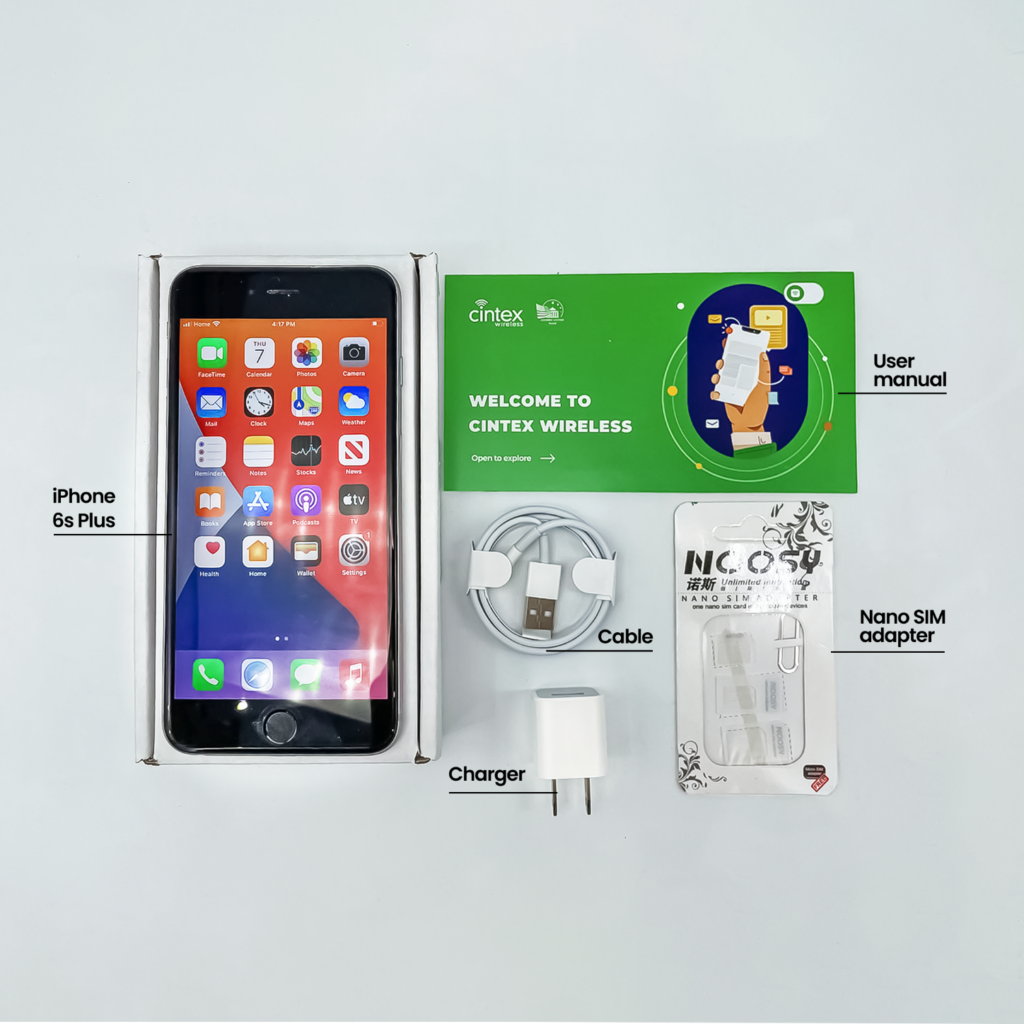
For eligible households, another option is the federal Lifeline program, which helps lower the cost of wireless service.
Rather than providing benefits directly, Lifeline partners with Eligible Telecommunications Carriers such as Cintex Wireless to deliver supported services.
Applicants generally qualify if their household income meets the program requirements or if they receive qualifying assistance, such as SNAP, Medicaid, SSI, or other approved government programs.
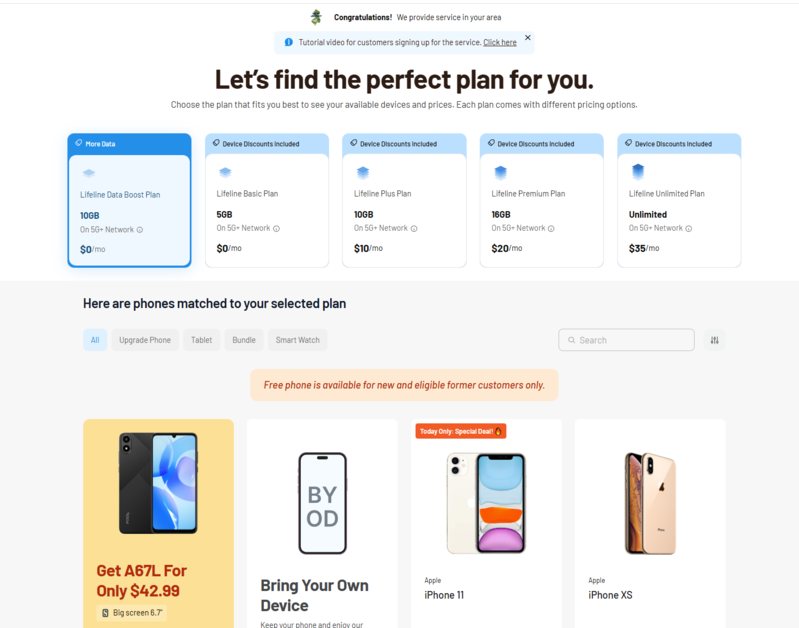
As Cintex Wireless continues merging with AirTalk Wireless, applicants can access Lifeline-supported services through a more streamlined enrollment process.
Depending on eligibility and current availability, benefits may include a free SIM card, monthly talk, text, data, and access to discounted or free smartphones.
Keep in mind that Lifeline benefits are limited to one eligible household, and available devices or promotions may change depending on your location and current inventory.
IMPORTANT: The government does not subsidize devices. Lifeline programs cover basic service costs only. Free or discounted devices, upgrade plans, or top-ups are exclusive benefits provided by Cintex and AirTalk Wireless as part of our promotional offers. Terms and conditions apply. Limited-time promotion—offers vary by state, stock availability, and eligibility.
Conclusion
Deciding should I delete eSIM from old phone depends largely on your carrier’s transfer process. For most users, the safest approach is to complete activation on the new device, confirm that everything is working properly, and then remove the old eSIM.
Following the recommended order can help you avoid unnecessary activation issues and make changing phones much smoother.