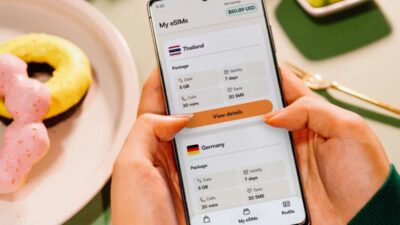
While many newer smartphones include eSIM technology, support still depends on the exact model, carrier, and even the country where the device was sold.
If you’re wondering does my phone support eSIM, a few quick checks can usually tell you whether the device has eSIM hardware before you purchase a plan. This guide walks you through the fastest ways to confirm compatibility and avoid activation issues.
1. The Fastest Ways to Check if Your Phone Supports eSIM
If you’re wondering does my phone support eSIM, the easiest approach is to check your device using one of the methods below. These steps can quickly confirm whether your phone is eSIM-compatible.
Check your phone settings
Step 1: Open Settings on your phone.
Step 2: Go to Cellular or Mobile Data on iPhone, Network & internet > SIMs on many Pixel phones, or Connections > SIM manager on many Samsung Galaxy phones.
Step 3: Look for options such as Add eSIM, Add Cellular Plan, Add SIM, Set up an eSIM, or Download SIM, depending on your phone brand and Android/iOS version.
Step 4: If one of these options appears, your device likely supports eSIM. This is usually the quickest way to answer does my phone support eSIM.
Look for an EID number
Step 1: Open Settings > General > About on an iPhone, or check your phone’s device information on Android.
Step 2: Scroll through the device details.
Step 3: Look for an EID (Embedded Identity Document) number.
Step 4: If an EID is listed, your phone includes eSIM hardware.
Check the manufacturer’s specifications
Step 1: Find your phone’s exact model number in Settings or on the device box.
Step 2: Visit the manufacturer’s official website.
Step 3: Open the specifications page for your exact model.
Step 4: Review the SIM or Connectivity section to confirm whether eSIM is supported. If you’re still asking does my phone support eSIM, this method provides the most reliable answer because support can vary between regional models.

2. How Do I Know if My Phone Is on an eSIM?
If you’re asking, does my phone support eSIM, remember that compatibility is only part of the answer. Even if your phone supports eSIM, you may not know whether your current mobile line is already using one.
Check your cellular settings
Step 1: Open Settings and go to Cellular, Mobile Data, or SIM Manager.
Step 2: Review the available mobile plans.
Step 3: If the active line is labeled as eSIM, digital SIM, or a downloaded SIM profile, that line is using eSIM.
Identify your active mobile line
If you’re checking does my phone support eSIM, identifying your active mobile line can also help. This lets you see whether your phone is currently using a physical SIM or an eSIM before making any changes.
Step 1: Open your phone’s cellular settings.
Step 2: Check which line is marked as the default for calls, messages, or mobile data.
Step 3: If that line is labeled as an eSIM, your active service is using a digital SIM.
Check whether a physical SIM is installed
Step 1: Remove the SIM tray if your phone has one.
Step 2: Check whether a physical SIM card is present.
Step 3: If no physical SIM is installed but the phone still has mobile service, it is likely using eSIM, especially on eSIM-only models.
>>> Read more: Does iPhone 8 Plus Have eSIM? What You Need To Know
3. Why Your Phone May Support eSIM but You Can’t Use It
Sometimes the answer to does my phone support eSIM is yes, but activation still fails. In many cases, one of these common issues is responsible.
- Your carrier doesn’t support eSIM
Even if your phone includes eSIM hardware, your carrier must also support eSIM activation for your device and plan.
- Your phone is carrier locked
A carrier-locked phone may prevent eSIM activation with another provider until the device is unlocked.
- Regional model differences
Some manufacturers enable eSIM only on devices sold in specific countries. Always verify the exact model number before purchasing an eSIM plan

4. Common Devices That Support eSIM
If you’re asking does my phone support eSIM, the answer depends on your device. While many modern smartphones include eSIM support, availability can vary based on the specific model and the region where it was sold.
iPhone models
Most iPhones, starting with the iPhone XS, iPhone XS Max, and iPhone XR, support eSIM, along with newer models.
Samsung Galaxy phones
Many flagship Galaxy S and Galaxy Z devices support eSIM, while selected Galaxy A models also include the feature in certain markets.
Google Pixel phones
Google Pixel phones have offered broad eSIM support for several generations, making them one of the easiest Android options for digital SIM activation.
Other Android brands
If you’re still wondering does my phone support eSIM, it’s worth checking devices from other brands as well. Many manufacturers now include eSIM support on selected models, including the following:
- Motorola
- Xiaomi
- Oppo
- Honor
Before buying an eSIM plan, always verify the exact device model because support can differ between regions and product variants.
>>> Read more: Does iPhone XR Have eSIM? Compatibility and Activation Guide
5. Once Your Phone Is eSIM-Ready, Review Your Mobile Service Options
After confirming your device is compatible, the next question isn’t just does my phone supports eSIM; it’s whether your current mobile service is still the right fit.
If you’re already planning to activate an eSIM, this can be a good opportunity to compare plans that better match your budget and everyday needs.
For eligible consumers, the Lifeline program may help lower the cost of basic phone service or internet service by providing a monthly discount. Lifeline is a federal assistance program, but the benefit is not delivered directly by the government to consumers.
Instead, eligible consumers enroll through approved Eligible Telecommunications Carriers, also known as ETCs, like Cintex Wireless.
These carriers apply the Lifeline discount to an eligible wireless service plan, helping reduce the monthly cost of talk, text, data, or other qualifying service features available under that provider’s plan.
To qualify, you generally need to meet the household income limit or participate in qualifying federal programs.
As a participating carrier, Cintex Wireless offers Lifeline-supported service for eligible customers. Depending on your eligibility, location, available plans, and inventory, you may be able to:
- Use your own compatible phone with a SIM card or eSIM activation to access Lifeline-supported service.
- Explore promotional device options, which may include a free or discounted phone with SIM card or eSIM support, if available under current provider terms.
After answering does my phone support eSIM, the next step is choosing a mobile service that fits your needs. Whether you’re keeping your current device or activating a new one, the right plan is just as important as compatibility.
Another recent update is that Cintex Wireless is merging into AirTalk Wireless, making it easier for eligible customers to continue their mobile service journey in one place.
After the transition, you can explore compatible devices, BYOD enrollment, SIM or eSIM activation, and available Lifeline-supported plans through AirTalk Wireless based on your eligibility.
DISCLAIMER: The government does not cover device costs, only basic service through Lifeline. Any free or discounted devices, upgrades, or top-ups are limited-time Cintex Wireless and AirTalk Wireless offers and may vary by state, eligibility, and availability. Terms and conditions apply.
6. FAQs
Can I add eSIM to a phone that wasn’t built with eSIM support?
No. eSIM requires dedicated hardware built into the device. If your phone wasn’t manufactured with eSIM capability, a software update or app cannot add this feature.
Will using an eSIM affect my physical SIM card?
No. On Dual SIM devices, an eSIM and a physical SIM can often work together. You can choose which line handles calls, text messages, and mobile data through your phone’s settings.
Can I remove an eSIM and install it again later?
Yes, in many cases. Whether you can reinstall the same eSIM depends on your carrier. Some providers let you reactivate it, while others require a new QR code or activation process.
Does resetting my phone remove eSIM?
It depends. During a factory reset, many phones ask whether you want to keep or erase your eSIM. If you choose to erase it, you’ll usually need your carrier’s assistance to activate it again.
Conclusion
If you’ve been asking does my phone support eSIM, the answer is usually only a few minutes away. Checking your settings, confirming your EID, and reviewing your phone’s official specifications can quickly tell you whether your device is ready for eSIM.
Once compatibility is confirmed, you can choose the activation method and mobile plan that best fits your needs, helping you enjoy the flexibility that eSIM technology offers.