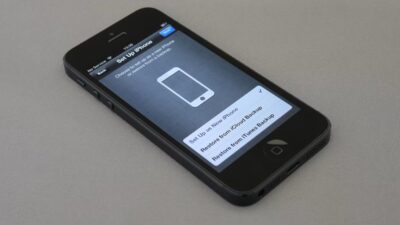
If you’re wondering, does iPhone SE have eSIM, you’re not alone. eSIM support varies across iPhone SE generations, so it’s important to know exactly which model you own before purchasing an eSIM plan.
In this guide, we’ll help you understand eSIM availability across the iPhone SE lineup and how to check eSIM compatibility. Read now!
1. Does iPhone SE Have eSIM?
The compact iPhone receives the full eSIM treatment from Apple. The SE series provides modern connections in a smaller, lower-cost package, which is why travelers and minimalists keep returning to it.
However, the answer to the question “Does iPhone SE have eSIM?” is largely dependent on the generation you have.
- iPhone SE (1st generation): This model supports only a single nano SIM and lacks the hardware required for eSIM.
- iPhone SE (2nd generation): It supports one eSIM and one physical nano-SIM. Although you can keep many eSIM profiles and switch between them as needed, only one eSIM can be active at any given moment.
- iPhone SE (3rd generation): This device supports both an eSIM and a nano-SIM. Also, it offers dual-line flexibility, meaning it can operate two active eSIMs simultaneously when no physical card is used.
Regional differences are important. The iPhone SE (2nd and 3rd generation) purchased in mainland China does not support eSIM.
However, the iPhone SE (2nd and 3rd generation) sold in Hong Kong and Macao does support Dual SIM with eSIM. Check the device’s model number and original purchase region before buying an eSIM plan.
| iPhone SE model | Year | eSIM Support |
| iPhone SE (1st gen) | 2016 | No |
| iPhone SE (2nd gen) | 2020 | Yes |
| iPhone SE (3rd gen) | 2022 | Yes |
2. How to Know If My iPhone SE Supports eSIM?
Not all smartphones use eSIM, and compatibility varies by device type, carrier, region, and software. That is why, before purchasing an eSIM plan, you should check eSIM compatibility.
Here’s how.
Check the Model Name in “Settings”
Open Settings > General > About and look for your device name.
This lets you identify whether you have the iPhone SE (1st generation), iPhone SE (2nd generation), or iPhone SE (3rd generation).
Once you know your model, you can confirm whether it supports eSIM.
Check Model Number
Wonder does iPhone SE have eSIM?
In the”About” section, press the “Model number” once to display the “A” number. This is the hardware variant, which is handy for looking up thorough compatibility listings.
Look for Add eSIM in Cellular Settings
Go to Settings > Cellular or Mobile Data and look for Add eSIM or Set Up Cellular.
If the option appears, the iPhone supports eSIM. If it is missing, confirm the exact iPhone SE generation, model number, purchase region, and carrier support before concluding that the device is incompatible.
Dial a Code
Open Settings > General > About and scroll down to look for an EID.
An EID is the identifier associated with the iPhone’s embedded SIM hardware. If an EID appears, the device supports eSIM. If it is missing, verify the exact model number and purchase region.
3. How to Set Up eSIM on iPhone SE?
Once you confirm does iPhone SE have eSIM, follow these steps to install eSIM on your device:
- Step 1: Open Settings > Cellular or Mobile Data.
- Step 2: Tap Add eSIM or Set Up Cellular.
- Step 3: Choose the method supported by your carrier. Options may include Transfer From Nearby iPhone, Use QR Code, carrier activation, a carrier app, an activation link, or manual entry.
- Step 4: Follow the on-screen instructions and enter a carrier confirmation code if requested.
- Step 5: Wait for the plan to appear under SIMs or Cellular Plans.
- Step 6: Label the new line and choose which SIM should handle calls, messages, and mobile data. Test the connection before removing or deactivating an existing SIM.
>>>Read more: How To Find eSIM Number On iPhone? Easy Steps To Locate Yours
4. iPhone SE Is Not eSIM-Compatible? Explore Other Options
If you own an iPhone SE 1st generation that does not support eSIM or are experiencing trouble with eSIM, do not worry!
You can still enjoy reliable mobile service without immediately replacing your device.
Depending on your needs, you can continue using a physical SIM card, switch to another brand, or consider upgrading to a newer smartphone with eSIM support.
Use a Physical SIM
If your iPhone SE has a physical SIM slot, using a nano SIM card is the easiest solution.
Most carriers continue to support physical SIMs, giving you access to voice calls, text messaging, and mobile data, just as with an eSIM.
This option works well if you’re satisfied with your current phone and don’t need features like digital SIM activation or Dual SIM support.
Switch Brand
Want to enjoy the convenience of eSIM? Many recent Android smartphones, including select Galaxy S, Galaxy Z, or Google Pixel 6, support eSIM.
This makes it easy to activate a plan digitally, switch carriers, and use Dual SIM functionality.
However, before switching, check that your chosen model, regional variant, and carrier all support eSIM to ensure full compatibility.
>>>Read more: eSIM Samsung: Benefits, Compatible Models & Setup Guide
Upgrade to a Newer iPhone
Apple introduced eSIM support with the iPhone XS, iPhone XS Max, and iPhone XR. Most iPhone models released since then support eSIM, but compatibility can vary by purchase region, carrier, and exact model variant.
For this reason, upgrading to a newer iPhone is the best long-term solution if you are an Apple fan.
If cost is a concern, eligible low-income households can explore the Lifeline program.
By applying through Eligible Telecommunication Carriers (ETCs) like Cintex Wireless, qualified applicants may get free or discounted wireless service and an eSIM-compatible iPhone (varies by state and provider).
To qualify, you need to meet either one of the two criteria:
- meet the income limit
- participate in qualifying programs
Update: Cintex Wireless is merging with AirTalk Wireless, which means that Lifeline applicants may access a larger range of eSIM-compatible iPhone-supported devices, such as:
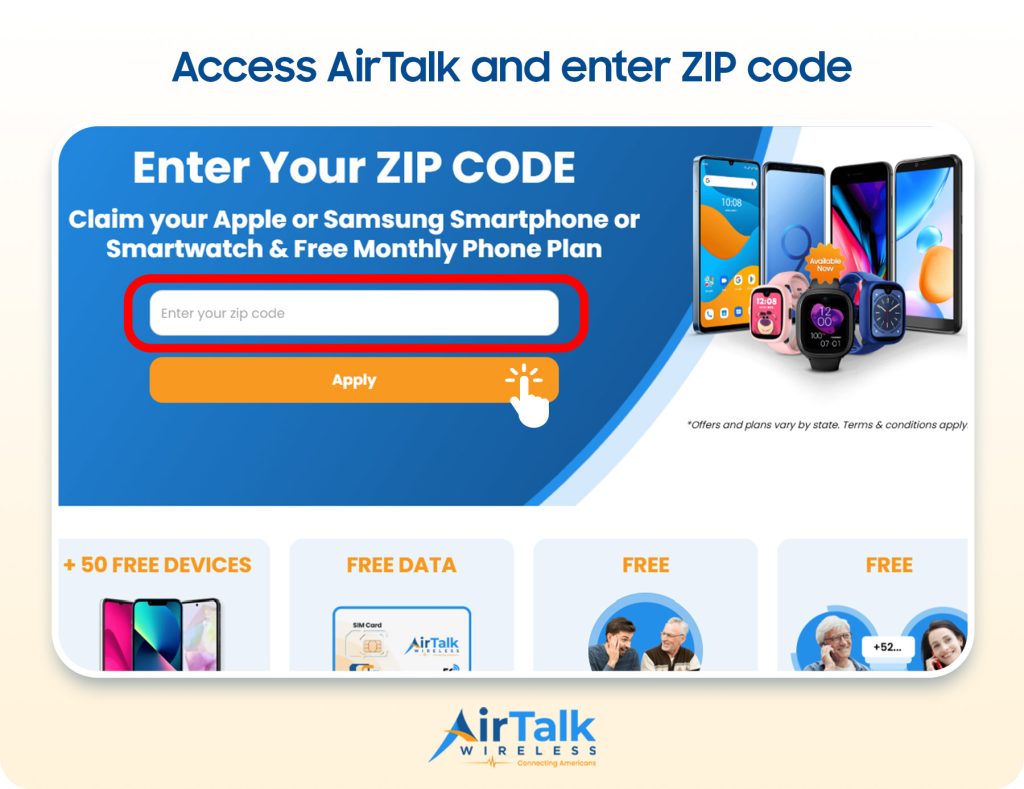
Note: Eligibility varies by state and program. Offers depend on availability and qualifications. Cintex and AirTalk Wireless operate under the federal Lifeline Program as an Eligible Telecommunications Carrier (ETC). Service is non-transferable and limited to one service per household.
Conclusion
Finally, the answer to does iPhone SE have eSIM depends on which generation you own. While the original iPhone SE doesn’t support eSIM, the 2nd- and 3rd-generation models do. But if your iPhone SE does not support eSIM, you can still use a physical SIM card or consider upgrading to a newer iPhone to enjoy eSIM technology.