Have you ever taken your SIM card out, switched to a Wi-Fi-only device, or waited for a new carrier to activate your line and suddenly realized you couldn’t send a text? It’s a common situation, especially when changing phones or traveling.
If you’re wondering how to text without a SIM card, the good news is that you still have several ways to stay connected. This guide explains what works, what doesn’t, and which option makes the most sense for your situation.
1. Can I Send SMS Without a SIM Card?
Usually not if you have no active mobile line. Standard SMS belongs to your carrier’s messaging service, so you normally need an active physical SIM or eSIM and phone number.
There is one important distinction: SMS does not always need a cellular signal. On supported carriers, features such as Wi-Fi Calling can allow SMS to travel over Wi-Fi, but the active carrier line is still required.
If you have no active line at all, internet messaging is the easier answer to how to text without a sim card.
2. Choose the Right Way to Stay in Touch Without Mobile Service
If you’re wondering how to text without a SIM card, the best option depends on who you’re trying to contact and what type of message you’re sending.
| Method | Needs SIM | Needs Wi-Fi | Best For |
| SMS | Usually yes | Not always | Standard carrier texts |
| iMessage | No, if using an Apple Account email | Yes | Apple users |
| Not for normal use after setup | Yes | Friends and family | |
| Facebook Messenger | No | Yes | Social messaging |
| Signal | No | Yes | Private messaging |
| RCS | Phone-number verification generally required | Yes | Supported mobile messaging |
| No | Yes | Longer messages |
Google confirms that RCS messages can travel over Wi-Fi or mobile data, although the service relies on phone-number verification and availability varies by carrier and device.
How can I send SMS without a mobile number? On a normal phone, you generally cannot send carrier SMS without a mobile number. If you do not have one, use an internet messaging service instead, or a VoIP service that provides its own number.
3. Can You Text Using Only Wi-Fi?
Can I text if I only have Wi-Fi? Yes, as long as the service you use works over the internet.
With Wi-Fi, you can:
- Send text messages
- Share photos and videos
- Create group chats
- Send voice notes
- Make voice and video calls
Apple’s iMessage, for example, works over Wi-Fi and can use an Apple Account email address instead of a phone number.
Traditional SMS is different. Without an active carrier line, simply connecting the phone to Wi-Fi does not normally give you SMS service.
>>> Read more: SIM Card USA: How To Select The Best Option In 2026
4. Texting Without a SIM vs Traditional SMS
Although both methods let you communicate, they work very differently.
| Feature | Traditional SMS | Internet Messaging |
| Uses carrier messaging service | Yes | No |
| Requires an active phone line | Usually yes | Usually no |
| Requires internet | No, except some Wi-Fi carrier setups | Yes |
| Sends photos and videos directly | No | Usually yes |
| End-to-end encryption | No | Depends on the service |
Photos and videos sent through the carrier messaging system use technologies such as MMS or RCS rather than SMS itself.
So learning how to text without a SIM card usually means switching from carrier SMS to an internet-based messaging method.
5. Can You Text or Call From a Computer Without a SIM?
Yes. Many internet services work on computers as well as phones, allowing you to continue conversations without a SIM in the computer itself.
You can use a computer to:
- Send messages through compatible web or desktop apps
- Make voice and video calls
- Continue conversations synced through the same account
If you need to make a phone call from computer, services such as Google Meet, WhatsApp, Zoom, or Microsoft Teams can handle internet calls.
For actual mobile-number calls, there are other options. Windows Phone Link, for example, can make and receive calls through a paired Android phone or iPhone, although the phone still provides the underlying calling service.
Skype should no longer be listed here because Microsoft retired the service in May 2025.
6. Need Texting Beyond Wi-Fi? Check More Affordable Options
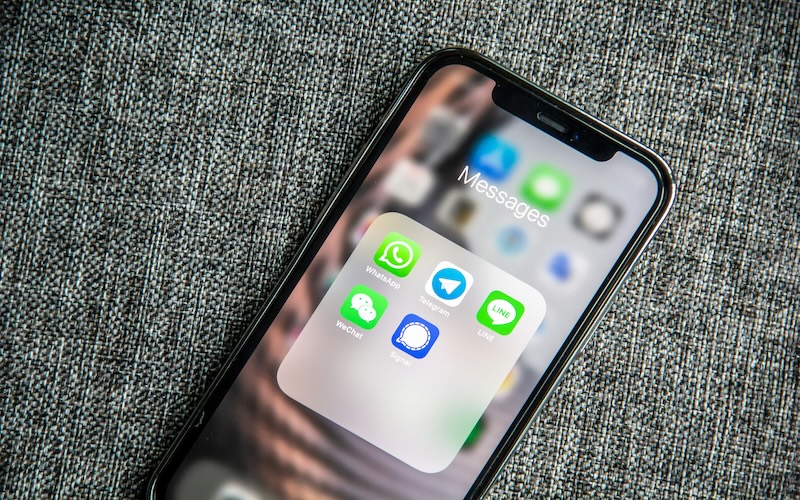
Learning how to text without a SIM card is useful when you’re connected to Wi-Fi. Apps like iMessage, WhatsApp, and Messenger can keep conversations going without a mobile network.
However, if you also need to send regular SMS messages, receive one-time verification codes, or stay connected while traveling or away from Wi-Fi, you’ll usually need an active wireless service.
For households looking to lower monthly phone costs, it’s worth checking whether you qualify for the federal Lifeline program
This is a government assistance program that helps eligible households stay connected without breaking the bank. Eligibility is generally based on household income or participation in a qualifying assistance program
The benefit can help reduce the cost of monthly wireless service through participating carriers, also known as Eligible Telecommunications Carriers (ETCs). It has the rule of being limited to one service per household and being non-transferable.
And Cintex Wireless is one of those ETCs that has been trusted by many for its simple application process. This carrier has merged into AirTalk Wireless, helping eligible customers to access a more fulfilling enrollment experience.
If you decide to apply, the process is straightforward:
- Confirm the service availability using your ZIP Code.
- Choose a suitable service plan and device
- Complete the online application.
- Submit and wait for the result.
Whether you’re learning how to text without a SIM card because you’re temporarily relying on Wi-Fi or you’re ready for dependable mobile service wherever you go, understanding your options can help you choose the setup that best fits your everyday communication needs.
IMPORTANT: The government does not subsidize devices. Lifeline programs cover basic service costs only. Free or discounted devices, upgrade plans, or top-ups are exclusive benefits provided by Cintex and AirTalk Wireless as part of the promotional offers. Terms and conditions apply. Limited-time promotion—offers vary by state, stock availability, and eligibility.
7. FAQs
Do messaging apps need a phone number to work?
It depends on the app. Signal requires a phone number for registration, while services such as iMessage can work through an account or email address instead.
Can I receive text messages on Wi-Fi only?
You can receive internet messages such as iMessage or WhatsApp over Wi-Fi. Carrier SMS requires an active mobile line, although some supported Wi-Fi Calling setups can carry SMS over Wi-Fi.
What’s the difference between SMS and internet messaging?
SMS uses your carrier’s messaging service, while internet messaging uses Wi-Fi or mobile data. That is why messaging without an active SIM usually means using an internet-based service instead.
Conclusion
Being without a physical SIM does not necessarily mean being without messaging. Once you understand how to text without a SIM card, the important distinction is whether you still have an active mobile line or are relying entirely on the internet.
SMS remains tied to carrier service, while internet messaging gives you another path when Wi-Fi is available. Knowing which system you are using makes it much easier to choose a reliable way to stay reachable.