Do you want a free government iPhone online? Many eligible users can apply through the providers of the Lifeline program and receive a free or discounted iPhone without visiting a store.
Approved providers offer online applications where you can check plans, choose a device, and complete verification in minutes. You only need to enter your ZIP code and submit your information.
Continue reading to learn how to get a free government iPhone online and what steps to follow.
1. Can I Get a Free Government iPhone Online?
Yes, you can get a free government iPhone online through a wireless carrier if you qualify for the Lifeline program. Approved wireless providers allow you to apply directly on their websites, select a $0 device, and receive it by mail after approval.
1.1. Lifeline Program Overview
The Lifeline program is a federal assistance program managed by the FCC. It helps low-income households access phone service and internet services.
The government does not ship phones directly. Lifeline provides monthly service subsidies for eligible users. Licensed Lifeline providers, such as AirTalk Wireless and Cintex Wireless, use Lifeline subsidies to offer free or discounted iPhones and service plans.
The Lifeline program is a federal assistance program managed by the Federal Communications Commission. It helps eligible low-income households stay connected by making phone service and internet services more affordable.
It is worth mentioning that the government does not hand out free phones. Instead, Lifeline provides monthly service subsidies for eligible users. Licensed Lifeline providers, such as AirTalk Wireless and Cintex Wireless, use these subsidies to offer free or discounted iPhones and service plans.
The program provides a monthly subsidy:
- $9.25 per month for standard households
- Up to $34.25 per month for Tribal areas
Providers partner with Lifeline to offer:
- $0 monthly service plans
- free or discounted smartphones
- mobile data, talk, and text
Phone availability depends on the provider’s inventory and promotion periods.
1.2. Lifeline Eligibility Criteria
You can qualify for a free government iPhone online in two ways.
Program-based eligibility
You qualify if you participate in programs such as:
- SNAP (Food Stamps)
- Medicaid
- Supplemental Security Income (SSI)
- Section 8 Housing Assistance
- Veterans Pension
Income-based eligibility
You also qualify if:
- Your household income is at or below 135% of the Federal Poverty Guidelines
- The income limit depends on your household size
If you meet one of these conditions, you can apply online and view available iPhone options from participating providers.
Updates: Cintex Wireless is merging into AirTalk Wireless as part of a transition aimed at improving service quality and simplifying the customer experience. Customers can expect a more seamless, unified experience with enhanced support and continued access to essential wireless services.
1.3. Many Users Can Apply Online
Many users choose to apply for a free government iPhone online through licensed Lifeline providers because the process is simpler and faster than in-person applications.
Benefits of applying online:
- You avoid travel and long wait times
- Users reduce the risk of third-party scams by applying through official provider websites
- Applicants can compare features, plans, and phone options across different providers
- It is easy to check real-time phone inventory by entering a ZIP code
- Many people receive faster approval through online applications
- Applicants can track their application status at any time
- The provider ships the phone directly to your address after approval
An online application gives you more control when selecting a provider and plan.
2. Where can I get a free government iPhone Fastest?
To get a free government iPhone online more quickly, prepare early, compare providers carefully, and follow a clear application process. Taking small steps can reduce delays and enable you to receive your device sooner.
2.1. Prepare Documents Clearly
You should prepare your documents before starting the application. Clear and complete documents enable the system to verify eligibility more efficiently.
Documents may include:
- proof of program participation (SNAP, Medicaid, SSI)
- proof of household income (if you qualified through the income limit)
- government-issued ID
- address verification if required
Use clear photos or scanned copies. Blurry or missing documents may slow down approval.
2.2. Compare Lifeline Providers
You should compare Lifeline providers before applying for the service. Different providers offer different phones, plans, and service quality.
Key points to compare:
- available iPhone models
- monthly data allowance
- free or discounted device options
- approval speed
- shipping time
- customer support
- network coverage in your area
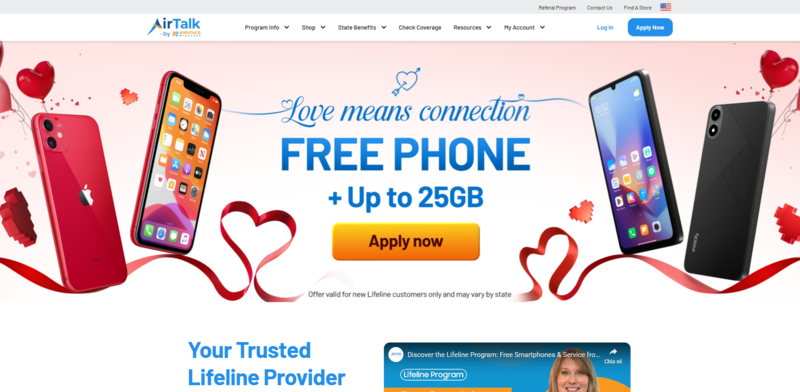
Many applicants choose AirTalk Wireless and Cintex Wireless (which serve over 1.3+ million users). These providers are widely used and offer a range of Lifeline benefits.
Typical features include:
- Unlimited talk and text with mobile data plans
- International calling to 200+ countries and territories
- Large smartphone selection, including iPhone options
- Free or discounted iPhone offers during enrollment
- Online application system with simple steps
- Nationwide wireless network coverage
- Customer support for the application and activation
- Device shipping within 7-14 business days after approval
Responsive customer support also helps users solve issues during enrollment and activation.
>>> Read more: Which Are the Best Free Gov Phone Companies in the US?
2.3. Application Process
You can complete the application online in a few steps:
- Check eligibility through program participation or income level
- Visit the AirTalk Wireless site and enter your ZIP code
- Select a phone and plan based on available options
- Submit your application and complete verification
- Wait for approval and delivery of your device
Many applications receive approval on the same day. After approval, AirTalk Wireless ships your iPhone directly to your address within 3-7 business days.
>>> Read more: How Do I Get A Free Galaxy Tablet? Top Deals You Cannot Miss
3. Common Misconceptions & Red Flags
Many users search for a free government iPhone online, but some information online can be misleading. You should understand how the Lifeline program works with an approved provider and avoid common mistakes.
3.1. Credit Check Is Not Required
Lifeline is a government assistance program with 35+ million users in the US, not a loan or financing service. Providers do not lend money or require long-term contracts.
Because of that:
- Lifeline providers do not require a credit check
- Your credit history does not affect your eligibility
- You can apply even if you have a low or no credit score
If a website asks for a credit check for Lifeline service, you should be cautious.
3.2. Be Careful With “Free Latest iPhone” Ads
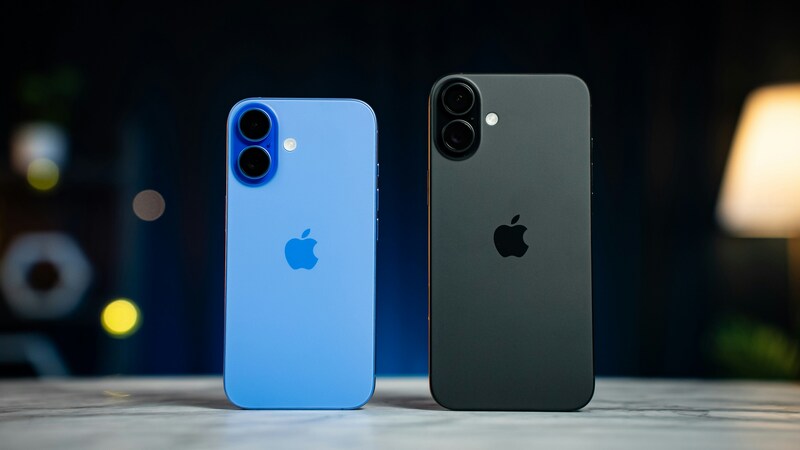
Some ads promote a free iPhone 16 or iPhone 17 with no conditions. These claims are often misleading.
In most cases:
- Free phones are usually older iPhone models (6/7/8/Xr/Xs/SE/11)
- Newer models often appear as discounted upgrades (12-15)
- Fully free newer iPhones may only appear during limited promotions (Not all suppliers have it)
If an offer sounds unrealistic, you should double-check the provider before applying.
3.3. Red Flags to Watch Out For
You should be careful when applying for a free government iPhone online. Some offers may not be legitimate.
Watch for these warning signs:
- Websites that ask for upfront fees to receive a free phone
- Third parties that promise guaranteed approval without eligibility checks
- Offers that claim brand-new iPhones are always available for free
- Requests for sensitive personal information outside official application forms
- No clear provider name, contact details, or customer support
To avoid risks:
- Apply only through official Lifeline provider websites
- Check provider reputation and customer support
- Compare plans and phone options before applying
A careful approach helps you choose a reliable provider and avoid delays or scams.
>>> Read more: Lifeline Phone Issues? Contact Free Government Phone Customer Service Now!
4. FAQs
Q1. Can I apply without visiting a store?
Yes, you can apply for a free government iPhone online without visiting a store. Most Lifeline providers offer a full online application process.
You can:
- Enter your ZIP code to view available plans and phones
- Choose a device and service plan
- Complete eligibility verification
- Receive your phone by mail
Online applications are faster and allow you to compare providers before making a decision.
Q2. I want to apply offline. What should I do?
You can still apply in person if you prefer an offline process. Some Lifeline providers have authorized retail stores or enrollment locations.
To apply offline:
- Find a trusted provider with a local store
- Visit an authorized enrollment location
- Bring your eligibility documents
- Complete the application with staff support
When applying offline, you should avoid common risks:
- Do not work with unofficial agents or unknown booths
- Do not pay upfront fees for a “free” phone
- Confirm the provider name and support information
Choosing a trusted provider helps you apply safely and receive the correct Lifeline benefits.
Final Words
A free government iPhone online makes it easy for eligible users to apply from home. Lifeline providers handle the process, from eligibility check to device shipping and activation.
Phone models and plans depend on provider inventory and location. If you qualify, compare providers and apply online to view available iPhone options and receive your device quickly.