Choosing SIM cards for phones is not only about finding the correct size. Your phone model, network support, data habits, carrier coverage, and lock status all matter. Once those details are clear, deciding between a physical SIM and eSIM becomes much easier.
This blog post will discuss different types of phone SIM cards to help you find the best one for your device. Also, you can figure out how to get a SIM card for free.
1. Types of SIM Cards for Phones
Modern phones generally rely on either a physical SIM or a digital SIM. Both help authenticate your mobile subscription with the carrier, but they handle installation and switching differently.
Physical SIM Card
A physical SIM is a small, removable chip inserted into the phone’s SIM tray. Most newer devices use nano-SIM, while older phones may still rely on micro-SIM or standard SIM cards.
This format works well for people who prefer moving the same card between compatible phones.
However, the main drawback is that a physical SIM can be lost, scratched, or damaged after repeated handling.
Digital SIM Card
A digital SIM, or eSIM, is built into the phone and activated through software. The carrier may provide a QR code, app, or digital transfer option instead of sending a plastic card.
eSIM can make it easier to add another line, switch plans, or use a travel service without opening the SIM tray. However, both the phone and wireless provider must support eSIM before activation is possible.
The table below highlights the main differences between physical and digital SIM cards for phones.
| Feature | Physical SIM | Digital SIM/eSIM |
| Format | Removable card | Built into the phone |
| Setup | Insert into SIM tray | Activate digitally |
| Common size | Nano-SIM on newer phones | No physical size |
| Switching phones | Move the card manually | Transfer or reactivate the profile |
| Risk of physical damage | Possible | No removable card to damage |
| Common advantage | Easy physical swapping between compatible phones | Digital setup and support for multiple profiles on compatible devices |
2. How to Check If My Phone Supports Physical or Digital SIM Card?
The fastest way to identify your SIM options is to start with the exact phone model, not the brand name alone.
Just note that regional versions of the same device may have different SIM configurations.
Regarding physical SIM cards for phones, inspect the phone for a SIM tray. A small removable tray along the side or bottom usually indicates physical SIM support.
The device manual or manufacturer specifications can confirm whether the slot uses nano-SIM, micro-SIM, or another format.

For eSIM, open the cellular or network settings. On an iPhone, Settings > Cellular > Add eSIM indicates that digital SIM support is available.
You can also refer to the list of iPhone models supporting eSIM technology for a quick check.
In contrast, Android menus vary by manufacturer. You may see options such as SIM manager, Add eSIM, Download SIM, or Add mobile plan in the Settings.
The phone’s IMEI and EID can also help. An EID identifies the embedded SIM hardware and usually appears under the device information when eSIM is supported.
Even after confirming the SIM format, check device compatibility with the carrier, using its IMEI checker when one is available. A phone may contain eSIM hardware but still be unsupported by a particular provider.
3. How to Choose the Right SIM Cards for Phones?
The right SIM depends on more than card format. Phone compatibility, data usage, carrier coverage, and lock status all affect how well the service works.
Here are factors to consider before choosing SIM cards for phones.
Check Phone Compatibility
Start with the exact phone model and supported SIM format. A device may use nano-SIM, eSIM, or both, while older models can require a different physical size.
You should also confirm the phone’s compatibility with the carrier, using an IMEI checker when the provider offers one. A SIM may fit correctly but still fail if the device does not support the required network bands or carrier features.
Consider Your Data Needs
Think about how much mobile data you normally use each month. Messaging and light browsing need far less data than streaming, hotspot use, gaming, or frequent video calls.
It is also worth checking what happens after the high-speed allowance runs out. Some plans slow the connection, while others charge extra or stop mobile data until the next billing cycle.
Compare Carriers and Coverage
Price alone does not make a plan worthwhile if coverage is weak where you live or work. Check the provider’s coverage map for your home, workplace, and places you visit regularly.
Compare plan details such as hotspot limits, 5G access, international calling, roaming, activation fees, and taxes. These costs and features can make two similarly priced plans very different in practice.
Locked vs Unlocked Phone
A carrier-locked phone may only accept service from the carrier or network it is currently locked to. An unlocked device gives you more freedom to choose another compatible network.
Before purchasing a new SIM, confirm the phone’s lock status and any unlock requirements. Removing a carrier restriction does not guarantee compatibility, so the network check still matters.
4. Where to Buy a SIM Card for Phone?
You can buy a physical SIM from a carrier store, a large retail store, or directly from a wireless provider’s website.
A carrier store is useful when you want help checking compatibility, transferring a number, or activating the line on the spot.
Meanwhile, large retailers are convenient for prepaid SIM kits, especially when you already know the phone is compatible.
The package may include only the SIM, so check whether the plan, activation fee, or first month of service is charged separately.
In addition, buying from a provider’s website gives you more time to compare plans, fees, and coverage before paying. Some providers also offer eSIM, which can be activated digitally without waiting for a physical card to arrive.
Before choosing where to buy, review the full starting cost rather than the SIM price alone. Shipping, taxes, activation charges, and the required service plan can make the final total much higher.
>>>Read more: SIM Cards Near Me: Where to Buy One Today
5. Is It Possible to Get Free SIM Cards for Phones?
Yes. Some providers offer free physical SIMs or eSIM activation, although the service plan itself may still have a monthly cost.
For eligible low-income households, the federal Lifeline program can also help reduce wireless expenses. It is a government support program that helps households to stay connected without putting much strain on their financial situation.
Lifeline provides a monthly discount of up to $9.25 on qualifying phone, broadband, or bundled service. Eligible households on Tribal lands may receive up to $34.25 per month.
The program’s eligibility is generally based on income or participation in other qualifying assistance programs.
The benefit is delivered through approved Eligible Telecommunications Carriers, or ETCs.
Cintex Wireless is one participating provider and may offer eligible customers a SIM card, discounted service, or a compatible smartphone through its own promotions.
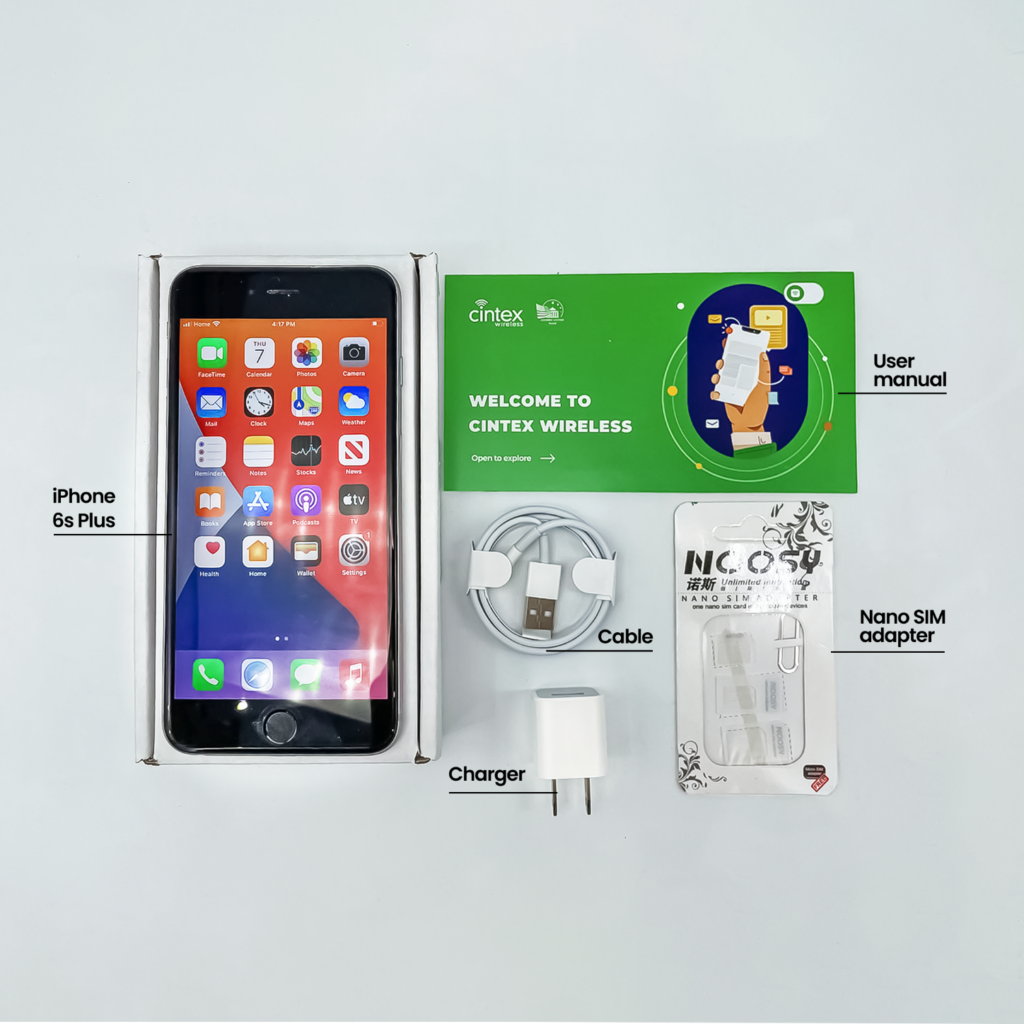
As Cintex merges with AirTalk Wireless, new applicants can complete enrollment through AirTalk and review a wider selection of available devices.
The application process generally includes:
- Visit the AirTalk Wireless website and enter your ZIP code.
- Review the Lifeline plans and devices available in your area.
- Complete the eligibility form and upload any required documents.
- Wait for approval, then follow the activation or delivery instructions.
Notice: The government does not cover device costs, only basic service through Lifeline. Any free or discounted devices, upgrades, or top-ups are limited-time Cintex Wireless and AirTalk Wireless offers and may vary by state, eligibility, and availability. Terms and conditions apply.
Conclusion
Choosing SIM cards for phones is easier once you know what the device supports and how you intend to use the service. Physical SIMs offer straightforward card swapping, while eSIMs remove the tray and handle activation digitally.
Before buying, confirm the phone model, lock status, carrier compatibility, coverage, and full plan cost. Those details matter far more than simply choosing the cheapest SIM on the shelf.