
What happens if I delete eSIM? In most cases, deleting an eSIM removes the carrier profile your phone uses to connect to a mobile network.
That means your mobile data, calls, and texts tied to that line may stop working on the device. This can be frustrating if you are traveling, switching phones, resetting your device, or using the eSIM as your only active line.
Before you remove it, it is worth knowing what actually gets deleted, what does not get canceled, and when you may need your carrier to restore service.
1. What Happens If I Delete eSIM?
An eSIM, or embedded SIM, is incorporated into your device, so you can’t just remove it and replace it.
When you delete it, you are losing the mobile profile that connects your phone to your carrier’s data network.
In other words, it does not remove the eSIM chip itself. Instead, it simply deletes your device’s mobile network profile, which is the set of carrier data your phone uses to connect to a mobile network. It usually does not cancel your carrier account, phone number, or monthly plan.
This profile contains network settings, authentication data, and information related to your cellular plan.
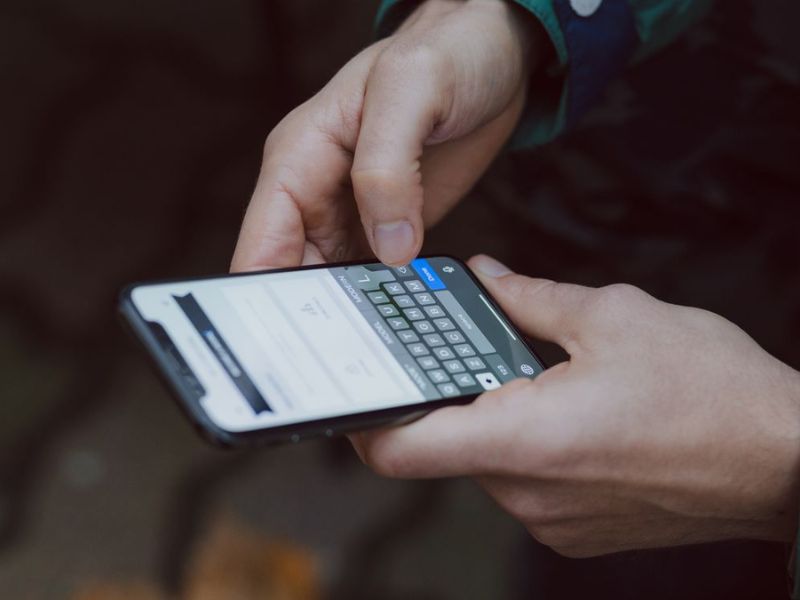
What happens if I delete eSIM? Your phone loses the ability to connect to that carrier.
In fact, this change occurs immediately. When your device disconnects from that mobile network, mobile data stops working, and calls or SMS tied to that eSIM will no longer reach that phone through the cellular network.
If it were your only active line, you would need WiFi, an additional eSIM, or a SIM card to go back online.
2. Why Deleting Your eSIM Can Cause Issues?
In some circumstances, deleting eSIM is the appropriate action. Perhaps you’re switching carriers and want to start fresh.
However, unlike traditional SIM cards, which can be withdrawn and reinserted, eSIMs frequently have one-time activation limitations. Deleting your eSIM may cause the following issues:
- Break your cellphone connection.
- Make your original QR activation code unusable if it was for a one-time installation.
- Require carrier support and possibly a new activation code to restore service.
- Cause issues overseas if you rely on mobile data.
For these reasons, do not try to delete your eSIM in the following cases:
- Your eSIM isn’t working properly. Try checking your network or eSIM settings before removing the profile.
- You’ve activated an eSIM before traveling. Leave it installed and simply enable it when you arrive at your destination.
- You’re resetting your phone. If you still need the eSIM, don’t choose the option to erase or remove eSIMs during the reset process.
- You’re unsure which eSIM is active. Verify each profile first to avoid deleting the one you’re currently using.
3. When Is It Safe to Delete eSIM?
Now you know what happens if I delete eSIM.
To avoid accidentally losing access to the plan, it’s important to know the difference between a simple cleaning and a serious error. Before hitting delete, go through this quick checklist:
- Your eSIM plan has ended, and you don’t plan to use it again.
- Your trip is over, so your travel eSIM is no longer needed.
- You’ve switched to a new eSIM plan that offers better coverage or pricing in the same country or region.
- Your device has reached its eSIM profile limit, and you need to remove an unused profile before adding another.
- If you’re selling, trading in, or giving away your phone, you should remove your personal eSIM first.
- You’ve already transferred or reactivated the eSIM on another device and confirmed the new line works.
>>>Read more: Is iPhone 12 Pro Max eSIM Compatible? Here Is The Real Answer
4. How to Safely Delete an eSIM?
Sometimes, understanding what happens if I delete eSIM is not enough.
It is crucial to know how to safely delete it to avoid losing your service or number.
What to Do Before Deleting eSIM
Before you delete, ensure you perform the following:
- Check with your carrier to see if your number will be maintained.
- Save your activation details, such as the QR code or confirmation email, but check whether they can be reused.
- Switch to another SIM (if available) to avoid losing service.
How to Delete eSIM
On iPhone
- Open Settings > Cellular or Mobile Data.
- Select the eSIM profile you want to remove.
- Tap Remove Cellular Plan or Delete eSIM, depending on your iOS version.
- Confirm your choice to permanently remove the eSIM from your device.
On Android
- Open Settings > Network & Internet or SIMs.
- Choose the eSIM profile you want to delete.
- Tap Remove or Delete eSIM.
- Confirm the action to complete the removal.
5. Can You Recover or Restore Your Deleted eSIM?
In many cases, your carrier can reactivate the line or issue a new eSIM after removal. However, it varies depending on your carrier.
Many eSIM providers, especially travel eSIM providers, use a one-time installation system. When you initially obtain an eSIM, you are typically given a QR code or a numeric code. That code frequently works just once.
Even if you use the same device, deleting the eSIM may cause the QR code to stop working.
This is where people get stuck. They expect to reinstall it in the same way, only to discover that the code has expired.
What’s more, not all carriers adhere to the same rules. Some let you reinstall the eSIM in their app, while others create a new profile altogether.
Some companies even demand that you purchase a new data plan, which is not something you want to hear if you accidentally erased your eSIM.
>>>Read more: iPhone 16 SIM Card Slot: Does It Support Physical SIM Or eSIM?
6. Deleted Your eSIM and Need Wireless Service? Cintex Wireless May Help
If you’ve deleted your eSIM and need to reconnect to a mobile network, the Lifeline program may provide an affordable solution.
Lifeline is a federal assistance program that helps eligible households stay connected to essential phone service or internet service without adding extra strain to their budget.
You generally qualify for the Lifeline program if you meet the household income limit or participate in qualifying programs.
Eligible low-income households can receive free or discounted wireless service by applying to eligible telecommunication carriers such as Cintex Wireless, helping them stay connected for work, school, healthcare, and everyday communication.
Cintex Wireless is trusted by many for its simple application procedure. Eligible applicants may also qualify for free monthly talk, text, data, and, in many areas, a free government phone.
It has now merged its services into AirTalk Wireless. This means that eligible consumers now have access to broader device options, a more streamlined process, and eventually, a better service overall.
These benefits make it easy to get back online after removing your previous eSIM profile.
Follow these steps to claim your perks:
- Visit the AirTalk Wireless website and enter your ZIP code to check whether service is available in your area.
- Browse the available plans and device offers based on your location and current inventory, then choose the option that best meets your needs.
- Complete the online application by providing your personal information and contact details. Upload supporting documents if requested to verify your identity and Lifeline eligibility.
- Wait for your application to be reviewed and approved through the Lifeline verification process. Once approved, receive your SIM card, eSIM, or device and follow the activation instructions to start using your wireless service.
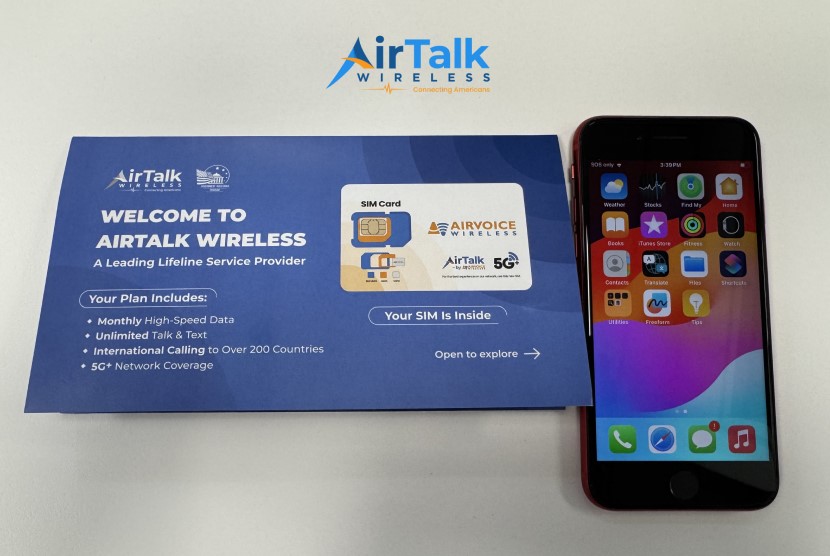
DISCLAIMER: The government does not cover device costs, only basic service through Lifeline. Any free or discounted devices, upgrades, or top-ups are limited-time Cintex Wireless and AirTalk Wireless offers and may vary by state, eligibility, and availability. Terms and conditions apply.
Conclusion
Deleting an eSIM is safe only when you are sure the plan is no longer needed, already transferred, or ready to be replaced.
The problem starts when the profile you remove is still tied to your main number, travel data, or only active service line. That is why the question, what happens if I delete eSIM, matters before you tap remove.
Check the plan status, confirm whether the QR code can be reused, and make sure WiFi, another SIM, or carrier support is available before deleting the profile.