The iPhone 12 Pro Max remains a popular choice for users who want premium features without upgrading to a newer model. One question that often comes up is, is iPhone 12 Pro Max eSIM compatible?
If you’re thinking about switching to a digital SIM, using Dual SIM, or activating service without a physical card, it’s important to understand what your device supports. Let’s find out the answer in this post!
1. Is iPhone 12 Pro Max eSIM Compatible?
For those wondering “Does the iPhone 12 Pro Max eligible for eSIM?,” the answer is yes.
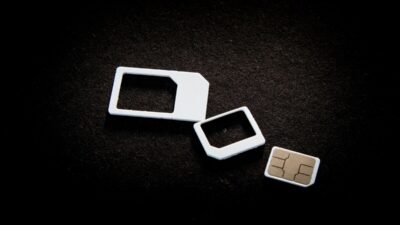
This phone model supports eSIM, allowing you to activate a cellular plan digitally while also using a physical nano SIM for Dual SIM functionality in most regions.
However, there are some exceptions.
Certain regional versions of the iPhone 12 Pro Max may not support eSIM, such as models sold for the China market, depending on the carrier.
If you are unsure about your device, check your iPhone’s model number or contact your carrier to confirm eSIM compatibility before attempting activation.
2. How to Check If Your iPhone 12 Pro Max Supports eSIM?
Before activating an eSIM, ensure that your iPhone 12 satisfies all technical criteria.
As mentioned earlier, you can easily check is iPhone 12 Pro Max eSIM compatible. Here are 4 methods:
Check Your Model Number
eSIM technology is available on iPhone devices starting with the iPhone XS and beyond. If you own an older iPhone (iPhone X or earlier), it probably does not support eSIM.
Below is a list of iPhone models that support eSIM:
- iPhone XS
- iPhone XS Max
- iPhone XR
- iPhone 11, 11 Pro, 11 Pro Max
- iPhone 12, 12 mini, 12 Pro, 12 Pro Max
- iPhone 13, 13 mini, 13 Pro, 13 Pro Max
- iPhone 14, 14 Plus, 14 Pro, 14 Pro Max
- iPhone 15, 15 Plus, 15 Pro, 15 Pro Max
Look for the “Add Cellular Plan” Option in Settings
Wonder is iPhone 12 Pro Max eSIM compatible?
If you see the “Add Cellular Plan” option in the “Cellular” or “Mobile Data” menu, your iPhone 12 Pro Max is ready to utilize an eSIM.
This option lets you add a new eSIM by either scanning a QR code from your carrier or manually inputting information.
Check Carrier Compatibility
Even if your iPhone model supports eSIM, your carrier must also support eSIM.
Several cell carriers may not currently offer eSIM services, so verify with your carrier to confirm they support eSIM.
To confirm this, you can visit their website or call customer service directly.
Check for “Carrier Lock”
A compatible phone is pointless if it is “locked” to your primary carrier. A locked phone will not accept any other carrier’s eSIM.
Follow these steps if you use iOS 14 or newer;
- Go to Settings > General > About.
- Scroll down to “Carrier Lock”.
- If it says “No SIM restrictions,” your phone is unlocked.
3. Benefits of Digital SIM Technology in iPhone 12 Pro Max
Using an eSIM on the iPhone 12 Pro Max offers greater flexibility and convenience than relying solely on a physical SIM card. Here are some of the key benefits:
- Switch carriers more easily: Activate a new mobile plan digitally without waiting for or replacing a physical SIM card.
- Use Dual SIM functionality: Run an eSIM and a physical nano SIM at the same time to separate personal and business numbers or use different carriers.
- Simplify international travel: Add a local eSIM plan before or during your trip to avoid swapping SIM cards and reduce roaming costs.
- Reduce the risk of SIM card loss or damage: Since the eSIM is built into the device, it can’t be misplaced, bent, or accidentally removed.
- Activate service faster: Many carriers let you set up an eSIM within minutes through a QR code or app, eliminating the need to visit a store.
- Manage multiple plans more conveniently: Store multiple eSIM profiles on your iPhone and switch between them in Settings whenever needed, depending on your carrier’s support. Only one eSIM can be active at a time on the iPhone 12 Pro Max.
>>> Read more: Does iPhone 13 Pro Max Have eSIM? Complete eSIM Guide
4. How to Enable eSIM in iPhone 12 Pro Max?
Setting up an eSIM on your iPhone 12 Pro Max only takes a few steps. You can activate it by scanning a QR code or entering the activation details manually.
Method 1: Scan a QR Code
- Go to Settings > Cellular or Mobile Network, then select Add eSIM.
- Choose Use QR Code and scan the code given by your carrier or eSIM provider.
- Follow the on-screen instructions and tap Done to complete the setup.
Method 2: Enter Details Manually
- Open Settings > Cellular > Add eSIM, then choose Use QR Code.
- Instead of scanning a code, tap Enter Details Manually and fill in the SM-DP+ address and activation code provided by your carrier.
- Tap Next, follow any remaining prompts, and select Done once the eSIM is added.
5. Common eSIM-Related Errors in iPhone 12 Pro Max
Although eSIM is generally reliable, you may occasionally run into activation or compatibility issues.
Below are some of the most common eSIM-related problems on the iPhone 12 Pro Max and how to fix them.
- eSIM not activating: This is often caused by an invalid QR code, a weak internet connection, or a carrier activation issue. To resolve it, restart your iPhone, connect to a stable WiFi network, and request a new activation QR code from your carrier if the problem persists.
- eSIM missing from Settings: If the Add eSIM option doesn’t appear, your iPhone may be running outdated software, or your regional model may not support eSIM. In that case, update to the latest version of iOS and verify your device model to confirm eSIM compatibility.
- Carrier compatibility problems: Not every carrier offers eSIM activation. Check with your mobile provider to ensure eSIM is available on your plan, or switch to a carrier that supports the feature.
6. How Cintex Wireless Helps Eligible Users Access Affordable Wireless Service
If you’re looking for an affordable mobile plan for your iPhone 12 Pro Max, the Lifeline program can help reduce your wireless costs.
The Lifeline program helps eligible low-income households make phone service or internet service more affordable by providing a monthly service discount.
Rather than offering benefits directly, Lifeline works through approved Eligible Telecommunications Carriers (ETCs), which manage enrollment and deliver the supported services. Many ETCs also offer free or discounted devices as promotional offers to help eligible customers get connected.
Cintex Wireless has been a trusted choice for many applicants because of its straightforward application process.
Through the ongoing transition of Cintex Wireless services merging into AirTalk Wireless, eligible applicants can access broader free or discounted phone options and a quicker application process
Note: Eligibility varies by state and program. Offers depend on availability and qualifications. Cintex and AirTalk Wireless operate under the federal Lifeline Program as an Eligible Telecommunications Carrier (ETC). Service is non-transferable and limited to one service per household.
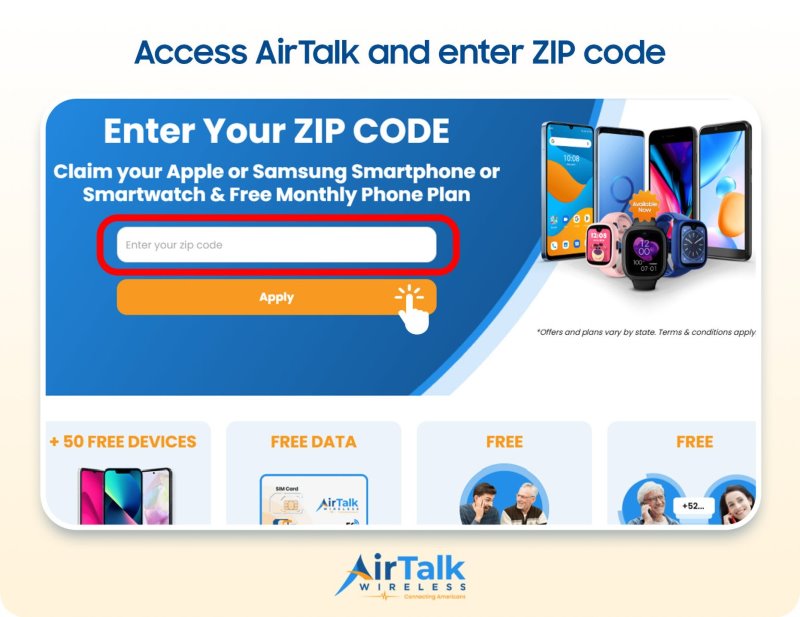
Depending on your state, eligibility, and current inventory, you may be able to choose from a variety of Android smartphones and iPhone models, such as:
Available devices and promotions change regularly, so the options you see during the application process may vary.
Conclusion
Is iPhone 12 Pro Max eSIM compatible? Most iPhone 12 Pro Max models support eSIM. However, before getting started, be sure to confirm that your specific device model and mobile carrier support eSIM, especially if your iPhone was purchased in a region with different hardware configurations.