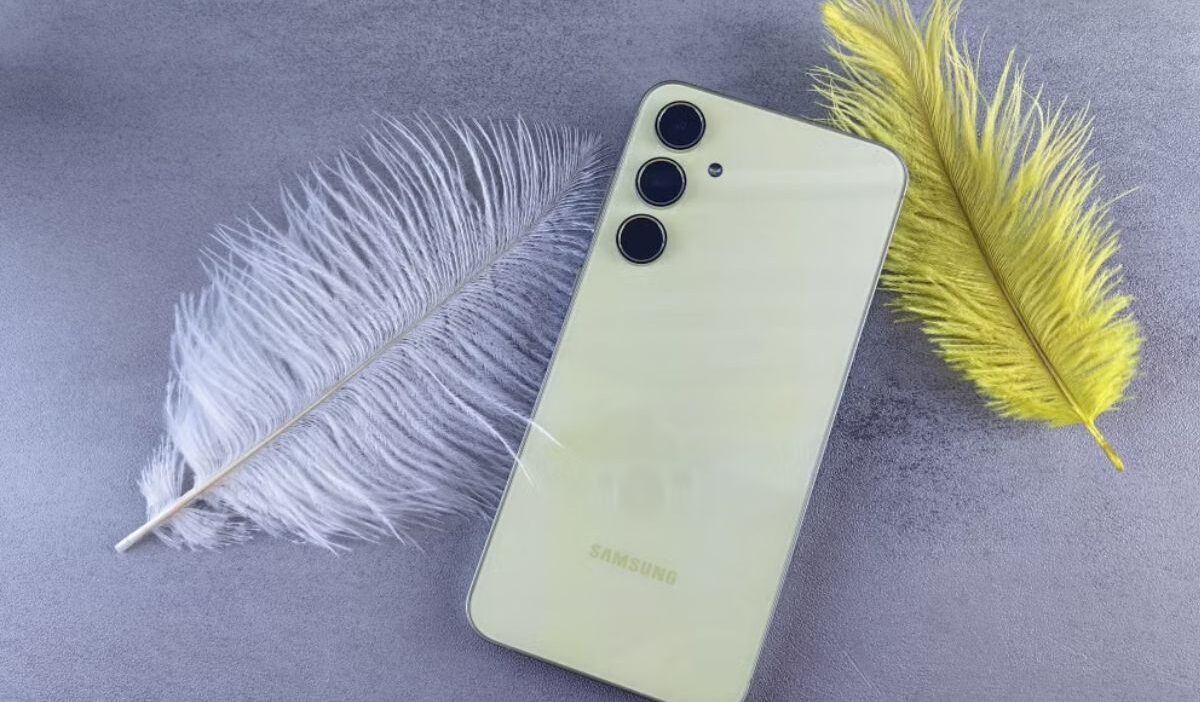
Keeping work and personal calls apart does not always require carrying two devices. Samsung Dual SIM phones can run two mobile lines on one handset, although the exact setup varies between models.
Some Galaxy phones take two physical nano-SIM cards, while others combine a nano-SIM with an eSIM. A smaller group can keep two eSIM lines active. This article covers the available configurations, compatible Galaxy models, setup controls, and details to check before buying.
1. What are Samsung Dual SIM Phones?
Samsung Dual SIM phones can operate two mobile numbers or service plans on one device.
Depending on the model, this may involve two physical nano-SIM cards, one nano-SIM paired with an eSIM, or another supported combination. Some phones can store several eSIM profiles even though only one or two lines can remain active at the same time.
This setup allows you to keep work and personal numbers separate, use a local plan while travelling, or combine voice and data services from different providers.
You can usually choose which line handles calls, messages, and mobile data through the phone’s SIM settings. Only one SIM normally provides cellular data at a time.
Most models use a standby system. Both lines can generally receive calls and messages while the phone is idle, but the second line may become temporarily unavailable when you are already on a call with the first.
However, not every Dual SIM Samsung phone uses the same configuration. The available setup depends on the exact model, regional version, software, and carrier support.
Some phones have a tray for two physical SIM cards, while newer Galaxy devices may rely on eSIM technology, either partially or entirely.
2. Types of Dual SIM on Samsung Phones
Not every Dual SIM Samsung phone uses the same combination of physical SIMs and eSIMs. The available setup depends on the model, regional version, and carrier support.
Two Physical Nano-SIM Cards
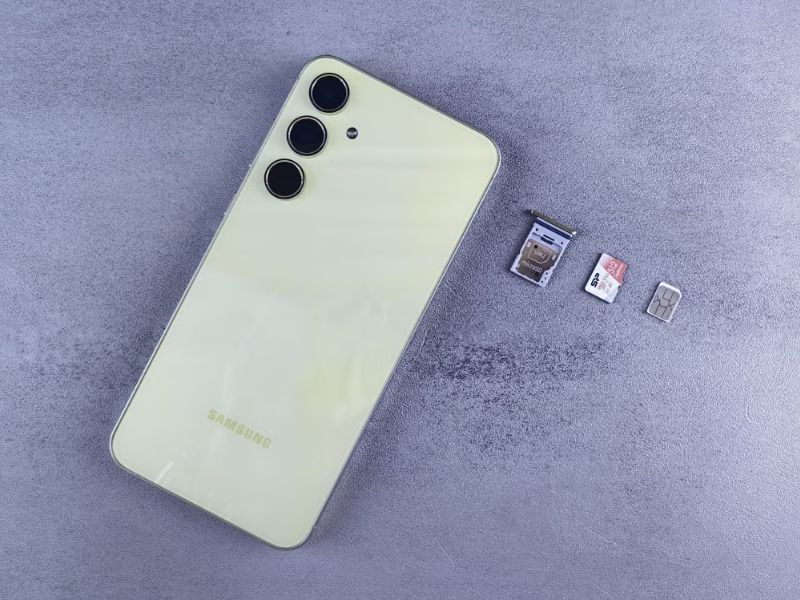
Some international and unlocked Galaxy variants contain a tray that accepts two nano-SIM cards.
This setup suits people who frequently switch between phones or use providers that do not offer eSIM.
The tray may be double-sided or contain two separate positions.
On hybrid designs, one space may be shared with a memory card, so installing a second SIM can mean giving up microSD storage.
One Physical SIM + One eSIM
Like dual SIM iPhones, this combination appears on many newer Galaxy models.
One number runs from the nano-SIM tray, while the second plan is downloaded to the phone as an eSIM.
It is a convenient choice for travel because the main physical card can stay in place while a temporary data plan is added digitally.
Samsung notes that eSIM service still depends on the country, phone variant, and mobile provider.
Two eSIMs
Selected newer Galaxy models and regional variants may allow two eSIM lines to remain active without using a physical card.
However, most Samsung devices support only one active eSIM at a time. A phone may store several downloaded profiles, but the number that can be switched on together depends on the model, regional software, and carrier.
Carrier support matters here as well. A phone may contain eSIM hardware, yet a provider may not allow activation for that particular Galaxy variant.
3. Which Samsung Phones Support Dual SIM?
You can find Samsung Dual SIM phones across several Galaxy S, Z, Note, A, and XCover devices.
However, Samsung sells different versions of the same phone across markets, so a series name alone cannot confirm the tray or eSIM configuration.
The following table gives a practical overview rather than a guarantee for every regional version.
| Samsung Series | Examples That May Support Dual SIM | Typical Configuration |
| Galaxy S series | Galaxy S20, S21, S22, S23, S24, S25, and S26 families | Selected variants support two nano-SIMs or one nano-SIM with eSIM; some newer versions may support additional eSIM arrangements |
| Galaxy Z Fold series | Galaxy Z Fold2 and later generations | Commonly physical SIM plus eSIM, although the number of active physical SIMs or eSIMs varies |
| Galaxy Z Flip series | Galaxy Z Flip and later generations | Often nano-SIM plus eSIM, depending on the regional version |
| Galaxy Note series | Selected Galaxy Note10 and Note20 variants | Commonly two physical SIMs on selected international models; some Note20 variants also support eSIM |
| Galaxy A series | Selected Galaxy A models, including certain A35, A36, A54, A55, and related variants | Often two nano-SIMs; eSIM support is limited to selected models and markets |
| Galaxy XCover series | Selected business and rugged models | Configuration varies between physical Dual SIM, eSIM-supported, and single-SIM versions |
However, do not rely only on the series name.
It is better to check the full model number, official specifications, SIM tray, and SIM manager menu before buying, since U.S. and international versions may use different setups.
>>> Read more: Where To Find Free eSIM Service For Android? A Complete Guide
4. How to Use or Manage Dual SIM Samsung Phones?
Dual SIM controls are usually found under:
Settings > Connections > SIM manager
From there, you can turn each line on or off, rename the SIMs, and choose which one handles calls, messages, and mobile data.
For example, one line can be assigned to personal calls while the other provides mobile data. Some models also let you select a SIM each time you make a call.
To add an eSIM, open:
Settings > Connections > SIM manager > Add eSIM
Then scan the QR code provided by your carrier or follow its activation instructions. Available settings may differ slightly by Galaxy model, software version, and carrier.
5. What to Check Before Buying a Samsung Dual SIM Phone
A listing that says “Dual SIM” is not enough to confirm how the phone will work in your area. Review the following details before placing an order.
Does the exact model support Dual SIM?
Find the complete model number rather than relying only on a name such as Galaxy S25 or Galaxy A55. Different model codes may represent U.S., European, Asian, carrier-specific, or global versions.
Is it a U.S. or international variant?
International Samsung phones are often sold with two physical SIM slots, while certain U.S. variants use one physical SIM and eSIM instead. Imported phones may also lack network bands, warranty coverage, or carrier certification required in the United States.
Does it support eSIM in your country?
An eSIM menu can be removed or limited by regional software. Samsung clearly states that availability varies by country and network provider.
Does your carrier support eSIM/Dual SIM?
Check the IMEI with the provider before buying. The phone may be unlocked and technically compatible with the network but still be excluded from eSIM activation or Wi-Fi calling.
Is the phone unlocked?
A locked device may reject a second provider’s SIM. Dual SIM hardware does not override carrier restrictions, so request an unlock from the original provider when necessary.
Does it have one IMEI or two IMEIs?
Dual SIM phones commonly display two IMEI numbers, one for each supported cellular line. Open Settings > About phone, or dial *#06#.
Two IMEIs can indicate that the device supports two lines, but they do not confirm whether it accepts two physical SIMs, supports two active eSIMs, or works with both of your chosen carriers. Check the exact SIM configuration separately.
Does the SIM tray support one SIM or two?
Inspect product photos or the official manual. The tray may hold two nano-SIMs, one nano-SIM, or a hybrid combination involving a microSD card.
Will both lines support 5G?
Do not assume both active lines will have identical network features. Most models use only one SIM for cellular data at a time.
5G availability can depend on the selected data line, carrier support, regional firmware, plan, and local coverage. Check the specifications and carrier requirements for the exact model before buying.
Are there carrier restrictions?
Also check for restrictions involving Wi-Fi calling, visual voicemail, roaming, call forwarding, and simultaneous calls. These limits often come from the carrier rather than the Samsung phone itself.
6. Helpful Option to Get a Free Samsung Dual SIM Card
If you fail to set up the Samsung Dual SIM phones or your device doesn’t support this feature, considering switching to a newer Samsung model may be the simplest solution.
Eligible low-income households can also consider Lifeline to reduce the cost of staying connected. This is a government assistance program that was created to support the underserved so they can get stable connectivity in an affordable way.
The program offers a monthly discount of up to $9.25 on qualifying phone service or internet service. Households on qualifying Tribal lands may receive an enhanced discount of up to $34.25 per month.
Notably, the program works through approved Eligible Telecommunications Carriers, such as Cintex Wireless, rather than handling the whole process alone.
These carriers may offer free or discounted devices through their own promotions, subject to eligibility, location, and inventory, along with the Lifeline-supported service plan.
If you are choosing Cintex to apply, note that the carrier is currently merging with AirTalk Wireless, where new applicants can review current Lifeline plans and available devices through the updated enrollment process as follows:
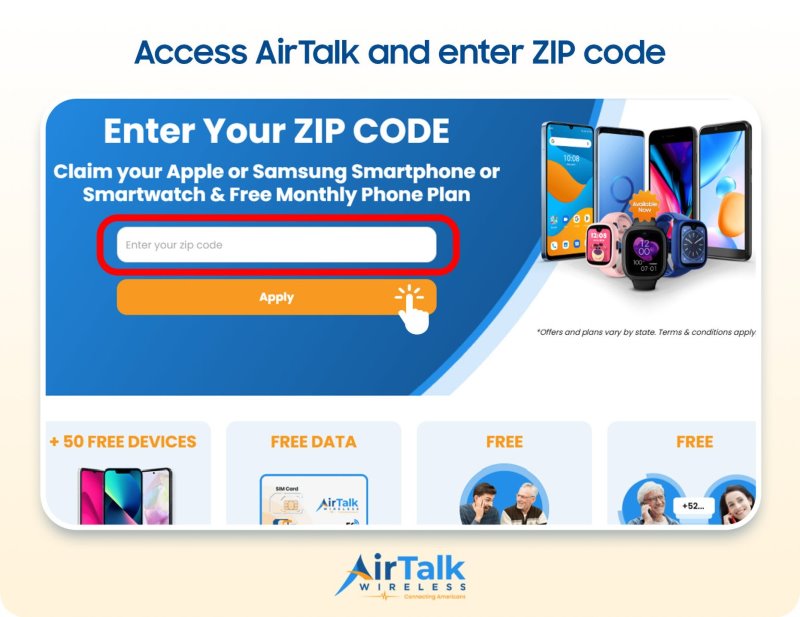
- Visit the AirTalk Wireless website and enter your ZIP code.
- Review the plans and phones available in your state.
- Complete the application and upload verification documents if requested.
- Wait for approval, then follow the instructions to activate your service or receive the selected device.
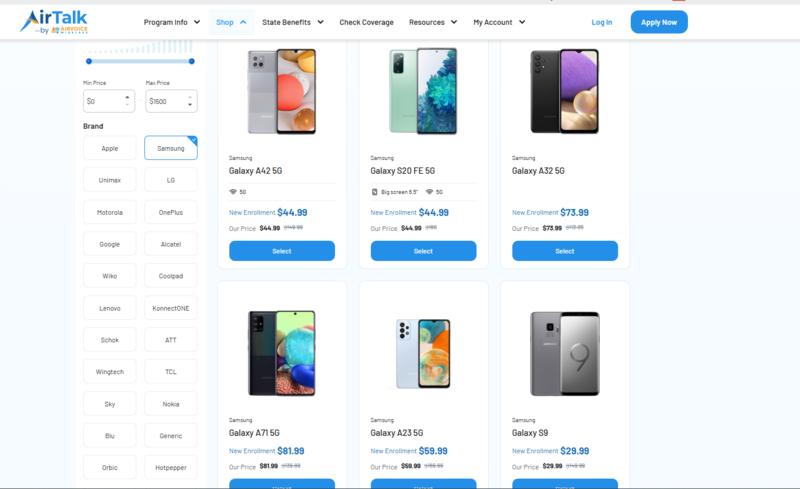
Tip: Available Samsung models can change. Before choosing one, confirm that the exact version supports two physical SIMs, a nano-SIM with eSIM, or whichever Dual SIM arrangement you prefer.
Note: Eligibility varies by state and program. Offers depend on availability and qualifications. Cintex and AirTalk Wireless operate under the federal Lifeline Program as Eligible Telecommunications Carriers (ETCs). Service is non-transferable and limited to one service per household.
Conclusion
Choosing the right phone is not only about having two SIMs. It is about making everyday communication simpler.
Samsung dual SIM phones can help you separate work and personal calls, stay connected while traveling, or switch between plans more easily.
Before buying, confirm the model’s SIM layout, regional version, eSIM support, and carrier compatibility to ensure it fits the way you plan to use it.