If you’re searching for a free eSIM service for Android, you may be wondering whether it’s possible to get mobile service without paying a monthly bill.
While regular commercial plans are rarely completely free, eligible low-income households may qualify for Lifeline-supported service through approved providers.
This guide explains who may qualify for Lifeline-supported mobile service, how eSIM activation can work on compatible Android devices, and what to do if your Android eSIM is not working properly.
1. How Does eSIM Work on Android Phones?
eSIM is the digital version of a typical physical SIM card. An eSIM on an Android, like an eSIM Samsung, operates similarly to one on any other smartphone.
An eSIM-compatible phone stores a digital SIM profile on built-in eSIM hardware instead of relying only on a removable SIM card.
To verify whether your phone is eSIM-compatible, you can dial *#06#. If an EID appears, the phone likely supports eSIM. An EID is a device identifier associated with eSIM capability, not “eSIM unique identification.”
Some Android phones support Dual SIM, but the setup varies by model. A phone may support one physical SIM and one eSIM, two physical SIMs, or multiple stored eSIM profiles with only certain lines active at the same time.
2. Is There a Free eSIM Service for Android?
Eligible individuals and households may be able to access Lifeline-supported mobile service through approved providers, and some providers may support eSIM activation on compatible Android devices.
For those who are unaware, the Lifeline program is a government-sponsored program that began in 1985 to offer communication services to low-income individuals.
So, what does Lifeline offer qualifying applicants?
- Monthly discount: Up to $9.25 per month toward eligible phone, internet, or bundled service, or up to $34.25 per month for eligible consumers on qualifying Tribal lands.
- Nationwide coverage: The initiative is available in all states, territories, and Commonwealths, as well as tribal areas.
- One benefit per household: Lifeline is limited to one discount per household and is non-transferable.
In other words, Lifeline only supports a discount for internet service or phone service for eligible participants; it is the providers that may take other steps by offering a free eSIM service.

3. Who Qualifies for Free eSIM Service for Android?
To qualify for a free eSIM service for Android under the Lifeline program, you must meet one of the following requirements.
- Your yearly household income (at gross level) does not surpass 135% of the federal poverty line. However, the salary limit varies depending on the number of individuals in your family. Larger families have larger income limitations.
- You or someone in your household is presently enrolled in a qualified program, such as SNAP, Medicaid, SSI, WIC, Section 8 Housing, the Free and Reduced-Price School Lunch Program, or tribal programs.
4. Who Offers Free eSIM Service for Android?
Many providers participate in the Lifeline program, but it’s important to choose one that is legitimate and reliable.
Before applying, confirm that the provider is officially enrolled in Lifeline and follows the required eligibility verification process. It should also clearly explain its plans and maintain transparent privacy practices without unexpected fees.
Cintex Wireless has long been a trusted Lifeline provider, helping eligible users access affordable wireless service.
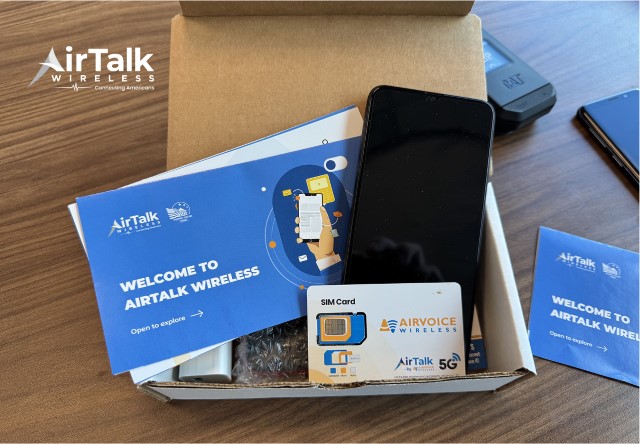
As Cintex is merging with AirTalk Wireless, eligible applicants can continue through the updated Cintex/AirTalk experience to explore available Lifeline-supported service options.
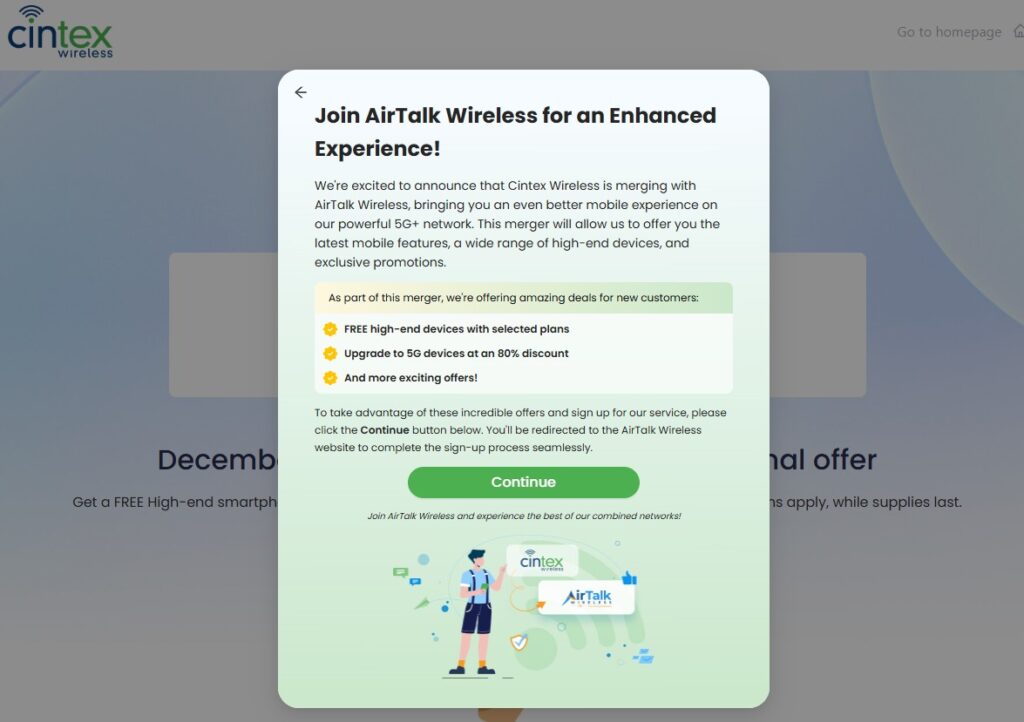
With many years of experience participating in the Lifeline program, AirTalk Wireless is known for its reliable service, transparent application process, and broad selection of devices.
Depending on your eligibility, state, and available inventory, you may qualify for free monthly talk, text, and data, along with a choice of compatible Android or iPhone phones.
Here is how to apply:
- Visit the AirTalk Wireless website and enter your ZIP code to check service availability.
- Select a Lifeline plan and an available device based on your location and current inventory.
- Complete the online application by providing your basic personal information and uploading any required documents to verify your identity and Lifeline eligibility.
- Wait for your application to be reviewed and approved through the Lifeline verification process. Receive and activate your SIM card, eSIM, or device once your application has been approved.
DISCLAIMER: The government does not cover device costs, only basic service through Lifeline. Any free or discounted devices, upgrades, or top-ups are limited-time Cintex Wireless and AirTalk Wireless offers and may vary by state, eligibility, and availability. Terms and conditions apply.
5. What to Do If eSIM Not Working on Android?
Even with your free eSIM service for Android, it may not connect properly sometimes. Then, try these common troubleshooting steps before contacting your carrier.
- Confirm your phone supports eSIM and is unlocked: Make sure your Android device is eSIM-compatible and not locked to a specific carrier, as carrier-locked phones may reject eSIMs from other providers.
- Restart your device: A simple reboot can refresh network services and resolve temporary software glitches affecting eSIM connectivity.
- Toggle Airplane Mode or mobile radios: Turn Airplane Mode on for a few seconds, then turn it off to force your phone to reconnect to the mobile network.
- Check your APN settings: Incorrect or missing APN settings can prevent mobile data from working. Verify that the APN matches the settings provided by your carrier.
- Enable Data Roaming: If you’re using a travel or international eSIM, turn on Data Roaming for the eSIM line to connect to supported partner networks.
- Update your Android software and carrier services: Installing the latest Android system updates, carrier services, or provider app updates may help resolve eSIM activation issues.
- Temporarily disable your VPN: Some VPN services can interfere with eSIM activation or mobile data connections. Turn the VPN off and test your connection again.
- Select a network manually: If your phone can’t connect automatically, go to your network settings and select a supported carrier from the available networks.
>>>Read more: How To Transfer eSIM From iPhone To Android Easily? Detailed Guide 2026
Conclusion
Finding free eSIM service for Android starts with two checks: whether you qualify for Lifeline-supported service and whether your Android phone supports eSIM.
Lifeline can help eligible households lower the monthly cost of wireless service, while providers such as Cintex and AirTalk may offer SIM or eSIM activation where supported.
Before applying, confirm your eligibility, check device compatibility, and review the provider’s current plan and device terms.