Whether you’re replacing a damaged SIM, transferring contacts, or troubleshooting network issues, you may be searching for a SIM card reader for iPhone. It is a small hardware component that reads the information stored on your SIM card, allowing your iPhone to connect to your carrier’s mobile network.
In this guide, we’ll explain what an iPhone SIM card reader is, how it works, common signs of failure, and the best ways to troubleshoot or replace it.
1. What Is a SIM Card Reader for iPhone?
A SIM card reader for iPhone can refer to two different types of hardware.
An external SIM card reader is a small USB accessory with a slot for inserting a physical SIM card. It connects to a computer rather than directly to the iPhone.
Depending on the reader, SIM card, and software, it may display limited information such as the ICCID or contacts previously stored on the card.
However, it cannot back up all the information on an iPhone or reliably retrieve deleted iPhone text messages.
Apple stores messages on the device or through iCloud, while deleted messages may be recoverable through the Messages app for a limited period.
The internal SIM card reader is the hardware built inside iPhone models that have a physical SIM tray.
Its metal contacts communicate with the inserted SIM, so the phone can access the mobile subscription assigned by the carrier.
When it comes to a SIM card reader for iPhone, many people confuse it with the SIM card and the SIM tray. Look at this table for clarification:
| Feature | SIM card | SIM tray | Internal SIM card reader |
| What it is | A smart card that identifies a mobile subscription and contains carrier authentication information. | A removable holder that positions the SIM inside the iPhone. | The internal hardware that detects and communicates with the physical SIM. |
| Function | Allows an activated mobile line to connect through the carrier’s network. Some SIM cards may also contain limited contacts saved by another phone. | Holds and aligns the card with the internal contacts. | Reads the SIM so the iPhone can access the associated mobile service. |
| Location | Inserted into the SIM tray. An eSIM is digital and is not placed in the tray. | Slides into the side of supported iPhones. | Built inside the phone beneath the SIM tray. |
| Common issues | Damaged, worn, inactive, incorrectly inserted, or improperly provisioned SIM. | Bent, blocked, loose, or mismatched tray. | Hardware damage that may prevent a working SIM from being detected. |
| Can it be removed? | Yes | Yes | Not by the user |
| Can it be replaced? | Yes | Yes | Professional diagnosis and service are required |
2. Signs Your iPhone’s SIM Reader Is Failing
Even if your SIM card is working properly, damaged internal contacts may prevent an iPhone from detecting it.
Possible warning signs include repeated “No SIM” or “SIM Failure” alerts after a known working SIM has been inserted correctly. The phone may also fail to recognize several tested SIM cards.
These symptoms do not automatically confirm a faulty reader. Account problems, carrier settings, network outages, a carrier lock, a damaged SIM, or a poorly fitted tray can cause similar errors.
Before assuming the hardware has failed:
- Confirm that your mobile account is active.
- Restart the iPhone.
- Check for an iOS or carrier settings update.
- Remove and reinsert the SIM.
- Inspect the card and tray for damage or corrosion.
- Ask the carrier to test or replace the SIM.
- Test another compatible, active SIM if possible.
If more than one working SIM cannot be detected after these checks, the iPhone may need professional service.
Alternatively, if your iPhone and carrier support eSIM, you may be able to activate a digital line without using the physical SIM reader.
3. Which iPhone Models Still Have a SIM Card Reader?
Whether an iPhone has a physical SIM reader depends on both the model and the region where it was purchased.
In the United States, iPhones through the iPhone 13 family include a physical SIM tray.
However, earlier models did not all use nano-SIM cards: the original iPhone through iPhone 3GS used a standard SIM, iPhone 4 and 4s used micro-SIM, and iPhone 5 and later physical-SIM models use nano-SIM.
Beginning with the iPhone 14 family, U.S. models became eSIM-only and no longer include a physical SIM tray.
However, beginning with the iPhone 14, all U.S. models became eSIM-only, meaning they no longer have a physical SIM tray or reader.
Outside the U.S., availability varies by model and purchase region. Many iPhone 14, 15, and 16 models sold internationally include both nano-SIM and eSIM support.
For the iPhone 17 generation, Apple also sells eSIM-only versions in several markets outside the U.S., including Canada, Mexico, Japan, and selected Middle Eastern countries.
Other regional versions may include a physical nano-SIM tray, so buyers should check the specifications for the exact model and country of purchase.
The main exception is the iPhone Air (2025), which is eSIM-only worldwide and does not include a physical SIM card reader in any market.
>>>Read more: How Much Is A SIM Card For Android? Stay Connected While Saving Money
4. Common SIM Card Reader Problems on iPhone
As mentioned earlier, a faulty SIM card reader, a damaged SIM card, or a carrier issue can all prevent your iPhone from connecting to the cellular network.
Here are some of the most common SIM card reader problems and what they usually indicate.
- No SIM Card Detected: The iPhone cannot recognize a physical SIM. The card may be loose, damaged, incorrectly inserted, or unsupported, or the tray or internal reader may have a problem.
- Invalid SIM: The SIM cannot be used correctly with the current account or device. Check that the mobile plan is active, the card is properly inserted, and the iPhone is not restricted to another carrier.
- SIM Not Supported: This commonly appears when the iPhone is carrier-locked or the SIM is not supported by the device’s activation policy. Check Settings > General > About > Carrier Lock. An unlocked iPhone displays “No SIM restrictions.”
- SIM Tray Won’t Open: The tray may be bent, blocked, or incorrectly fitted. Do not force it, as this may damage the tray or internal components.
- Intermittent Network Connection: Signal drops can come from network coverage, account provisioning, carrier settings, a damaged SIM, or unstable contact with the reader. Rule out carrier and network causes before assuming hardware failure.
5. Don’t Want to Repair the SIM Reader? Consider an eSIM-Compatible Phone
If your SIM card reader for iPhone is damaged, repairing it can be costly and time-consuming.
Instead of paying for hardware repairs, you may want to switch to an eSIM-compatible phone.
Because eSIMs are built directly into the device, they don’t rely on a physical SIM card reader or tray, eliminating many common SIM-related issues.
In particular, it may be worth considering the Lifeline program. This is a government assistance program that help low -income household to afford stable connectivity through a monthly discount on wireless services.
Eligibility is generally based on income or participation in qualifying programs like SNAP, SSI, etc.
But it doesn’t stop there. You can apply for the program through Eligible Telecommunications Carriers to receive free monthly talk, text, and data.
While offering the Lifeline-supported benefit, these carriers like Cintex Wireless also offer an eSIM-compatible smartphone.
Currently, Cintex Wireless is merging with AirTalk Wireless, another ETC who have served in the Lifeline industry for more than 2 decades. This change is designed to provide customers with a more streamlined experience while continuing to offer Lifeline benefits to eligible households.
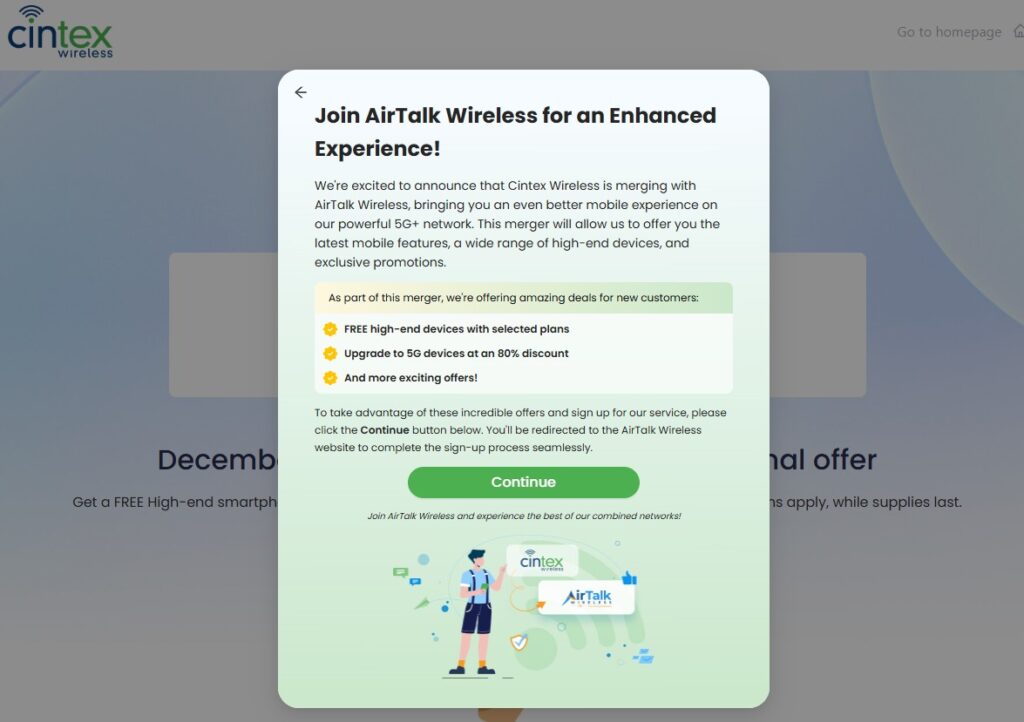
If you’re a new applicant, you’ll now complete your application through AirTalk Wireless and get access to popular eSIM-compatible iPhones, such as:
Device availability may vary by region and current inventory. Also, some premium devices may be supplied at a reduced cost rather than free of charge.
Note: Eligibility varies by state and program. Offers depend on availability and qualifications. Cintex and AirTalk Wireless operate under the federal Lifeline Program as Eligible Telecommunications Carriers (ETCs). Service is non-transferable and limited to one service per household.
Conclusion
A SIM card reader for iPhone is a small but essential component that enables your device to recognize your SIM card and connect to your carrier’s network.
Yet while some problems can be resolved with simple troubleshooting, hardware failures often require repair or replacement. If your iPhone supports eSIM, switching to a digital SIM can be a convenient alternative that eliminates the need for a physical SIM card reader.