
Have you ever called someone and heard no ringing before being sent to voicemail?
When this happens repeatedly, it’s natural to wonder, “Why does my call go straight to voicemail?” and whether your phone is having a connection or settings issue. The cause isn’t always obvious, but a few common problems may explain it.
1. Calls Go Straight to Voicemail: What Does It Mean?
When a call goes straight to voicemail, the caller reaches a voicemail greeting without the usual ringing period. This can happen when the recipient’s phone is unavailable, their settings silence or redirect calls, or the carrier cannot complete the connection normally.
However, hearing no ringback tone doesn’t always prove that the recipient’s phone never rang. The exact behavior depends on the network and how the call is handled.
What happens next depends on whether you’re making or receiving the call:
- When you call someone: Your call goes directly to their voicemail instead of making their phone ring. You may hear their voicemail greeting and have the option to leave a message.
- When someone calls you: Their call reaches your voicemail without your phone ringing or showing a regular incoming call notification. Depending on your phone and carrier, you may see a missed call afterward.
This behavior doesn’t necessarily mean someone has blocked your number. It simply means the call wasn’t connected as a normal incoming call.

2. Why Does My Call Go Straight to Voicemail? 7 Possible Reasons
There are several possible explanations for the question “Why is my call going straight to voicemail?” Some involve the recipient’s phone, while others are related to network conditions or call settings.
Here are seven common reasons:
#1 The recipient’s phone is turned off or has a dead battery. When a phone is powered off or runs out of battery, the carrier may route incoming calls directly to voicemail.
#2 The recipient is outside network coverage. Being in a remote area, underground, or somewhere with a weak cellular signal can prevent the phone from receiving calls.
#3 Do Not Disturb or Focus mode is enabled. These modes can silence incoming calls without alerting the recipient. Depending on the phone’s settings, the caller may still hear ringing before reaching voicemail. Some contacts or repeated calls may be allowed through.
#4 Your number is blocked or filtered. If the recipient has blocked your number, their phone may automatically reject your call. Spam filters can also silence or redirect incoming calls. However, going straight to voicemail doesn’t necessarily mean you’ve been blocked, and some blocked calls won’t reach a usable voicemail inbox at all.
#5 Call forwarding is turned on. The recipient may have configured their phone or carrier to redirect incoming calls to voicemail or another number.
#6 The recipient declines your call or is already on another call. Someone can manually reject an incoming call, sending it to voicemail. If they’re on another call and call waiting is disabled or unavailable, your call may also be redirected.
#7 A carrier or network issue interrupts the call. Temporary service outages, SIM problems, or network routing issues can prevent calls from reaching the recipient normally.

>>> Also read: Why Does My SIM Card Keep Disconnecting? 5 Causes & Fixing Tips
3. What to Do When You Can’t Reach Someone
Before assuming the recipient is ignoring your calls, try a few simple checks. These steps can help you determine whether the issue comes from their phone or your own connection.
- Check the number: Make sure you’re calling the correct number and haven’t used an outdated contact.
- Call someone else: If other calls connect normally, the issue may be specific to the person you’re trying to reach.
- Try again later or send a text: The recipient may be unavailable, have poor reception, or have their phone turned off.
- Check your connection: If several calls fail, check your signal, restart your phone, and make sure Airplane Mode is off.
These checks are a good starting point when you’re unsure why does my call go straight to voicemail. Pay attention to whether the issue affects one person or every number you call, as this can help narrow down the cause.
4. How to Make Your Phone Ring Again
If other people’s calls go straight to your voicemail, your phone settings may be responsible. Here’s what to check.
iPhone Settings to Check
Apple recommends reviewing Focus and Phone settings when incoming calls don’t ring. Start with these options:
- Focus / Do Not Disturb: Open Control Center and turn off any active Focus mode.
- Unknown Callers: Go to Settings > Apps > Phone > Screen Unknown Callers and select Never to allow unsaved numbers to ring.
- Blocked Contacts: Under Phone settings, review Blocked Contacts and unblock any numbers you want to receive calls from.
- Call Forwarding: Check Settings > Apps > Phone > Call Forwarding, if available, and disable unexpected forwarding.
If the settings look correct, update iOS and restart your iPhone before testing another incoming call.
Android Settings Worth Reviewing
Android menus vary across manufacturers, so the exact steps may differ between Samsung, Google Pixel, and other devices. These are the main settings to check:
- Do Not Disturb: Open Quick Settings and turn Do Not Disturb off or review its allowed callers and automatic schedules.
- Blocked Numbers and Spam Protection: Open the Phone app’s settings and review blocked numbers and spam protection.
- Call Forwarding: Check the Phone app’s calling settings and disable unwanted forwarding.
- SIM and Network Settings: Make sure your SIM is active and Airplane Mode is off.
After reviewing these settings, test another call to see whether it rings normally. If calls still go straight to voicemail, contact your carrier to check for possible network or service issues.
>>> Also read: What Does SIM Locked Mean? Why Your Phone Won’t Accept Another SIM
5. Can You Leave a Voicemail Without Making Someone’s Phone Ring?
If you’re wondering how to go straight to voicemail when calling someone, a regular phone call usually won’t give you that option. However, certain voicemail services may let you leave a message without making the recipient’s phone ring normally.
Some carriers may also offer their own voicemail messaging features, but availability varies.
If you don’t have access to a supported service, you can simply send a text asking the person to call you back. This avoids interrupting them and doesn’t require a special calling feature.
Keep in mind that no ordinary iPhone or Android setting guarantees that your outgoing call will bypass ringing and reach someone else’s voicemail.
6. Still Missing Important Calls? Review Your Wireless Options
Repeated missed calls can make it harder to coordinate appointments, reach family members, or handle important tasks.
If you’ve been wondering, “Why does my call go straight to voicemail?” even after checking your phone settings, finding a reliable wireless service can make a real difference in staying connected.
However, monthly phone costs can be another concern, especially for those on a tight budget. That’s where Lifeline can help. This federal assistance program provides monthly discounts on phone service or internet service for eligible low-income households.
These benefits are available through participating wireless providers like Cintex Wireless. As an Eligible Telecommunications Carrier (ETC), Cintex has spent years helping people in need stay in touch through reliable, affordable Lifeline-supported wireless services.
In a recent update, this carrier has merged with AirTalk Wireless. Eligible customers can now access AirTalk’s reliable Lifeline service, with a generous range of valuable features designed to support their everyday communication:
- Unlimited talk and text so you can call family, doctors, and other important contacts without worrying about monthly minute or message limits.
- Monthly data allowances for messaging, online communication, and everyday browsing, with amounts depending on your location and plan.
- Wi-Fi Calling and SIM/eSIM options on supported devices, giving you more ways to connect when cellular reception is limited.
- Nationwide coverage and helpful customer support also help you stay connected when you need assistance.
- Free or discounted device offers, including available smartphones and tablets, so eligible customers can access a device that supports their everyday communication.
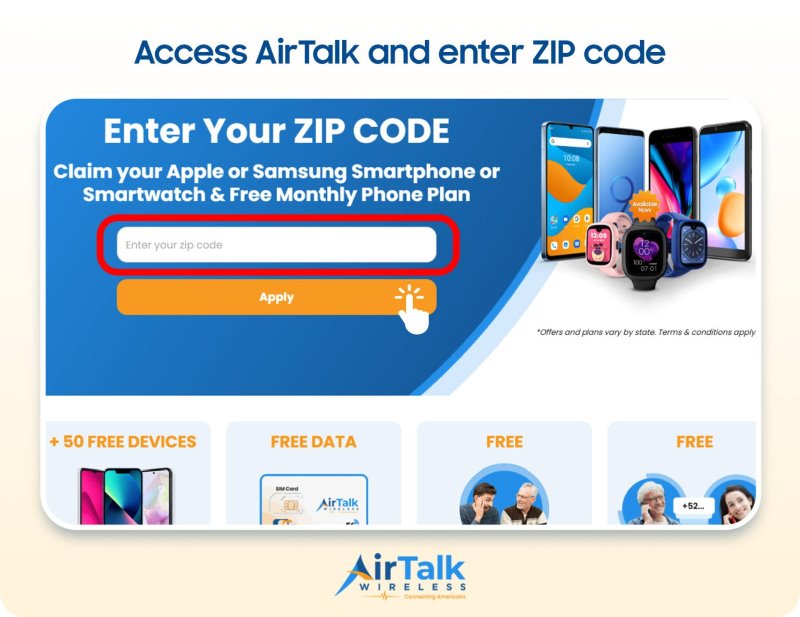
To access these benefits, you’ll first need to qualify for Lifeline. You may be eligible if you meet either of the following requirements:
- Participation in a qualifying government assistance program, such as Medicaid, SNAP, SSI, or Federal Public Housing Assistance (FPHA).
- Household income at or below 135% of the Federal Poverty Guidelines.
Don’t let missed calls get in the way of important moments. Enter your ZIP code on AirTalk Wireless and get reliable wireless service now!
DISCLAIMER: The government does not subsidize devices. Lifeline programs cover basic service costs only. Free or discounted devices, upgrade plans, or top-ups are exclusive benefits provided by AirTalk Wireless and Cintex Wireless as part of the promotional offers. Terms and conditions apply. Limited-time promotion—offers vary by state, stock availability, and eligibility.
Final Thoughts
Not knowing why does my call go straight to voicemail can be frustrating, especially when you’re trying to reach someone about something important. Before assuming they’ve blocked your number or aren’t available, try calling again later and check whether the issue happens with other contacts too.
If multiple calls keep going straight to voicemail, contact your carrier to rule out network or service problems. A little troubleshooting can help you get to the bottom of the issue and avoid missing important conversations.