Buying an iPhone 12 SIM free gives you the freedom to choose the mobile carrier and plan that best suits your needs. Unlike carrier-locked devices, a SIM-free iPhone isn’t tied to a specific network, making it easier to switch providers, use local SIM cards while traveling, or activate an eSIM.
This blog post will explain what a SIM-free iPhone 12 is and whether it’s the right choice for you.
1. What Does SIM Free Mean?
A SIM free phone is sold without a SIM card and is not tied to a specific carrier. In most cases, it is also unlocked, allowing you to use a SIM card or eSIM from any compatible carrier.
Once the device is unlocked, you may join any carrier you choose.
When you buy SIM-free mobile phones from retailers, you just pay for the hardware. You own the handset totally from the start.
To get it operating, simply insert your own SIM card. This might come from:
- Pay-as-you-go cellphone plans
- Monthly SIM-only offer
- Your existing contract
2. Is the iPhone 12 SIM Free?
Whether an iPhone 12 is SIM free depends on where you purchased it.
Some devices are sold unlocked from the start, while others are locked to a specific carrier until certain conditions are met.
Models Purchased Directly from Apple
According to Apple, all iPhones purchased online or in one of their stores will be unlocked, unless it is purchased through certain carrier financing or activation programs.
Once activated, your new iPhone will stay unlocked. This means you may insert a SIM card or activate an eSIM from most supported carriers without first seeking an unlock.
Models Purchased from Carriers
An iPhone 12 bought via a carrier may be restricted, particularly if it was purchased through an installment plan, contract, or promotional offer.
Most carriers require you to complete their unlock requirements, such as paying off the handset or finishing the contract, before you may use it with another carrier.
>>> Read more: Unlock SIM Card: A Simple Guide to PUK Codes & Carrier Unlocking
3. How to Check If You Have an iPhone 12 SIM Free?
If you’re unsure whether you have an iPhone 12 SIM free or it is locked to a carrier, there are several easy ways to find out.
Check Carrier Lock in Settings
Open Settings > General > About and scroll down to Carrier Lock.
If it says No SIM Restrictions, your iPhone 12 is SIM free and can be used with compatible carriers. If a carrier name or lock status appears, your device is still carrier locked.
Test with a Different Carrier’s SIM Card
Power off your iPhone and insert a SIM card from another carrier. Then turn the device back on and check whether it connects to the new network.
If the phone recognizes the SIM and connects to the new carrier’s network, it is likely unlocked. If you see messages such as “SIM Not Supported” or “Invalid SIM,” the phone is likely locked.
Contact Your Carrier
If you’re still unsure, contact the carrier that originally sold the iPhone.
They can confirm whether the device is unlocked and, if necessary, explain the requirements for requesting an official carrier unlock.
4. How to Activate Service on a SIM-Free iPhone 12
If you have an iPhone 12 SIM free phone, activating is easy.
Because the phone is unlocked, you may choose between physical SIM cards and eSIM activation, depending on carrier support.
- Method 1: Insert a Physical SIM Card
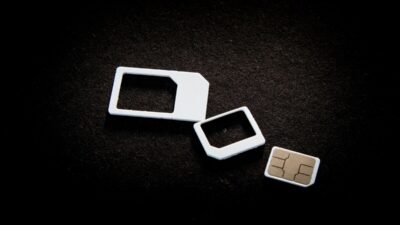
Insert an active nano SIM card from any compatible carrier into the SIM tray.
After restarting or waiting a few moments, your iPhone should automatically connect to the carrier’s network.
- Method 2: Activate an eSIM with a QR Code
Go to Settings > Cellular (or Mobile Data) > Add eSIM, then choose Use QR Code.
Scan the QR code provided by your carrier and follow the on-screen instructions to complete the activation.
- Method 3: Activate an eSIM Through a Carrier App
Some carriers allow you to activate an eSIM directly through their mobile app.
Simply sign in to your account, follow the setup instructions, and let the app install the eSIM profile automatically.
5. Mobile Plan Options for SIM-Free iPhone 12 Users
A SIM-free iPhone 12 gives you the flexibility to choose the mobile plan that best fits your needs.
If you’re looking for an affordable option, the Lifeline program can help eligible low-income households reduce their wireless costs.
You are generally qualified if your household meets the income limit or you or anyone in your family participated in the qualifying programs like SSI, SNAP, Section 8, etc.
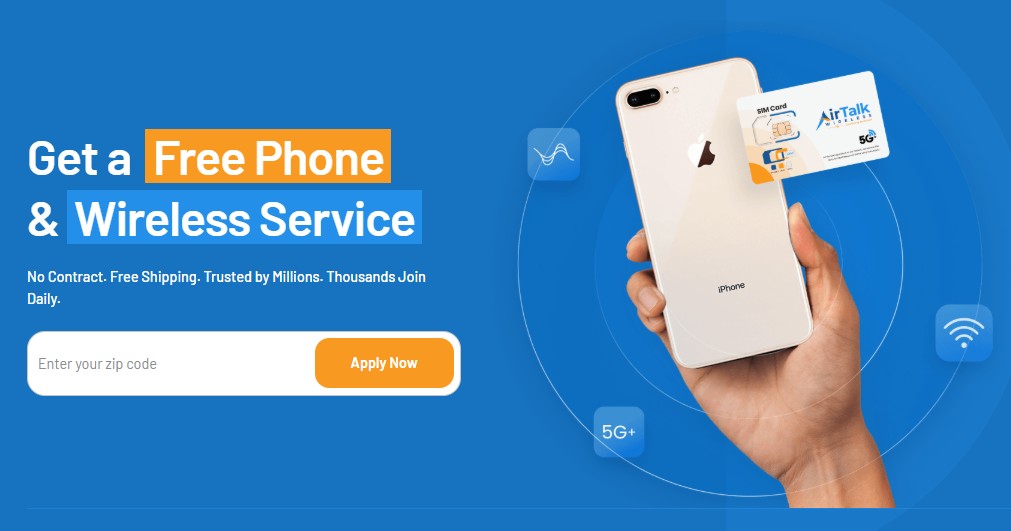
By applying through participating carriers like Cintex Wireless, qualified users may receive free monthly talk, text, and data, along with a free SIM card or eSIM activation on compatible devices.
Especially, Cintex is merging with AirTalk Wireless, a reputable Lifeline carrier, to offer various benefits to applicants, including:
- Discounted or free smartphones from popular brands
- Generous monthly data allowance
- Free talk and text
- Free international calling to more than 200 regions
- Dedicated customer support
- No contract, no credit check, or activation fee, etc.
Do note that Lifeline service is non-transferable. You cannot sell, give away, or transfer your Lifeline-supported phone or internet service to another person. Additionally, the benefit is strictly limited to one per household.
DISCLAIMER: The government does not cover device costs, only basic service through Lifeline. Any free or discounted devices, upgrades, or top-ups are limited-time Cintex Wireless and AirTalk Wireless offers and may vary by state, eligibility, and availability. Terms and conditions apply.
FAQs
Does the iPhone 12 still use a SIM card?
The iPhone 12 supports a physical nano SIM card and eSIM, enabling Dual SIM functionality in most regions.
Will an iPhone 12 work without a SIM card?
It is possible to use an iPhone 12 without a SIM card, but with limitations. You can use Wi-Fi, access apps, and make emergency calls, but you’ll need a SIM card or eSIM to use cellular calls, texts, and mobile data.
Is a SIM-free iPhone the same as an unlocked iPhone?
Usually, yes. A SIM-free iPhone is sold without a SIM card and is typically unlocked. An unlocked iPhone may have originally been sold by a carrier and later unlocked after meeting that carrier’s requirements.
Can I use any carrier with a SIM-free iPhone 12?
As long as the carrier supports the iPhone 12 and its network bands, you can use a physical SIM card or eSIM from that provider.
Conclusion
If you’re tired of being limited by phone contracts, or if you like the flexibility to swap phones whenever you want, an iPhone 12 SIM free phone might be the right decision for you.
Because it supports both traditional SIM and eSIM activation, it is also suitable for consumers who desire more control over how they connect to and manage mobile services.