Hotspot SIM service can turn a portable cellular hotspot into a Wi-Fi connection for your laptop, tablet, or other devices when regular Wi-Fi is nowhere in sight. That can be useful on the road, during remote work, or simply as a backup when home internet drops out.
The SIM itself, however, is only one piece of the puzzle. A hotspot also needs a compatible device, suitable wireless plan, enough mobile data, and coverage where you plan to use it. Get those pieces lined up first, and the setup becomes much easier.
1. What Is a Hotspot SIM?
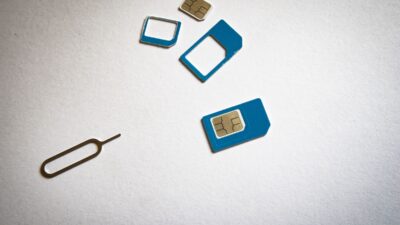
A hotspot SIM is an informal term for a physical SIM card or eSIM used with a portable hotspot, mobile router, or similar connected device.
It is not necessarily a special type of SIM. What matters is whether the wireless provider allows the SIM and service plan to be used in your hotspot device.
Once activated, the hotspot connects to the cellular network and shares that internet connection with nearby devices over Wi-Fi.
What Is a Mobile Hotspot?
If you’re wondering what is a mobile hotspot, it’s simply a device or phone that takes an internet connection, usually cellular data, and shares it with nearby devices.
Instead of connecting one phone to the internet, the hotspot shares its mobile connection with multiple nearby devices.
This makes it useful for travel, remote work, online classes, or places where home internet isn’t available.
2. How Does a Hotspot SIM Work?
The setup is fairly simple once you know the device and plan belong together.
Insert or activate the SIM
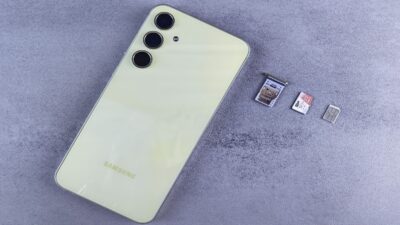
Install the physical SIM or eSIM supported by the hotspot. If the device came from another wireless provider, confirm that it is unlocked and compatible with the network you intend to use.
Activate a compatible data plan
This is the part that matters most. A SIM that works perfectly in a phone may not automatically be permitted in every hotspot, and some plans place separate limits on tethering or hotspot data.
Connect your devices
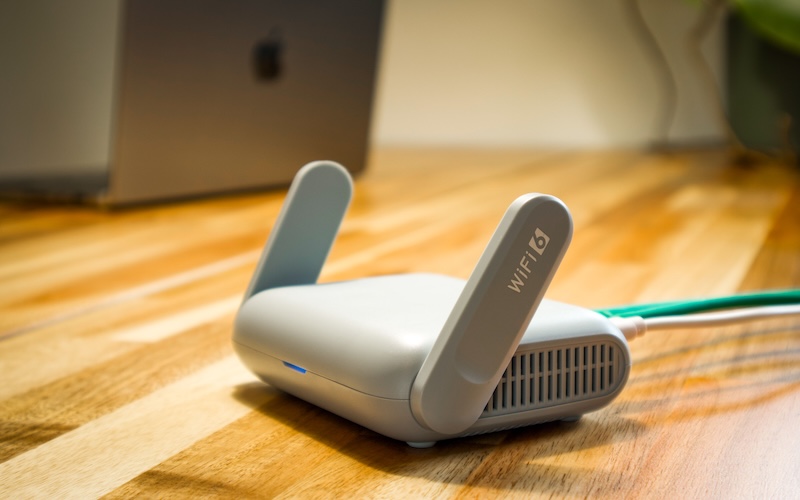
Once the hotspot has cellular service, it creates a Wi-Fi network. Select its network name on your laptop, tablet, or other Wi-Fi device and enter the hotspot password.
From there, your hotspot becomes the middleman: cellular signal comes in, Wi-Fi goes out.
Unlike phone tethering, a dedicated hotspot also has its own battery, so your phone does not have to spend the day acting like a miniature router.
>>> Read more: Where To Easily Access A Free iPhone Hotspot? Useful Tips
3. Hotspot SIM vs. Phone Hotspot: Which Is Better?
Both options let you share mobile internet, but they’re designed for different situations.
| Feature | Dedicated Hotspot | Phone Hotspot |
| Device used | Separate hotspot/router | Your smartphone |
| Battery battery | Doesn’t affect your phone | Can drain phone battery quickly |
| Connected devices | Depends on hotspot model | Depends on phone and software |
| Best for | Frequent or extended sharing | Occasional tethering |
| Convenience | Another device to carry and charge | Already built into your phone |
Android specifically recommends plugging phones in during tethering because hotspot use can affect battery life.
That does not mean a dedicated hotspot will automatically be faster. Both depend on network coverage, congestion, the device’s modem, and the data plan.
So if you only need to get a laptop online for twenty minutes, your phone may do the job just fine. If several devices regularly need a connection, giving that job to a dedicated box can take some weight off your phone’s shoulders.
4. How to Choose a Hotspot SIM in the USA
A USA hotspot SIM card should be chosen around where and how you will actually use it, not simply the cheapest advertised monthly price.
Consider:
- Coverage where you’ll actually use the hotspot
- Monthly data allowance
- After-limit speeds
- Hotspot device compatibility
- SIM type
- Connected-device limit
- Prepaid or ongoing service
Someone using a hotspot twice a month on road trips needs a very different plan from someone using one as a daily work connection.
And remember that adding more laptops does not create more data. Ten devices can simply help the same allowance disappear ten different ways.

5. When You Need More Data for Your Connected Devices
If your laptop, tablet, smart TV, or other devices are regularly using mobile internet, it’s worth choosing the option that matches your usage instead of relying on your phone for everything.
Here’s a simple comparison:
| Dedicated hotspot plan | Smartphone tethering |
| Designed for extended multi-device use | Best for occasional sharing |
| Usually paired with a hotspot device | Uses your phone as the hotspot |
| Better for work, travel, or home backup internet | Convenient for short sessions |
If most of your internet use happens directly on your phone, a wireless plan with a suitable monthly data allowance may already cover much of your everyday needs. In that case, paying separately for a hotspot SIM and hotspot plan may be more than you need.
For eligible households, the federal Lifeline program can help lower the cost of qualifying phone service or internet service.
Eligibility may be based on household income or participation in programs such as Medicaid, SNAP, SSI, or other qualifying assistance programs.
The benefit itself does not provide the wireless service. Instead, eligible customers receive supported service through an Eligible Telecommunications Carrier such as Cintex Wireless.
Cintex can be a practical option if your main goal is keeping reliable mobile data within your budget.
Available Lifeline-supported plans include monthly mobile data alongside talk and text, so you may be able to handle much of your regular online activity without taking on a separate data subscription just to stay connected.
Depending on the available plan, customers can also receive a SIM kit or use eSIM on compatible devices, making it easier to get the service running on the setup that works for them.
Cintex is also merging into AirTalk Wireless, opening the door to a broader service experience, more plan and device options, and new promotions as they become available.
Hotspot access itself is not something to assume is included with every AirTalk plan. It currently lists hotspot capacity as an upcoming feature with charges applying, and hotspot-related offers may also appear separately during promotions.
So if a dedicated hotspot is on your wish list, keep an eye on the latest offers.
In the meantime, their Lifeline-supported mobile data may already be enough to take care of the everyday connection needs that sent you looking for a hotspot SIM in the first place.
IMPORTANT: The government does not subsidize devices. Lifeline programs cover basic service costs only. Free or discounted devices, upgrade plans, or top-ups are exclusive benefits provided by Cintex and AirTalk Wireless as part of the promotional offers. Terms and conditions apply. Limited-time promotion—offers vary by state, stock availability, and eligibility.
6. FAQs
Can I use my regular phone SIM in a hotspot?
Sometimes. A SIM may physically fit, but the hotspot also needs to be compatible with the network and your service plan must allow that type of use. Check both before moving the SIM.
Does a hotspot SIM have a phone number?
It may. Some data lines are assigned a number for network or account purposes, but that does not necessarily mean the line supports ordinary voice calls or texting.
Can a hotspot work without Wi-Fi?
Yes. That is one of its main purposes. A cellular hotspot uses mobile data to create its own Wi-Fi network, so nearby devices can get online even when no regular Wi-Fi network is available.
How many devices can connect to a hotspot?
It depends on the model. Check the manufacturer’s specifications rather than assuming a universal limit. More connected devices can also divide available speed and consume the data allowance faster.
Conclusion
A hotspot SIM can put Wi-Fi within reach anywhere you have suitable cellular coverage, but the card alone does not make the connection work. The hotspot, network, and data plan all have to pull in the same direction.
Choose those pieces around your real usage rather than the biggest advertised data number. When they fit together properly, a hotspot can become a handy internet lifeline instead of just another gadget asking to be charged.