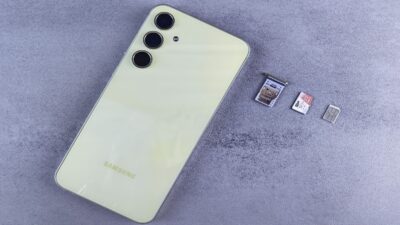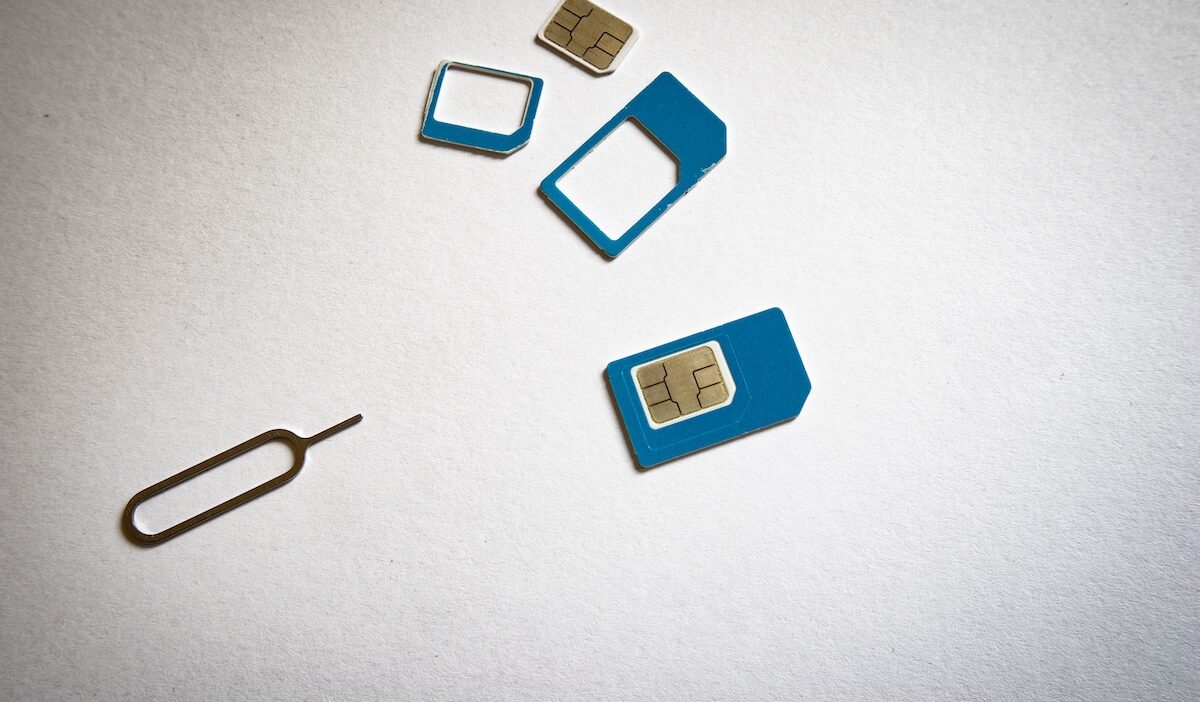
What does SIM stand for? SIM stands for Subscriber Identity Module, the technology that helps identify and authenticate your mobile subscription when a phone connects to a cellular network.
That small chip may spend most of its life out of sight, but it sits between your phone and your wireless service. Understanding what it actually does makes everything from changing phones to choosing between a physical SIM and eSIM much easier to follow.
1. What Does SIM Stand For?
The answer to what does SIM stand for is Subscriber Identity Module.
In simple terms, a SIM securely connects a mobile subscription with the network that provides its service. NIST describes a SIM as a specialized smart-card chip, while the IMSI associated with the subscriber is maintained on the SIM or USIM.
The important word here is identity. Your phone supplies the hardware, but the SIM helps tell the network which subscription is trying to connect.
For ordinary cellular calls, SMS, and mobile data, a phone generally needs an active cellular subscription through a physical SIM or eSIM. Wi-Fi apps can still work without one, and emergency communication may have separate capabilities depending on the device and available network.
What Does a SIM Card Do?
Knowing what does SIM stand for only tells half the story. Its real job happens when the phone tries to join the mobile network.
A SIM helps:
- Identify the mobile subscription
- Securely authenticate it with the network
- Allow access to cellular service associated with the plan
- Store important subscriber and card identifiers
It is therefore better to picture the SIM as a secure ID badge than as the phone’s storage card. It proves which subscription is knocking at the network’s door; the service plan determines what happens after the door opens.
2. How Does a SIM Work Inside Your Phone?
When you turn on a phone with an active SIM or eSIM profile, the device attempts to register with an available cellular network.
The SIM contains protected credentials used in an authentication process. Rather than simply handing over secret information, the SIM and network use those credentials to verify that the subscription is legitimate.
Once authentication succeeds and the account and plan allow service, the phone can access supported features such as:
- Cellular calling
- SMS and other supported messaging
- Mobile data
- Carrier services included with the plan
That distinction matters. The SIM proves the subscription’s identity, but it does not independently create data, minutes, or coverage. Those come from the wireless service behind it.
>>> Read more: How Much Is A SIM Card For Android? Stay Connected While Saving Money
3. What Are the Different Types of SIM?
SIM technology has gone through several physical sizes as phones have become thinner.
| SIM Type | Typical Use Today |
| Standard SIM | Old mobile phones |
| Micro SIM | Earlier smartphones and some connected devices |
| Nano SIM | Common physical SIM format in modern phones |
| eSIM | Digitally provisioned subscription on supported devices |
The Nano SIM, formally the fourth physical form factor, measures just 12.3 × 8.8 mm while retaining the core functionality of earlier removable SIM designs.
An eSIM takes a different route. Instead of sliding a removable card into a tray, a compatible device contains a secure eUICC that can receive and manage SIM profiles digitally. The job of identifying and authenticating the subscription remains, but the profile can be provisioned remotely.
So the technology has changed its clothes over the years, but its core purpose has stayed remarkably familiar.
4. What Information Can You Find on a SIM?
A SIM contains far less of your personal phone content than many people assume.
Important information can include:
- IMSI: Identifies the mobile subscriber
- ICCID: Identifies the SIM card itself
- Authentication credentials: Used securely when connecting to the network
- Certain network or service information
- Limited contact information on SIMs that support contact storage
What you normally will not find there includes:
- Your photo library
- Videos
- Installed apps
- Downloads and documents
- Most smartphone settings
Those live primarily in the phone’s internal storage or connected cloud services.
That is why removing a SIM does not empty your phone. You are taking away the cellular subscription’s key, not clearing out the house.
>>> Read more: Free Government SIM Card for iPhone: How to Get One Today
5. Got the Right SIM? Make Sure the Service Fits Your Budget Too
Understanding a SIM reveals an important distinction: the SIM identifies your subscription, but the service plan is what actually keeps the line running.
For eligible households, the federal Lifeline program can help reduce the cost of qualifying phone service or internet service.
Eligibility may be based on household income or participation in programs such as Medicaid, SNAP, SSI, Federal Public Housing Assistance, or qualifying Veterans benefits.
Lifeline is the benefit rather than the wireless carrier providing the line. Cintex Wireless is an Eligible Telecommunications Carrier that offers Lifeline-supported wireless service.
This connects directly back to the SIM itself. Cintex currently includes a free or discounted device with a SIM kit or eSIM option, so eligible customers can receive the subscription credentials needed to activate their available plan on a compatible setup.
Its service can also include mobile data, talk, text, Wi-Fi Calling, and other calling features depending on the available plan.
The carrier is also merging into AirTalk Wireless. The merger is designed to create a more unified service experience while expanding available features and device choices.
So while the SIM may be the tiny piece of technology that identifies your line, choosing affordable service behind it is what keeps that line useful month after month.
IMPORTANT: The government does not subsidize devices. Lifeline programs cover basic service costs only. Free or discounted devices, upgrade plans, or top-ups are exclusive benefits provided by Cintex and AirTalk Wireless as part of the promotional offers. Terms and conditions apply. Limited-time promotion—offers vary by state, stock availability, and eligibility.
6. FAQs
Is a SIM card the same as a memory card?
No. A SIM identifies your mobile subscription, while a memory card stores files such as photos, videos, and documents. They serve completely different purposes.
Can I move my SIM card to another phone?
Usually, yes. If both phones are unlocked or compatible with your carrier and use the same SIM size, you can often move the SIM and continue using your existing phone number and service.
Does a SIM card store my photos?
No. Modern smartphones save photos to internal storage or cloud services. A SIM card stores subscriber information rather than personal files.
Does SIM mean the same thing in eSIM?
Yes. Whether physical or embedded, the acronym remains the same. An eSIM is simply a digital version of a traditional Subscriber Identity Module.
Does changing a SIM card change my phone number?
Not necessarily. Your phone number is tied to your carrier account, not the phone itself. If you activate a replacement SIM on the same account, you usually keep the same number. If you activate a new account with a different SIM, you may receive a new number.
Conclusion
Understanding what does SIM stand for also makes it easier to understand how mobile service works. The phone provides the hardware, while the SIM provides the identity that gives you access to calls, texts, and mobile data.
Physical cards may keep shrinking or disappear into eSIM altogether, but the idea underneath stays on the same track: the shape can change while the identity behind your mobile service keeps doing its job.