Why is my iPhone not ringing when I get a call or text? You pick up your phone and find three missed calls and a message you never heard arrive. The phone was right beside you, so how did you miss everything?
It’s frustrating, especially when you’re waiting for an important update. But a silent iPhone doesn’t always mean something is broken. Find out which settings might be keeping your alerts quiet and how to get them working again before another important call slips by.
1. Which iPhone Alerts Have Gone Silent?
Silent mode, low alert volume, Focus, or notification settings can silence incoming alerts.
| Symptom | Check first |
| Calls and texts silent | Silent mode, volume, Focus |
| Only calls silent | Ringtone, screening, blocked contacts |
| Only texts silent | Messages settings, Text Tone |
| One person affected | Contact tones, conversation settings |
| Alerts missing when locked | Apple Watch delivery |
| Calls never appear | Filtering, service, carrier |
To narrow down the problem for why is my phone not ringing when I get a call, ask a trusted contact to call and text you. Note whether the incoming call appears without sound, goes directly to voicemail, or never reaches your phone. These outcomes can point to different settings or service issues.
2. Restore Sound With These Four Settings
Begin “why is my iPhone not ringing when I get a call or text” troubleshooting with these shared controls. If both calls and text messages arrive silently, check the settings that affect incoming alerts across your iPhone.
- Turn Off Silent Mode
On iPhones with a Ring/Silent switch, move it to the Ring position.
If your iPhone has an Action button, check whether Silent mode is enabled through Control Center or Settings > Sounds & Haptics. The Action button may be assigned to another function.
- Increase Ringtone and Alert Volume
Open Settings > Sounds & Haptics and raise the ringtone volume. Select Ringtone and Text Tone to preview their sounds.
On newer iOS versions, including iOS 27, additional controls may let you adjust alerts separately from the ringtone.
- Check Focus Modes
Open Control Center and temporarily turn off any active Focus, such as Do Not Disturb, Sleep, or Work.
Then ask someone to call or text you again.
- Review Automatic Focus Schedules
Go to Settings > Focus and check whether a Focus activates automatically at certain times or locations.
If important contacts need to reach you during Focus, adjust the allowed people or apps rather than disabling the feature entirely.
>>> Read more: Why Does My Call Keep Failing? 7 Common Causes & How To Fix It
3. Calls Arrive Silently Or Go Straight To Voicemail
If texts sound normal, “why is my iPhone not ringing when I get a call or text” requires call-specific checks.
Check Your Ringtone
Open Settings > Sounds & Haptics > Ringtone and select an audible tone.
If only one person’s calls are silent, open their contact information and check whether a custom ringtone has been assigned.
Review Unknown Caller Screening
On supported iOS versions, go to:
Settings > Apps > Phone > Screen Unknown Callers
You may see three choices:
- Never: Calls from unsaved numbers aren’t screened or silenced by this setting.
- Ask Reason for Calling: Unfamiliar callers are asked to identify their reason for calling before your phone rings.
- Silence: Calls from unsaved numbers are silenced and sent to voicemail.
If you’re missing calls from unfamiliar numbers, temporarily select Never and test again.
Also review Blocked Contacts and spam filtering.
Check Call Forwarding
Open Settings > Apps > Phone > Call Forwarding, if available.
If calls are being forwarded unexpectedly, turn off the feature or contact your carrier for help.
Confirm Cellular Service
If calls never reach your iPhone, check your cellular signal, active SIM or active eSIM, and carrier service.
Try calling from another number. If the problem continues across multiple callers, contact your carrier to investigate possible service or routing issues.
4. Text Messages Arrive Without A Notification Sound
If phone calls ring normally but text messages remain silent, your Messages notification settings may be responsible.
Check Messages Notification Settings
Open Settings > Notifications > Messages.
Make sure Allow Notifications is enabled. Then review Sounds and choose an audible Text Tone rather than None.
You can also check Settings > Sounds & Haptics > Text Tone to preview the sound used for messages.
Check Muted Conversations
If notifications are missing from only one person or group:
- Open Messages and select the conversation.
- Tap the contact or group icon at the top.
- Turn off Hide Alerts, if enabled.
Also confirm whether the contact has a custom silent Text Tone.
Review Message Filtering
Messages from unknown senders or suspected spam may be moved into separate folders without ordinary notifications.
Open Messages and review your filtered conversations. If you’re expecting important texts from an unfamiliar number, check whether its messages have been filtered.
You can also review Settings > Notifications > Scheduled Summary if Messages alerts are being delivered later than expected.
After adjusting the settings, ask someone to send a test message and confirm whether the sound returns.
5. Could Another Device Or Hardware Setting Be Involved?
Yes. Connected devices and certain iPhone settings can affect where notifications appear and how loudly they sound. If you’re wondering “why is my iPhone not ringing when I get a call or text,” consider these possibilities:
- Apple Watch notifications: When your iPhone is unlocked, notifications generally appear on the iPhone. When it’s locked or asleep, eligible notifications may go to your unlocked Apple Watch instead. Open the Watch app on your iPhone and review Notifications to adjust how alerts are delivered.
- Attention Aware Features: On supported Face ID models, your iPhone can lower certain alert sounds when it detects you’re looking at the screen. Check Settings > Face ID & Passcode > Attention Aware Features. This may explain unusually quiet alerts, but it won’t account for every missing call or message.
- Connected accessories: Bluetooth headphones and other connected devices may affect audio behavior. Temporarily disconnect them and test incoming calls and messages.
- Software or speaker issues: Restart your iPhone, install available iOS updates, and test ringtone playback. Check for speaker obstructions and contact Apple Support if the problem continues.
>>> Read more: Why Does My Call Go Straight to Voicemail? 7 Reasons to Know
6. Being Reachable Is Only One Part Of Staying Connected
Getting your call and text alerts working again only matters if the plan behind them stays active. A message you can hear is no use if the service lapses, and that is a risk when money runs short before the month does. So the next thing to check is what your service costs.
Lifeline is built to take some of that cost off the table. It is a government assistance program that gives eligible households a monthly discount on phone service or internet service.
- You are eligible if your household income is at or below 135% of the Federal Poverty Guidelines or you take part in qualifying programs, and Medicaid is one of those. Each household gets one benefit, and it cannot be passed to anyone else.
- A discount still needs somewhere to land. It is applied to a plan from an Eligible Telecommunications Carrier (ETC), the provider authorized to deliver Lifeline-supported service, which makes enrolling with a participating ETC the step that puts your approval to work.
Cintex Wireless is an ETC that also offers free or discounted phones, so a device that misses alerts can be swapped out along the way.
Its merger into AirTalk Wireless, another ETC, brings a wider device lineup and a simpler sign-up for applicants.
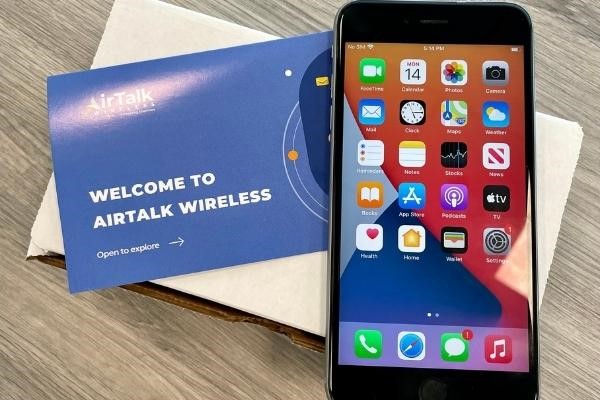
Depending on your ZIP code, inventory, and offer terms, phone options may include:
IMPORTANT: The government does not subsidize devices. Lifeline programs cover basic service costs only. Free or discounted devices, upgrade plans, or top-ups are exclusive benefits provided by AirTalk Wireless and Cintex Wireless as part of the promotional offers. Terms and conditions apply. Limited-time promotion—offers vary by state, stock availability, and eligibility.
7. FAQs
Why do calls ring while text messages stay silent?
This usually happens when message notification settings differ from call alerts. Check Settings > Notifications > Messages, review your Text Tone, and make sure Hide Alerts is disabled for affected conversations.
Can Sleep Focus silence calls and texts automatically?
Yes. Sleep Focus can automatically silence incoming calls and text messages based on your configured schedule. However, allowed contacts, apps, and notification exceptions may still interrupt you.
Does a hidden message preview mean notification sounds are disabled?
No. Message previews and notification sounds are separate settings. Hiding message content does not automatically mute alerts. Check your notification sound settings if messages arrive silently.
Should I replace my iPhone if alerts still do not sound?
No. First, check your sound settings, Focus modes, speaker functionality, and available iOS updates. If notifications remain silent after troubleshooting, contact Apple Support before considering replacement.
Conclusion
If you’ve been wondering “why is my iPhone not ringing when I get a call or text,” the issue may be simpler than it first appears. Sometimes it’s a sound or notification setting, while other situations involve call screening, connected devices, or service problems.
Knowing how to tell these situations apart can save you from unnecessary repairs or replacing a phone that still works. With a clearer understanding of what’s happening, you can feel more confident about staying reachable when important calls and messages arrive.