
Why doesn’t my phone ring when I call someone? You dial a number, hold your phone to your ear, and hear nothing. It’s especially frustrating when you’re trying to reach someone important and can’t tell whether the call is going through.
That silence doesn’t necessarily mean the other person is unavailable or ignoring you. Sometimes, the problem is with the call connection or your phone’s audio. Understanding the difference can help you find the right fix without unnecessary guesswork.
1. What Does It Mean When a Call Doesn’t Ring?
When you call someone, the ringing sound you normally hear is called a ringback tone. Unlike the ringtone that plays when you receive a call, ringback is the sound you hear while an outgoing call is being set up.
However, the sound doesn’t always reflect what’s happening on the recipient’s phone.
A call may still be connecting even if you hear silence. Likewise, hearing ringback doesn’t guarantee that the other person’s device is actually ringing.
Here’s what might happen:
- The call connects: The other person answers even though you heard no ringing.
- The call goes to voicemail: You reach a recorded greeting without hearing the usual ringback.
- The call remains silent: The network may still be attempting to establish a connection.
- The call fails: You hear an error announcement, a busy signal, or a disconnection tone.
The important distinction is whether your call eventually connects. That helps determine whether you’re dealing with an audio problem or a network issue.
2. Why Doesn’t My Phone Ring When I Call Someone? 6 Common Reasons
Several issues can explain why an outgoing call has no audible ringback tone. Here are six possibilities worth checking:
The Recipient’s Phone Is Turned Off or Has No Signal
The person you’re calling may have switched off their phone, run out of battery, or entered an area with poor cellular reception.
When the network can’t reach their device, your call may:
- Go directly to voicemail
- Play an automated message
- Remain silent briefly before ending
This doesn’t necessarily mean the person is ignoring your call. Their phone may simply be unavailable.
The Recipient Has Call Forwarding or Voicemail Enabled
Call forwarding can redirect incoming calls to another number, sometimes without ringing the recipient’s phone first.
Voicemail may also answer immediately when someone’s phone is switched off, unavailable, or configured to send certain calls directly to voicemail.
However, simply having voicemail enabled doesn’t prevent normal ringing. What matters is how the recipient’s phone or carrier handles that particular call.
If you reach voicemail without hearing ringback, it doesn’t necessarily mean the person deliberately rejected your call.

Your Number May Be Blocked or Filtered
The recipient may have blocked your number or enabled a feature that filters certain incoming calls.
Depending on their phone and carrier, your call might go directly to voicemail, receive an automated response, or disconnect without the usual ringing.
However, these signs don’t prove your number has been blocked. Similar behavior can occur when someone’s phone is unavailable, call forwarding is enabled, or the network experiences a problem.
If only one person’s number is affected, test your own calling service before assuming they’ve blocked you.
The Carrier Network Is Experiencing Problems
Your phone may be working perfectly, but your carrier could be experiencing a temporary service disruption.
Some possible causes include:
- Network congestion: Heavy traffic may affect call connections
- Local outages: Your carrier may have service problems in your area
- Call-routing errors: Problems connecting your carrier to the recipient’s network may cause unusual ringing behavior or unsuccessful calls
Apple also recommends checking for localized service outages and carrier-side call errors when troubleshooting failed calls.
Your In-Call Volume or Audio Connection Is Causing the Silence
Sometimes, the call is progressing normally, but you can’t hear the ringback tone through your phone’s speaker.
Check these two possible causes:
- Low in-call volume: Your call volume may be too low to hear the ringing sound.
- Incorrect audio output: Your phone may be routing sound to a Bluetooth headset, car audio system, or another connected accessory.
This is particularly easy to overlook if you’ve recently connected your phone to another device.
Quick fix: Raise the volume using your phone’s physical buttons while the call is connecting. You can also disconnect Bluetooth temporarily to check whether the sound returns.
Apple provides options for adjusting call volume and switching between the phone, speaker, and Bluetooth audio devices.
You’re Calling Through an App Instead of Your Phone Carrier
Not every phone call uses your cellular carrier’s regular calling service. Apps such as WhatsApp, Messenger, and FaceTime use internet connections to establish calls.
Their ringing sounds and connection behavior may differ from those of standard cellular calls.
For instance, the problem may involve:
- Weak Wi-Fi: An unstable wireless connection can interrupt the call.
- Mobile data problems: Poor internet connectivity may prevent the app from establishing a call.
- App-related errors: Outdated software or temporary glitches can affect calling features.
You might hear no ringing sound, see a connecting message, or receive an error notification.
Remember, internet-based calls and regular cellular calls use different connection methods. A problem with one doesn’t automatically mean the other is affected.
>>> Helpful blog: How To Call Private: Essential Steps To Hide Your Number
3. How to Fix a Silent Outgoing Call
If you’re wondering, “why isn’t my phone ringing when I call someone?”, first check whether the call is connecting without sound or failing completely.
Start with the simplest checks below, and test another call after each change. This helps you identify the actual cause without adjusting unrelated settings.
- Adjust the in-call volume: Press the volume-up button while the call is connecting. Check whether your phone is sending audio to a Bluetooth headset, car stereo, or another connected device.
- Check your cellular signal: Look at the signal indicator and move somewhere with better reception. Try making the call again.
- Refresh your network connection: Turn Airplane Mode on, wait about five seconds, and turn it off. This allows your phone to reconnect to the available network. Restart the device if necessary.
- Test another phone number: Call someone you trust and ask whether their phone rings or shows your incoming call. If they receive it while you hear silence, the problem may involve ringback audio rather than call delivery. If every call fails, investigate your network or carrier service.
- Try another calling method: Switch to an internet-based calling app if your regular cellular call isn’t working. Alternatively, try a standard phone call if an app call fails.
- Check your phone and carrier service: Install available software and carrier settings updates. If the issue continues, contact your carrier to ask about service outages, account restrictions, or call-routing problems.
You don’t need to change every setting at once. Test your phone after each adjustment so you can identify what actually fixes the problem.
4. Is the Problem with Your Phone or the Person You’re Calling?
A useful way to investigate why doesn’t my phone ring when I call someone is to check whether the problem affects one contact or every outgoing call.
Here are three situations to consider:
- Only one number is affected: The issue may involve the recipient’s phone settings, availability, call filtering, or routing between the two networks.
- Every regular cellular call is silent: Investigate your phone’s call audio, Bluetooth connection, cellular reception, and carrier service.
- Cellular calls work, but app calls don’t: The problem is more likely related to the calling app, its audio permissions, or your internet connection.
If possible, ask the person you’re calling whether their phone received or displayed your call. That can help you distinguish missing ringback audio from a call that never reached them.
>>> Also read: SIM Card Inserted But No Service iPhone? 9 Easy Troubleshooting Tips
5. Staying Connected Without Stretching Your Phone Budget
A call that doesn’t go through can remind you how important it is to stay connected with the people who matter. But what if the cost of phone service makes it harder to keep in touch?
You don’t have to let your budget get in the way. The Lifeline program gives eligible households a chance to enjoy lower phone service or internet service bills with a monthly service discount.
You may qualify in either of these two ways:
- Participate in Medicaid, SNAP, SSI, or Federal Public Housing Assistance (FPHA), among other qualifying programs.
- Have a household income at or below 135% of the Federal Poverty Guidelines.
For those considering a Lifeline provider, Cintex Wireless is one option worth checking out.
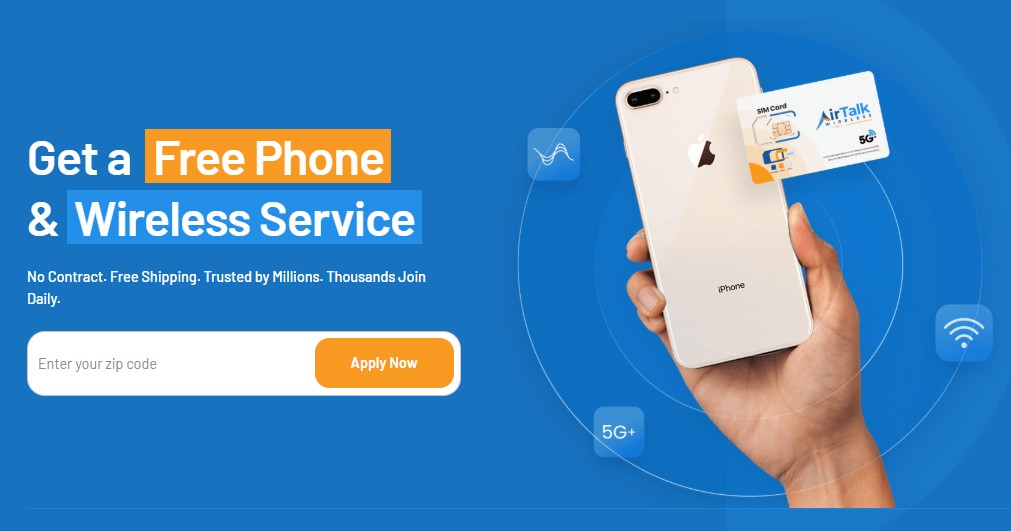
Cintex has announced its merger with AirTalk Wireless, a provider with more than two decades of experience bringing people together through affordable wireless services. This merger gives applicants a convenient way to explore more service options and smartphone deals through one application experience.
Applying is straightforward:
- Visit AirTalk Wireless and enter your ZIP code to check available plans and offers.
- Review the options in your area and select a suitable plan.
- Complete the online application and provide the identity and eligibility documents (if necessary).
- Wait for your application to be reviewed. Once approved, follow the instructions to activate your service and receive any included device.
Apply for Lifeline today and start saving on phone service!
DISCLAIMER: The government does not subsidize devices. Lifeline programs cover basic service costs only. Free or discounted devices, upgrade plans, or top-ups are exclusive benefits provided by AirTalk Wireless and Cintex Wireless as part of the promotional offers. Terms and conditions apply. Limited-time promotion—offers vary by state, stock availability, and eligibility.
Conclusion
A silent outgoing call doesn’t necessarily mean you’ve been blocked or that someone is ignoring you. The answer to “why doesn’t my phone ring when I call someone?” often depends on whether the call is connecting or the ringing sound simply isn’t reaching you.
Start by calling another number to see if the issue repeats. If every call behaves the same way despite normal audio settings, your carrier can help investigate the connection. You may be closer to resolving the problem than you think.