
What does call failed mean when you’re trying to reach someone important? You tap the call button, expect to hear ringing, but instead see “Call Failed” on your screen. It’s frustrating, especially when you can’t tell whether the other person even received your call.
Fortunately, this message doesn’t automatically mean you’ve been blocked or ignored. It often points to a connection problem. Understanding the possible causes can help you figure out what’s happening and get your calls working again.
1. What Does Call Failed Mean? Here’s What You Should Know
A “Call Failed” message generally means your phone couldn’t establish or maintain a call connection.
The problem may involve your cellular signal, carrier network, account settings, or the number you’re trying to reach.
However, a failed call doesn’t automatically mean the recipient blocked or rejected you. The message alone cannot identify the exact cause.
What Does a Cancelled Call Mean?
A cancelled call commonly refers to an outgoing call attempt that ended before a conversation was established. For example, you may see this status when you hang up shortly after dialing.
Unlike a failed call, which usually indicates a connection error, a cancelled call often results from the calling attempt being stopped.
However, the label doesn’t always reveal why the attempt ended or whether the recipient’s phone rang.

Here’s how common call statuses differ:
| Call status | What it usually means |
| Call Failed | The call couldn’t connect or encountered an error |
| Cancelled Call | The outgoing attempt ended before a conversation was established |
| Declined Call | The incoming call was rejected, where the device or app identifies that action |
| Missed Call | An incoming call wasn’t answered |
The exact labels vary by phone, carrier, and calling app. A call-history status alone doesn’t prove whether the other person deliberately ignored your call.
2. Why Does My Phone Say Call Failed? 7 Common Reasons
Several things can interrupt an outgoing call, from a weak cellular signal to problems with your carrier account. Before assuming your phone is broken, consider these seven possible causes.
- Weak or Unstable Cellular Signal
Poor reception can prevent calls from connecting, especially inside buildings, elevators, tunnels, or areas with limited coverage. Even if your phone shows signal bars, the connection may be unstable.
- Temporary Carrier Network Problems
Network outages, congestion, or maintenance can interrupt outgoing calls. If multiple calls fail despite a stable signal, your carrier may be experiencing service issues.
- SIM or eSIM Issues
A damaged SIM, inactive eSIM, or incomplete activation can prevent calls. Check for warnings such as “No SIM” or “No Service,” especially after switching devices or carriers.
- Incorrect Phone or Network Settings
Airplane Mode, an inactive cellular line, or incorrect network selection may interfere with outgoing calls. If you use Dual SIM, confirm that the correct line is selected.
- Outdated Software or Temporary Glitches
Software bugs or outdated carrier settings can affect call connections. Restart your phone and install available system or carrier updates.
- Carrier Account Restrictions
Suspended service, billing issues, incomplete activation, or restrictions on certain destinations may prevent outgoing calls. Contact your carrier to verify your account status.
- Incorrect or Unavailable Phone Number
Calls may fail when a number is disconnected, entered incorrectly, or restricted by your plan. Check the area or country code, then try another number to narrow down the problem.

>>> Also read: How To Fix SIM Failure iPhone Quickly? 5 Proven Methods
3. Troubleshooting Call Failed: Steps to Try on Your Phone
Once you have an idea of what might be causing the problem, try these fixes one at a time. Test your phone after each step to identify what resolves the issue.
Step 1: Check your cellular signal
If you see one bar, SOS, or No Service, move near a window or outdoors to find better coverage.
Step 2: Turn Airplane Mode on and off
Enable it for 10-15 seconds, then turn it off and wait for your cellular signal to return.
Step 3: Restart your phone
Turn off your device, wait a few seconds, and turn it back on.
Step 4: Try another number
If other calls work, the original number may be unavailable or incorrect. If all calls fail, check your phone or carrier service.
Step 5: Check your SIM or eSIM
Make sure your physical SIM is properly inserted or your eSIM line is active. Don’t delete an eSIM profile without your carrier’s guidance.
Step 6: Review call and network settings
Confirm that the correct cellular line is selected, especially if you use multiple SIMs.
Step 7: Update your phone and carrier settings
Install available software updates. On an iPhone, check for carrier updates under Settings > General > About.
Step 8: Reset network settings if necessary
On an iPhone, go to Settings > General > Transfer or Reset iPhone > Reset > Reset Network Settings.
This removes saved Wi-Fi networks and passwords, along with certain cellular, VPN, and APN configurations.
It doesn’t erase your personal photos or apps, but you’ll need to reconnect to Wi-Fi and may need to restore customized network settings.
Use this option only after checking your signal, SIM or eSIM, software updates, and carrier service.
Android reset options vary by manufacturer. Look for network reset settings under Settings > System or General management, depending on your device.
Step 9: Contact your carrier
Ask your provider to check for outages, account restrictions, SIM activation issues, or problems with outgoing calls.

>>> Also read: Physical SIM Network Not Available? Easy Fix Guide
4. Can the Other Person See Your Failed Call?
Not necessarily. If your call fails before reaching the recipient’s phone, they usually won’t receive a missed-call notification.
However, if the call reaches their device before disconnecting, it may still appear in their call history.
A cancelled call can also appear as a missed call if the recipient’s phone was alerted before you ended the attempt.
The result depends on the carrier, device, and timing. A “Call Failed” message alone cannot confirm whether the recipient saw your call. Therefore, knowing what does call failed mean doesn’t automatically tell you whether the other person saw your number or received a notification.
5. When Calls Matter, Your Wireless Service Matters Too
A dropped or failed call is a reminder of how much you rely on your wireless service. Choosing a reliable carrier with good coverage and responsive customer support can help you stay connected when it matters.
With nationwide network coverage, accessible customer support, and essential calling features, Cintex offers several things to look for in a wireless provider.
Better yet, eligible customers can save on their monthly service costs through the Lifeline program. Staying in touch while spending less sounds like a win, right?
Here’s how it works. The federal Lifeline program provides monthly discounts on qualifying phone services and internet services for eligible households. Participating providers like Cintex Wireless offer Lifeline-supported services to help qualified consumers save on connectivity.
Recently, Cintex Wireless announced its merger with AirTalk Wireless. This gives applicants a more convenient way to explore wireless plans, service features, and smartphone offers through AirTalk.
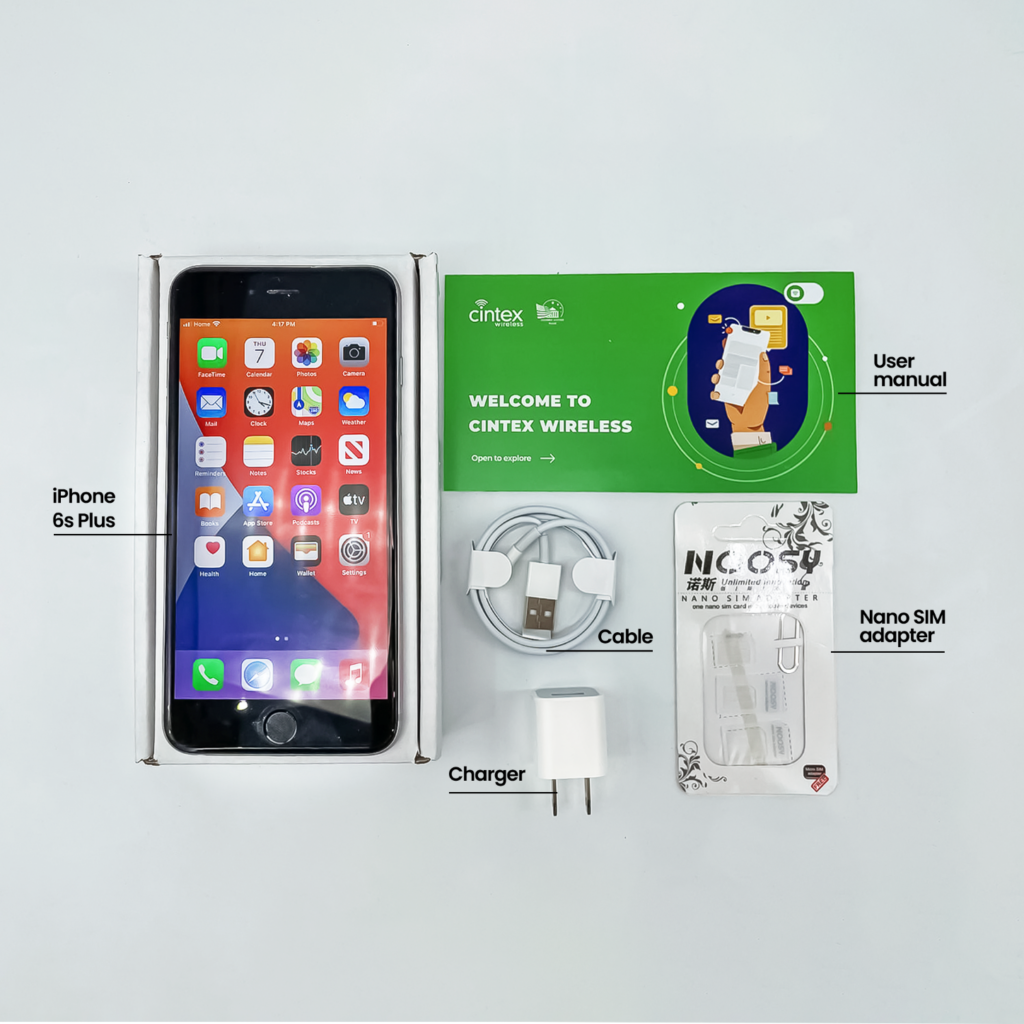
When applying for Lifeline through Cintex and AirTalk Wireless, you can explore benefits such as:
- Unlimited talk and text
- Monthly data allowances
- Free international calling to 200+ countries and territories
- Caller ID, Call Waiting, and voicemail
- Wi-Fi Calling and SIM/eSIM options
- Free or discounted smartphone offers, subject to availability
Who qualifies for these benefits?
You must first qualify for Lifeline, either through participation in Medicaid, SNAP, SSI, or Federal Public Housing Assistance (FPHA), or if your household income is at or below 135% of the Federal Poverty Guidelines.
Also, note that only one Lifeline benefit is generally allowed per household.
DISCLAIMER: The government does not subsidize devices. Lifeline programs cover basic service costs only. Free or discounted devices, upgrade plans, or top-ups are exclusive benefits provided by AirTalk Wireless and Cintex Wireless as part of the promotional offers. Terms and conditions apply. Limited-time promotion—offers vary by state, stock availability, and eligibility.
Conclusion
A failed call can be frustrating, especially when someone is waiting for your response. Now that you know what does call failed mean, don’t immediately assume someone has blocked your number or that your phone is damaged.
Start with simple connection checks, then contact your carrier if the problem persists. Keeping your phone, SIM, and wireless service in good condition can save you trouble when an important call comes through.