Is my phone eSIM compatible? This is the first question to answer before you activate a digital SIM plan. Most modern iPhones and many newer Android devices support eSIM, but compatibility depends entirely on your specific model. The fastest way to check takes under a minute using a quick dial code or your device’s Settings.
This guide walks through three reliable methods, explains why eSIM sometimes does not appear, and lists exactly which phone models support it.
1. Is My Phone eSIM Compatible?
The easiest way to tell whether your phone supports eSIM is to look for an EID number or eSIM settings. Most modern iPhones and many newer Android devices support eSIM, but compatibility varies by model and carrier. An EID is a unique 32-digit identifier built into phones that have an eSIM chip.
If your phone shows an EID, it likely has eSIM hardware. However, successful activation still depends on carrier support, region, device lock status, and the plan you want to use. If no EID appears in both the dial-code screen and device settings, the phone likely lacks eSIM hardware and cannot be made eSIM-compatible through a software update.
Checking for an EID is the quickest method, but it is not the only way to confirm compatibility. Your device Settings menu also shows whether eSIM options are available, even without locating the EID directly.
2. Three Ways to Check If Your Phone Supports eSIM
All three methods work in under a minute. Start with Method 1, it is the fastest on any device.
Method 1: Quick Dial (Many Devices)
On many devices, dialing *#06# may display the EID if eSIM is supported. This method works on most iPhones and many Android phones, though not every manufacturer enables it the same way.
Method 2: iPhone Settings
- Go to Settings > General > About
- Scroll down and look for an EID field
- Alternatively, go to Settings > Cellular. If you see Add eSIM or Add Cellular Plan, the phone supports eSIM
Method 3: Android Settings
- Go to Settings > Network & Internet or Connections
- Tap SIMs or SIM Manager
- If an option to add a mobile plan or digital SIM appears, your device supports eSIM
>>> Read more: What Is eSIM? Everything You Need to Know
3. eSIM Not Supported iPhone? Here Is Why
If eSIM does not appear in your iPhone settings or the EID field is missing, there is usually a clear reason. Here are the most common causes and what to do about each.
| Cause | What It Means | What to Do |
| Older iPhone model | iPhones before the XS, XS Max, and XR (2018) do not have eSIM hardware | Check your model name in Settings > General > About to confirm |
| Regional restrictions | Some iPhones sold in mainland China do not support eSIM and rely on physical SIM configurations instead | Check the model number against Apple’s regional specifications |
| Carrier limitations | Your carrier may not have eSIM enabled on your account or plan | Contact your carrier and ask them to activate eSIM support |
| Outdated iOS | An older software version may hide eSIM options even on supported hardware | Update to the latest iOS version through Settings > General > Software Update |
| Activation problems | A pending or incomplete activation can temporarily block the eSIM menu | Restart the device and check the activation status with your carrier |
4. Which Phones Support eSIM?
If you are checking for yourself or buying a used phone, here is a quick reference for which models support eSIM.
| Device Family | eSIM Support Starts From |
| iPhone | iPhone XS, XS Max, XR, and later generally support eSIM, with regional exceptions. |
| iPhone (US models, eSIM only) | Many recent iPhones sold in the U.S. are eSIM-only; exact models vary by generation and purchase region. |
| Google Pixel | Pixel 4 and later support eSIM. Pixel 3 and Pixel 3a may support eSIM, but there are carrier and regional exceptions. |
| Samsung Galaxy S-series | Many Galaxy S20-series and newer S-series models support eSIM, but exact support varies by country, carrier, and model variant. |
| Samsung Galaxy A-series | Some A-series models support eSIM, such as certain A54/A55/A35 variants, but not all A-series phones do. |
| China mainland iPhones | Many mainland China models do not support eSIM; check Apple’s regional specifications for the exact model. |
5. Your Current Phone Not eSIM Compatible? You May Qualify for a Free Upgrade
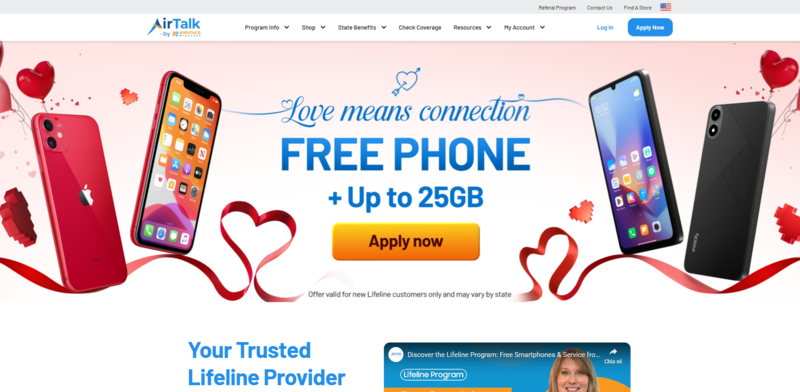
If your current phone does not support eSIM and you are thinking about upgrading, you may not need to pay full price. If you qualify for government assistance, you may be able to get a free phone through the Lifeline program’s providers.
The Lifeline program is a federal assistance program that helps eligible low-income households access phone service at reduced or no cost each month.
Standard households can receive a discount of up to $9.25 per month, while households on Tribal lands qualify for an enhanced discount of up to $34.25 per month.
The Lifeline benefit cannot be transferred between individuals. It is part of a government assistance program restricted to consumers who meet eligibility requirements, and households may enroll for only one discount at a time.
You may qualify based on income or program enrollment. Your household income must be at or below 135% of the Federal Poverty Guidelines, or you must be an active participant in Medicaid, SNAP, SSI, Section 8, or Veterans Pension.
The program operates by offering a monthly discount on communication services through Eligible Telecommunication Carriers, and these carriers often include a free device to contribute to the support, making it more sustainable for eligible households.
Cintex Wireless is a trusted Lifeline provider partner. The carrier offers eligible applicants a free or discounted smartphone with eSIM support, along with the option to bring your own compatible phone (BYOP) if you prefer.
UPDATE: Cintex Wireless is merging into AirTalk Wireless, another reliable carrier who have serving eligible households for more than 2 decades. This transition provides customers with a stronger network, quicker application processing times, and significantly larger monthly rewards.
Note: Eligibility varies by state and program. Offers depend on availability and qualifications. Cintex and AirTalk Wireless operate under the federal Lifeline Program as an Eligible Telecommunications Carrier (ETC). Service is non-transferable and limited to one service per household.
>>> Read more: Does iPhone 11 Have eSIM? Dual SIM and Activation Guide
6. FAQ
Q1. What is the EID number on my phone?
EID is the unique identifier assigned to the eSIM chip in your device. If your phone displays an EID, it has eSIM hardware and can support a digital SIM plan. You can find it by dialing *#06# or in Settings > General > About on iPhone.
Q2. Can I make my phone eSIM compatible if it is not already?
No. eSIM requires a physical chip built into the device at the time of manufacturing. If your phone does not have an EID, no software update or setting change can add eSIM support. The only option is upgrading to a device that includes the eSIM hardware.
Q3. My phone has an EID but eSIM still does not work. What should I do?
The most common reason is that your carrier has not enabled eSIM on your account, or your plan does not support it. Contact your carrier directly and ask them to activate eSIM. If the phone is carrier-locked, you may also need to request an official unlock before using eSIM from a different provider.
Final Words
Now you know how to check if my phone is eSIM compatible using three quick methods. The EID number is the fastest way to confirm, but your Settings menu offers a reliable backup if you cannot locate it. If your device does not support eSIM, an upgrade is the only path forward. If you qualify for Lifeline, you may be able to access an eSIM-ready phone through an approved provider at no cost.