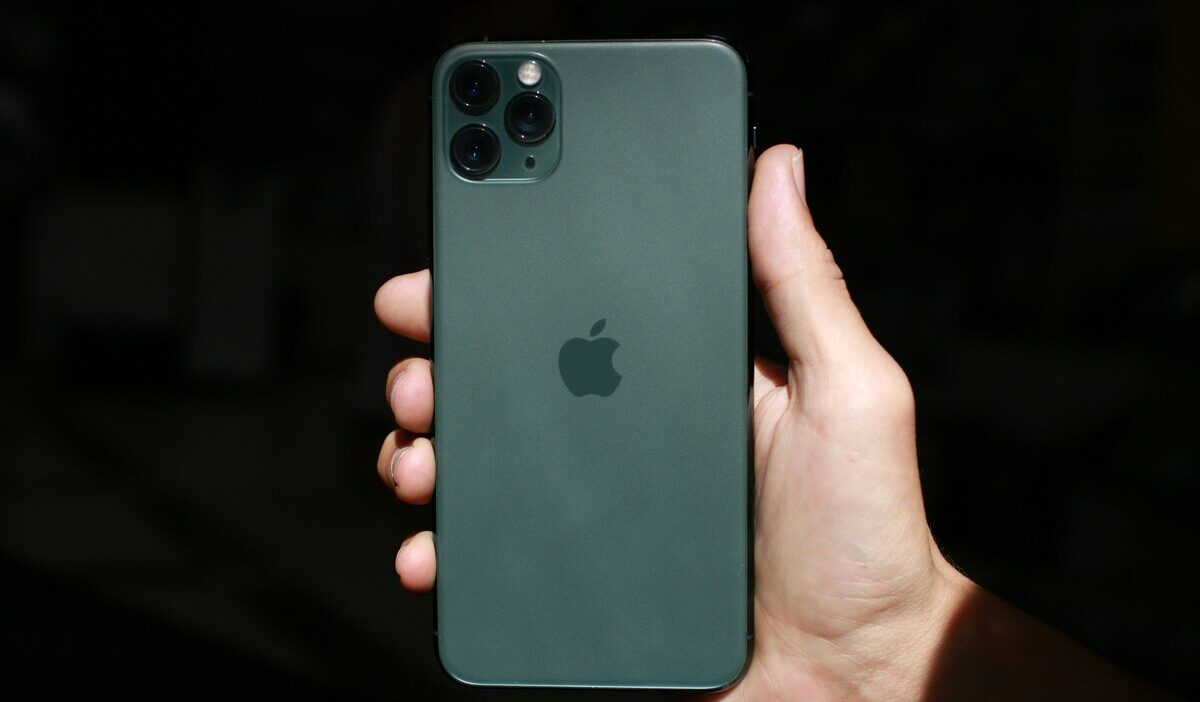
Does iPhone 11 Pro Max have eSIM? Yes, the same eSIM hardware as the standard iPhone 11 Pro. The larger screen and battery do not change its connectivity.
This guide confirms the details specific to this model, walks through setup and dual line management, and covers the most common eSIM problems and how to fix them.
1. Does iPhone 11 Pro Max Have eSIM?
Yes, the iPhone 11 Pro Max has a built-in eSIM alongside its physical nano-SIM slot. This is identical eSIM hardware of the standard iPhone 11 Pro. The larger screen and battery on the Pro Max do not affect its SIM or eSIM capability in any way.
You can store multiple eSIM profiles, typically up to 8, but only one works at once. Models sold in Mainland China, Hong Kong, and Macao do not support eSIM and use two physical SIM slots instead.
2. How to Set Up eSIM on iPhone 11 Pro Max
Setting up an iPhone 11 Pro Max eSIM follows the same process as any other supported iPhone model.
- Open Settings > Cellular > Add eSIM
- Scan the carrier QR code or follow the carrier activation instructions
- Complete activation and confirm the new line appears under Cellular
- Assign a label, such as Personal or Work, to identify each line easily
3. Managing Two Active Lines on iPhone 11 Pro Max
Once you have a physical SIM and an eSIM both set up, here is how to manage them day to day.
- Go to Settings > Cellular to see both lines listed
- Tap Default Line to choose which line handles outgoing calls and texts by default
- Tap Cellular Data to choose which line is used for mobile data, separate from your default voice line
- Label each line, for example, Personal and Work, to avoid confusion when answering calls or sending messages
- In most cases, previously installed eSIM profiles can be reactivated without scanning the QR code again, provided the carrier has not removed the profile.
This setup works well for keeping a personal number active while testing a more affordable plan on the second line.
>>> Read more: iPhone 16 SIM Card Slot: Does It Support Physical SIM Or eSIM?
4. Troubleshooting eSIM Issues on iPhone 11 Pro Max
If your eSIM is not working as expected, here are the most common causes and fixes.
| Problem | Likely Cause | Fix |
| “No SIM Card Installed” error | Convert to the eSIM option is missing | Update iOS, then restart the device |
| eSIM will not activate | No internet connection during setup | Connect to Wi-Fi or cellular data, then retry |
| iOS is out of date or a temporary glitch | Carrier does not support conversion | Remove unused profiles or contact the carrier |
| Cannot add a second eSIM | Carrier restriction, activation issue, or profile limit reached | Convert to the eSIM option missing |
| eSIM disabled despite an unlocked phone | Some carrier accounts disable eSIM specifically | Confirm with your carrier that eSIM is enabled on your account |
5. Need a Second Line for Work or Family? A Lifeline Plan May Help Reduce Costs
If you are paying for two separate plans on your iPhone 11 Pro Max, there may be a more affordable way to cover one of those lines. If you qualify for government assistance, you may be able to activate a free monthly plan through the Lifeline program.
What Is the Lifeline Program?
The Lifeline program is a federal assistance program that helps eligible low-income households access phone service at reduced or no cost each month.
- Standard households can receive a discount of up to $9.25 per month
- Households on Tribal lands qualify for an enhanced discount of up to $34.25 per month
You may qualify based on income or program enrollment. Your household income must be at or below 135% of the Federal Poverty Guidelines, or you must be an active participant in Medicaid, SNAP, SSI, Section 8, or Veterans Pension.
Importantly, when applying for the Lifeline benefit, you will apply to its Eligible Telecommunication Carriers, not the program itself. And in many cases, these carriers may offer more than just a communication service plan.
Which Lifeline Plan Can You Get?
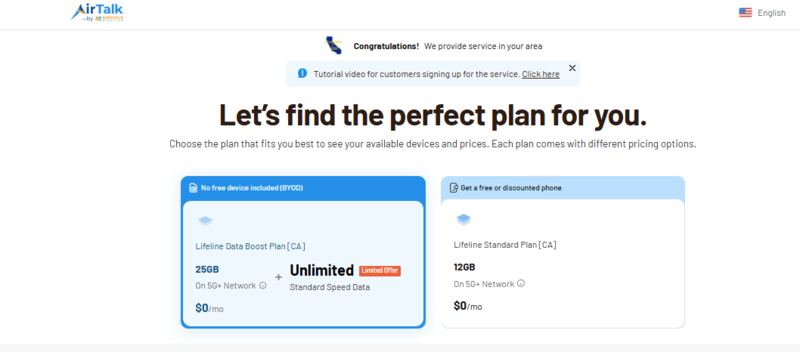
Available Lifeline benefits vary by state. However, Cintex Wireless, an approved carrier well-known for its streamline applciation process, generally offers two types of Lifeline plans across its service areas. While data allowances, device availability, and specific features may differ by location, the overall plan structure remains similar.
UPDATE: Cintex Wireless is merging into AirTalk Wireless, another established Eligible Telecommunications Carrier (ETC) with years of experience serving Lifeline customers nationwide. As this transition continues, customers can expect support from a larger Lifeline operation while maintaining access to the same federally supported Lifeline benefit.
Note: Eligibility varies by state and program. Offers depend on availability and qualifications. Cintex and AirTalk Wireless operate under the federal Lifeline Program as an Eligible Telecommunications Carrier (ETC). Service is non-transferable and limited to one service per household.
Option 1: Lifeline Data Boost Plan
- Monthly data allowance, which varies by state and eligibility
- $0/month for eligible participants
- No free device included; this is the BYOP option. You bring your own compatible, carrier-unlocked phone and activate service on it directly. Your iPhone 11 Pro Max may qualify if it is unlocked and compatible with the network.
Option 2: Lifeline Standard Plan
- Monthly data allowance, which varies by state and eligibility
- $0/month for eligible participants
- May include access to a free or discounted phone, depending on inventory, location, and current offers. This option is designed for users who prefer receiving a device rather than bringing their own.
Because Lifeline offerings differ by state, available data amounts, device selections, and plan features may vary. To view the plans currently available in your area, visit the carrier website and enter your ZIP code.
>>> Read more: Does iPhone 13 Pro Max Have eSIM? Complete eSIM Guide
6. FAQ
Q1. Is the eSIM on iPhone 11 Pro Max different from the standard Pro?
No. The eSIM hardware is identical across the standard iPhone 11 Pro and the Pro Max. The only differences between the two models are screen size and battery capacity, not connectivity.
Q2. Can I set different default lines for calls and data on iPhone 11 Pro Max?
Yes. Go to Settings > Cellular and you can set one line as your default for calls and texts while choosing a separate line for cellular data. This is useful for separating a personal number from a data-only plan.
Q3. Why does my iPhone 11 Pro Max say “No SIM Card Installed”?
This is usually caused by an outdated iOS version or a temporary software glitch. Update your iPhone to the latest iOS version and restart the device. If the issue continues, contact your carrier to confirm your account is active.
Q4. Can iPhone 11 Pro Max use two eSIMs at the same time?
No. The iPhone 11 Pro Max supports one active eSIM and one active physical nano-SIM at the same time. Dual active eSIM support was introduced on later iPhone models, beginning with the iPhone 13 series.
Final Words
Does iPhone 11 Pro Max have eSIM? Yes, the same hardware as the standard Pro, with one eSIM active alongside one physical nano-SIM at a time.
Set a default line for calls and another for data in Settings to manage both smoothly. If you qualify for government assistance, an approved Lifeline provider may offer a free phone with $0 monthly service.