
Few phone problems are more irritating than a SIM card that frequently fails to function. If you’re wondering, why does my SIM card keep failing, the solution isn’t always clear.
In some circumstances, the SIM card may have been damaged or improperly activated. In other cases, the problem might be caused by network settings, carrier troubles, or an error in the device.
1. Common Symptoms SIM Card May Be Failing
The Subscriber Identity Module (SIM) is a tiny chip that is essential to your cellular identity. It stores the information that connects your phone to a certain network.
When your device cannot interact with the SIM card, you have a SIM failure.
Here are several signs that your SIM card may go bad or stop working:
- Connectivity problems: Dropped calls, failed text messages, weak signal, or frequent loss of service may indicate a SIM card issue.
- Poor mobile data performance: Slow internet speeds and unexpected data disconnections can occur when the SIM card is not functioning properly.
- SIM card detection errors: Messages such as “SIM card not detected,” “No SIM available,” or “Invalid SIM card” indicate that your device cannot read the SIM card correctly.
- Physical damage: Scratches, bends, cracks, or worn contacts can prevent the SIM card from establishing a reliable connection.
- SIM Card Working Intermittently: A SIM card may work intermittently before failing entirely, making diagnosis difficult. If it works in one phone but not another, the SIM card or the first phone’s slot is defective.
2. Why Does My SIM Card Keep Failing?
SIM cards act as your phone’s identifier, allowing it to connect to networks to make calls, send messages, and access the internet.
Without an active SIM card or eSIM profile, your phone cannot connect to a mobile network.
However, some circumstances leave you wondering, “Why does my SIM card keep failing?” Below are the possible reasons.

Physical Damage and Wear & Tear
One of the most common reasons is physical damage caused by everyday use.
Over time, repeatedly removing and reinserting the SIM card can wear down the gold contact points that allow it to communicate with your phone.
Scratches, chips, or cracks on these contacts may disrupt the connection and lead to recurring SIM errors.
Improper handling can also bend or misalign the card, making it difficult for the device to read it correctly.
In addition, exposure to moisture can cause corrosion, while leaving a phone in direct sunlight for extended periods can damage the SIM card and affect its performance.
Manufacturing Defects
Although uncommon, some SIM cards leave the factory with faults that prevent them from connecting to a mobile network.
These defects can lead to recurring SIM errors even when the card has not been damaged or exposed to harsh conditions.
Dirt, Dust, and Corrosion
Another reason why your SIM card may constantly fail is the accumulation of dirt, dust, or corrosion on the metal connections.
These pollutants may gradually disrupt the connection between the SIM card and your phone, leading to detection failures and inconsistent service.
Furthermore, moisture exposure can exacerbate the situation by triggering corrosion, severely limiting the card’s functionality.
Network or Carrier Issues
If you’re asking why does my SIM card keep failing, the problem may be related to your carrier rather than the SIM card itself.
SIM cards can be deactivated after extended periods of inactivity, and service may also be suspended or terminated if your account is suspended or terminated.
In some cases, carrier network upgrades or the retirement of older technologies may require a newer SIM card or a compatible device to maintain service.
Outdated or Incompatible SIM Card
Older SIM cards may not support newer network technologies, such as 4G LTE or 5G, leading to connectivity problems and recurring service interruptions.
In addition, compatibility issues can also occur when using an older SIM card in a newer smartphone model.
If your SIM card has been in use for many years, it may be worth contacting your carrier to determine whether an upgraded SIM card is needed to support your device and network.
Software and Device Issues
Another reason why does my SIM card keep failing is software-related issues.
System glitches can interfere with SIM detection, triggering errors such as “No SIM detected” even when the card is functioning properly.
Moreover, carrier locks, network restrictions, or a blacklisted IMEI can prevent a device from connecting to a mobile network.
>>>Read more: No SIM No Service Android: Common Causes & Easy Fixes
3. What to Do if a SIM Card Keeps Failing?
If your SIM card is giving you trouble, don’t worry. Here’s how to troubleshoot your SIM card and get your phone back to being your reliable buddy.
- Test the SIM Card in Another Phone: Insert the SIM card into a compatible device to determine whether the problem follows the SIM card or stays with the phone.
- Clean the SIM Card and Tray: Remove any dust, dirt, or debris from the SIM card and SIM tray. A poor physical connection can sometimes cause recurring SIM failures.
- Check Your Software and Carrier Settings: Make sure your device is running the latest software and that any carrier settings updates have been installed. Outdated settings can affect SIM recognition and network connectivity.
- Reset Your Phone Settings: Resetting network settings can resolve configuration errors that prevent your phone from connecting to the mobile network.
- Contact Your Carrier: If the issue continues, your carrier can check for account, activation, or network-related problems. They can also determine whether you need a replacement SIM card.
4. When It’s Time to Replace the SIM card
When you’ve done all you can, and your SIM card still doesn’t work properly, it might be time to say goodbye and obtain a new one. Here’s how you’ll know it’s time to change:
- Persistent issues despite troubleshooting
- Your SIM card is too old
- Your new device requires a different SIM size or an eSIM activation.
If you decide to have a SIM replacement, you can transfer your existing phone number and service to the new card. Once activated, a replacement SIM should restore normal access to calls, texts, and mobile data.
Notably, if you qualify for the Lifeline program, replacing your SIM card may also be an opportunity to explore additional benefits.
Lifeline is a federal assistance program that helps eligible low-income households stay connected through discounted or free wireless service.
You generally qualify if you meet the income limit or participate in qualifying programs. Though do note that the eligibility may vary by state and program. So make sure to double-check for your case.
Another point worth mentioning is that the Lifeline benefit is non-transferable and limited to one service per household only.
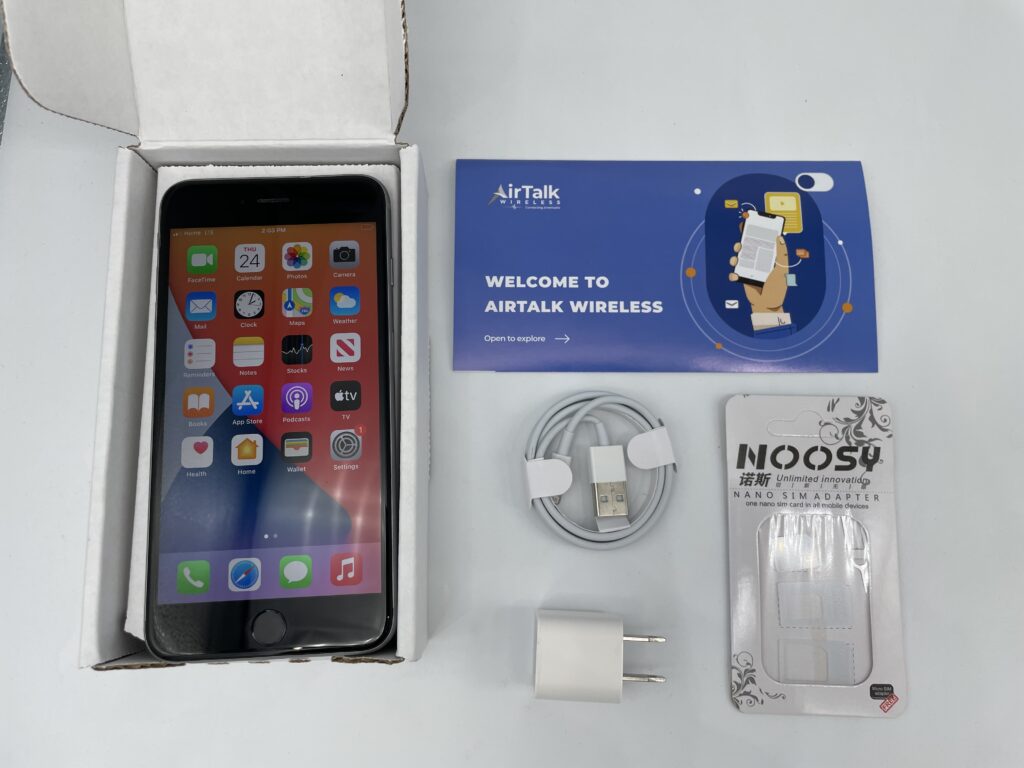
Through eligible telecommunication carriers such as Cintex Wireless, eligible participants may receive a free SIM card, monthly talk, text, and data benefits, and even a free government phone in qualifying areas.
Note: Cintex Wireless is merging with AirTalk Wireless, another notable ETC known for its experience in the inđútry, to offer a much broader range of device options and a more streamlined application process. Device availability and benefits vary by state, eligibility, and inventory.
DISCLAIMER: The government does not cover device costs, only basic service through Lifeline. Any free or discounted devices, upgrades, or top-ups are limited-time Cintex Wireless and AirTalk Wireless offers and may vary by state, eligibility, and availability. Terms and conditions apply.
5. How to Avoid SIM Card Failure?
A little care may go a long way toward prolonging your SIM card’s life and preventing unpleasant connectivity issues. Check out these effective tips:
- Handle and store your SIM card carefully: Avoid bending or damaging the card, and keep it in a safe, dry place when not in use.
- Keep the SIM card clean and dry: Regularly remove dust and debris from the contacts, and protect it from moisture.
- Limit frequent SIM card swaps: Repeatedly moving a SIM card between devices can wear down the contact points over time.
- Stay up to date with carrier and software updates: Installing network and system updates can help maintain compatibility and reliable performance.
Conclusion
If you’ve been asking yourself, why does my SIM card keep failing, you’re not alone. The issue may stem from a damaged SIM card, software glitches, network problems, or even hardware faults within your device. We hope the aforementioned troubleshooting methods can help you solve this problem.